Scatter Plot - QwtPlotCurve Scatter Mode
Scatter plots are used to display data distribution, with each data point marked by an independent symbol. In Qwt, scatter plots are implemented using QwtPlotCurve combined with QwtSymbol.
Key Features
- Ellipse, rectangle, diamond, triangle, cross and other symbol shapes
- Configurable symbol size, fill color, border color and border width
Dotsstyle for rendering millions of points- Symbol jitter to separate overlapping points
Basic Concepts
Scatter Plot Implementation Methods
Qwt provides three ways to draw scatter plots:
| Method | Curve Style | Description |
|---|---|---|
| NoCurve + Symbol | NoCurve |
Show symbols only, no connecting lines |
| Dots | Dots |
Draw pixel points only, highest performance |
| Lines + Symbol | Lines |
Display both connecting lines and symbols |
Performance Comparison
| Data Size | NoCurve+Symbol | Dots |
|---|---|---|
| <1000 points | Fast | Fastest |
| 1000-10000 points | Fairly fast | Fast |
| >10000 points | Slow | Fast |
| >100000 points | Very slow | Fastest (recommended) |
Usage
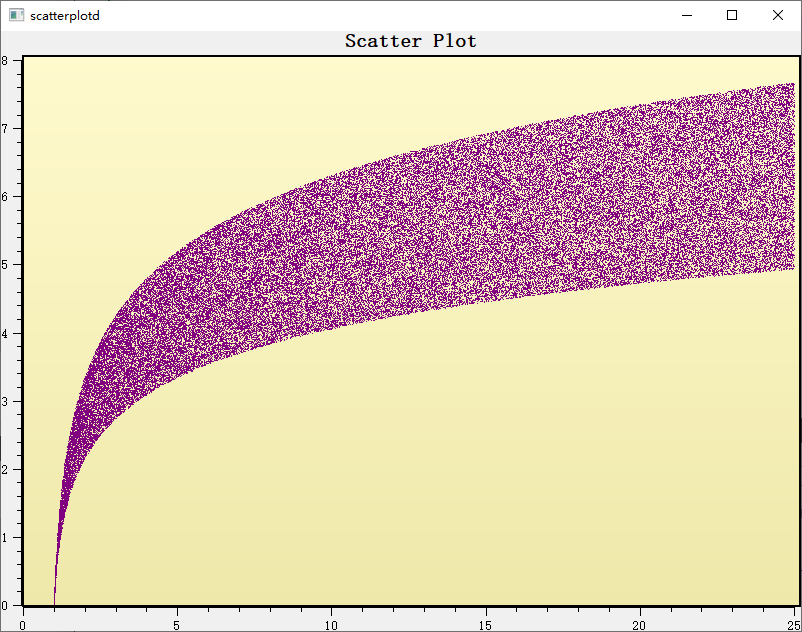
The scatter plot example is located at: examples/2D/scatterplot. Screenshot below:
1. Basic Scatter Plot
Use NoCurve style with symbols to draw a scatter plot:
1 2 3 4 5 6 7 8 9 10 11 12 13 14 15 16 17 18 19 20 21 22 23 24 25 26 27 28 29 30 31 32 33 34 | |
2. High-Performance Scatter Mode
For large numbers of data points, use Dots style for optimal performance:
1 2 3 4 5 6 7 8 9 10 11 12 13 14 15 16 17 18 19 20 | |
Tip — Dots vs Symbol Performance
Dotsstyle draws pixel points directly, suitable for millions of data pointsNoCurve + Symboltreats each point as a full symbol drawing object, suitable for small datasets- For real-time scatter plots,
Dotsis recommended
3. Multiple Symbol Styles
The QwtSymbol constructor takes a shape (Style), a fill brush, an outline pen, and a size; built-in shapes include Ellipse, Rect, Diamond, Triangle, Cross, XCross, Star1, and Hexagon. Open shapes such as the crosses are usually created with Qt::NoBrush. The snippet below instantiates one symbol of each common shape:
1 2 3 4 5 6 7 8 9 10 11 12 13 14 15 16 17 18 19 20 21 22 23 24 25 26 27 28 29 30 31 | |
4. Symbol Jitter
When multiple data points are close together, jitter can be used to avoid overlap:
1 2 3 4 5 | |
Note — Jitter Principle
Jitter adds a random offset to each point's X coordinate during rendering, dispersing overlapping points to make the data density distribution easier to observe.
5. Multiple Scatter Data Groups
Each data group is simply a separate QwtPlotCurve with its own title and symbol, all attached to the same QwtPlot. The example below overlays three NoCurve groups distinguished by Ellipse, Rect, and Diamond symbols:
1 2 3 4 5 6 7 8 9 10 11 12 13 14 15 16 17 18 19 20 21 | |
6. Lines and Symbols Combined
Setting the curve style to Lines while also assigning a symbol via setSymbol() draws both the connecting line and a marker at every sample. The line appearance comes from the curve's setPen(), independent of the symbol's own pen and brush. The example below combines a blue line with hollow ellipse markers:
1 2 3 4 5 6 7 8 9 10 11 12 13 | |
Symbol Shape List
| Shape | Enum Value | Description |
|---|---|---|
NoSymbol |
No symbol | No symbol displayed |
Ellipse |
Ellipse | Circle or ellipse (depending on size) |
Rect |
Rectangle | Square or rectangle |
Diamond |
Diamond | Diamond shape |
Triangle |
Triangle | Upward triangle |
DTriangle |
Down triangle | Downward triangle |
UTriangle |
Up triangle | Same as Triangle |
LTriangle |
Left triangle | Left-pointing triangle |
RTriangle |
Right triangle | Right-pointing triangle |
Cross |
Cross | + shaped cross |
XCross |
X-cross | X shaped cross |
Star1 |
Star | Six-pointed star |
Star2 |
Star 2 | Five-pointed star |
Hexagon |
Hexagon | Regular hexagon |
Path |
Path | Custom QPainterPath |
Custom Symbol Path
For shapes beyond the built-in list, set the symbol style to QwtSymbol::Path and supply a QPainterPath through setPath(); size, brush, and pen still apply to the path. The example below builds a closed arrow-like outline and uses it as the scatter symbol:
1 2 3 4 5 6 7 8 9 10 11 12 13 14 15 16 17 18 19 20 21 | |
Symbol Core Methods
| Method | Description |
|---|---|
setStyle() |
Set symbol shape |
setSize() |
Set symbol dimensions |
setBrush() |
Set fill brush |
setPen() |
Set border pen |
setPath() |
Set custom path |
setPinPoint() |
Set symbol anchor position |
drawSymbol() |
Draw symbol |
Example — Related Examples
- Scatter plot:
examples/2D/scatterplot- Symbol demo:
playground/symbols- Curve styles:
examples/2D/curvedemo