Panning Tool
Note — Panning in Qwt 7
QwtPlotPannerhas been refactored for real-time interaction. Panning now moves the live plot content instead of the cached bitmap used by the originalQwtPlotPanner.
The Qwt6 version of QwtPlotPanner was based on a cache-based panning mechanism, which had two main issues:
- During panning, a cached bitmap was shown instead of the current plot content
- Data changes were not visible during the pan, so interactive exploration was limited
The Qwt6 QwtPlotPanner reduced plot refreshes by caching, but the cached bitmap made panning feel static. Qwt7 therefore refactored QwtPlotPanner so the plot updates while the mouse moves.
Refactored QwtPlotPanner Improvements
The new QwtPlotPanner uses the QwtPicker state machine for panning and zooming, and updates the plot while the mouse moves:
The animation below shows panning in progress:
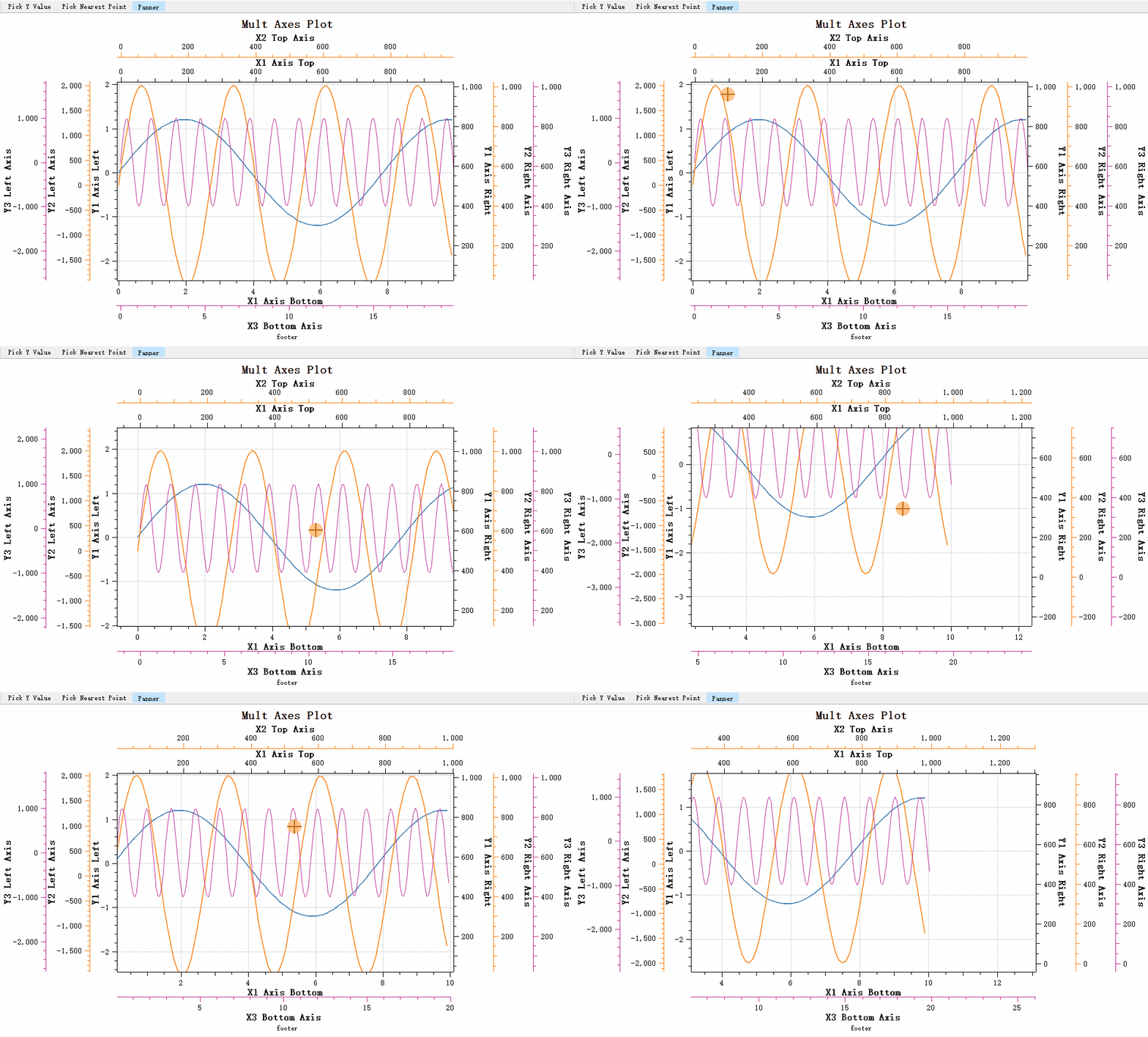
The new QwtPlotPanner supports these axis scales:
- Linear Scale
- Logarithmic Scale
- DateTime Scale
- Multiple axes
Warning — Using the Original Cache-Based Picker
The original cache-based panner is available as
QwtPlotCachePanner.
| Class Changes | Property | Base Class |
|---|---|---|
| QwtPanner -> QwtCachePanner | Renamed | QWidget |
| Original QwtPlotPanner -> QwtPlotCachePanner | Renamed | QwtCachePanner |
| Original QwtPolarPanner -> QwtPolarCachePanner | Renamed | QwtCachePanner |
| QwtPlotPanner | Refactored | QwtPicker |
The Qwt6 QwtPlotPanner was refactored, but its interface is unchanged, so existing code needs no modification.
Basic Usage
The listing below attaches a QwtPlotPanner to the plot canvas, binds panning to the middle mouse button, and connects the panned signal to report each drag offset.
1 2 3 4 5 6 7 8 9 10 11 12 13 14 15 16 17 18 19 20 21 22 23 | |
You can set the panning direction to restrict movement to one direction:
1 2 3 4 | |
Note — Axis binding
QwtPlotPannerdiffers fromQwtPlotPickerin that it does not need to bind to axes, because the movement applies to the entire canvas. All axes move with the canvas.