平移工具
说明 — Qwt 7 中的平移
QwtPlotPanner已重构为实时交互,平移时移动的是绘图内容本身,而不再使用原版QwtPlotPanner的缓存位图。
Qwt6 的 QwtPlotPanner 基于缓存的平移机制,主要有两个问题:
- 平移过程中显示的是缓存的位图,而不是当前的绘图内容
- 平移过程中看不到数据的实时变化,交互式查看受到限制
Qwt6 的 QwtPlotPanner 通过缓存减少了绘图刷新,但缓存位图让平移看起来是静态的。因此 Qwt7 重构了 QwtPlotPanner,让绘图在鼠标移动时同步更新。
重构后的 QwtPlotPanner
新的 QwtPlotPanner 使用 QwtPicker 状态机实现平移和缩放,鼠标移动时绘图同步更新:
下面的动图展示了平移效果:
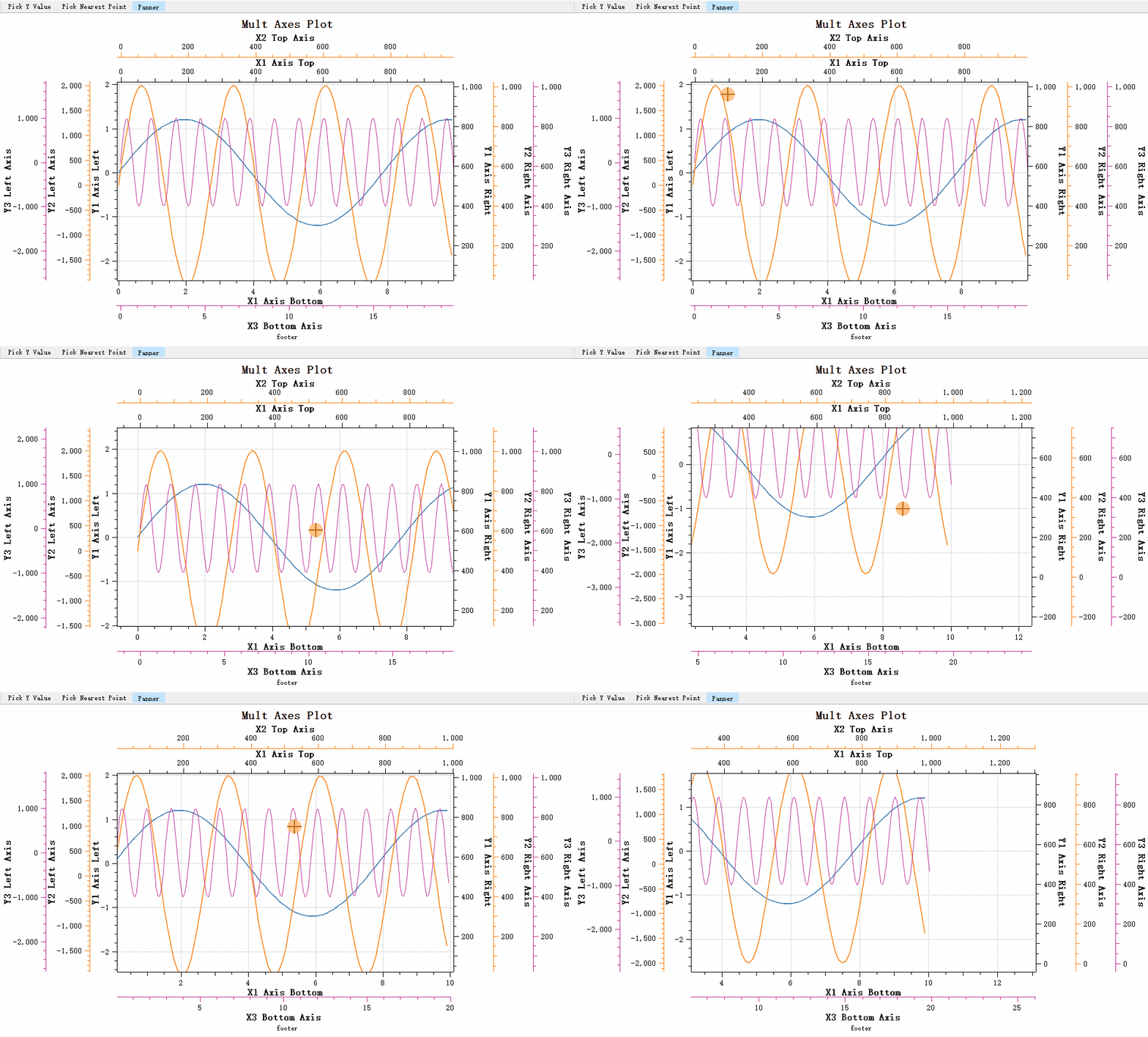
新的 QwtPlotPanner 支持以下坐标轴类型:
- 线性坐标轴(Linear Scale)
- 对数坐标轴(Logarithmic Scale)
- 日期时间坐标轴(DateTime Scale)
- 多坐标轴
警告 — 使用原来的缓存式选择器
原来的缓存式平移器是
QwtPlotCachePanner,仍可使用。
| 类变更情况 | 属性 | 基类 |
|---|---|---|
| QwtPanner -> QwtCachePanner | 更名 | QWidget |
| 原QwtPlotPanner -> QwtPlotCachePanner | 更名 | QwtCachePanner |
| 原QwtPolarPanner -> QwtPolarCachePanner | 更名 | QwtCachePanner |
| QwtPlotPanner | 重构 | QwtPicker |
Qwt6 的 QwtPlotPanner 经过了重构,但接口保持不变,原有代码无需修改。
基本使用方法
下面的代码在绘图画布上创建 QwtPlotPanner,将平移绑定到鼠标中键,并连接 panned 信号以输出每次拖动的偏移量。
1 2 3 4 5 6 7 8 9 10 11 12 13 14 15 16 17 18 19 20 21 22 23 | |
可以设置平移方向,把移动限制在一个方向上:
1 2 3 4 | |
说明 — 坐标轴绑定
QwtPlotPanner和QwtPlotPicker不同,它不需要绑定坐标轴,因为移动作用于整个画布。画布移动时,所有坐标轴一起移动。