OpenGL Canvas
QWT provides hardware-accelerated rendering through an OpenGL canvas. This page covers CMake configuration and usage of QwtPlotOpenGLCanvas.
CMake Configuration
If you use OpenGL features, add the OpenGL module to your CMake configuration:
1 2 3 4 5 6 7 8 9 10 11 12 13 14 15 16 | |
QwtPlotOpenGLCanvas
QwtPlotOpenGLCanvas is a canvas widget derived from QOpenGLWidget. It renders plot content directly on the GPU, providing significantly better performance than the default QwtPlotCanvas for large datasets and real-time updates.
Basic Usage
Replace the default canvas with the OpenGL canvas:
1 2 3 4 5 6 7 8 9 10 11 12 13 14 15 16 | |
Custom Surface Format
You can pass a custom QSurfaceFormat for advanced OpenGL configuration:
1 2 3 4 5 6 | |
Canvas Properties
QwtPlotOpenGLCanvas imitates the QFrame API even though it is not derived from QFrame:
| Property | Type | Description |
|---|---|---|
frameShadow |
QFrame::Shadow |
Frame shadow style (Plain, Raised, Sunken) |
frameShape |
QFrame::Shape |
Frame shape (NoFrame, Box, Panel, etc.) |
lineWidth |
int |
Width of the frame line in pixels |
midLineWidth |
int |
Width of the middle line for Panel shape |
borderRadius |
double |
Border corner radius for rounded borders |
Alternative: QwtPlotCanvas with OpenGL Buffer
If you prefer the standard QwtPlotCanvas but still want hardware acceleration, use the OpenGLBuffer paint mode:
1 2 3 | |
Info
QwtPlotOpenGLCanvas renders directly to a QOpenGLWidget and generally offers better performance than the OpenGLBuffer approach. However, OpenGLBuffer integrates more seamlessly into desktop applications with mixed widget layouts.
When to Use OpenGL Canvas
| Scenario | Recommendation |
|---|---|
| Static or small datasets (<10k points) | Default QwtPlotCanvas is sufficient |
| Large datasets (>100k points) | QwtPlotOpenGLCanvas for smooth interaction |
| Real-time streaming data | QwtPlotOpenGLCanvas for consistent frame rates |
| Mixed widget UI with complex layouts | QwtPlotCanvas with OpenGLBuffer for better integration |
Related examples
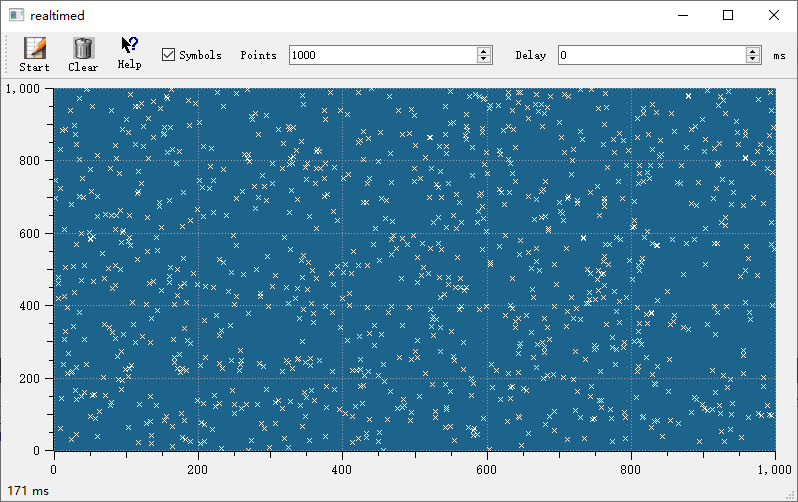
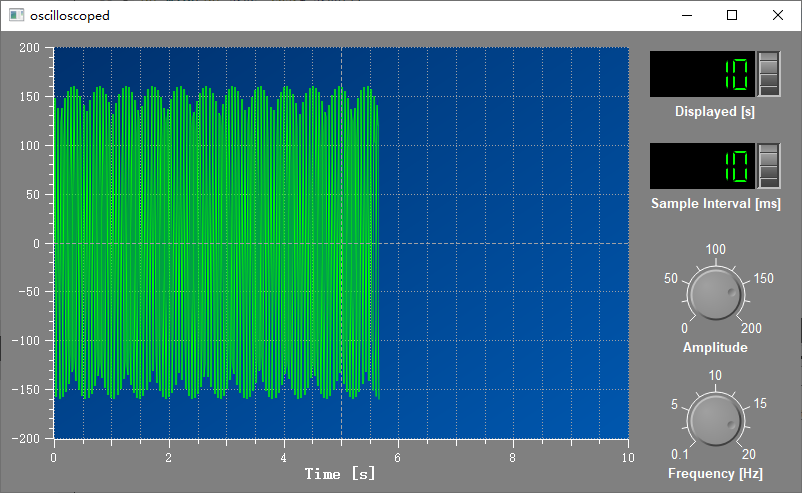
examples/realtime— real-time plotting with high data throughputexamples/oscilloscope— oscilloscope-style waveform display
Screenshots of real-time plotting and oscilloscope: