Panning Tool
New Feature
QwtPlotPicker is a completely refactored real-time interactive plot picker, providing a more intuitive user experience than the original QwtPlotPicker which implemented panning through caching.
The Qwt6 version of QwtPlotPicker was based on a cache-based panning mechanism, which had two main issues:
- During panning, a cached bitmap was displayed instead of real-time updated plot content
- Users could not see real-time data changes during panning, preventing smooth interactive data exploration
Although in some aspects, the Qwt6 QwtPlotPicker greatly reduced plot refreshes, it was very unfriendly to the visual experience. Therefore, Qwt7 refactored QwtPlotPicker with the goal of achieving smooth interactive data exploration.
Refactored QwtPlotPicker Improvements
The new QwtPlotPicker is based on the QwtPicker state machine mechanism, implementing real-time panning and zooming:
The effect is as follows:
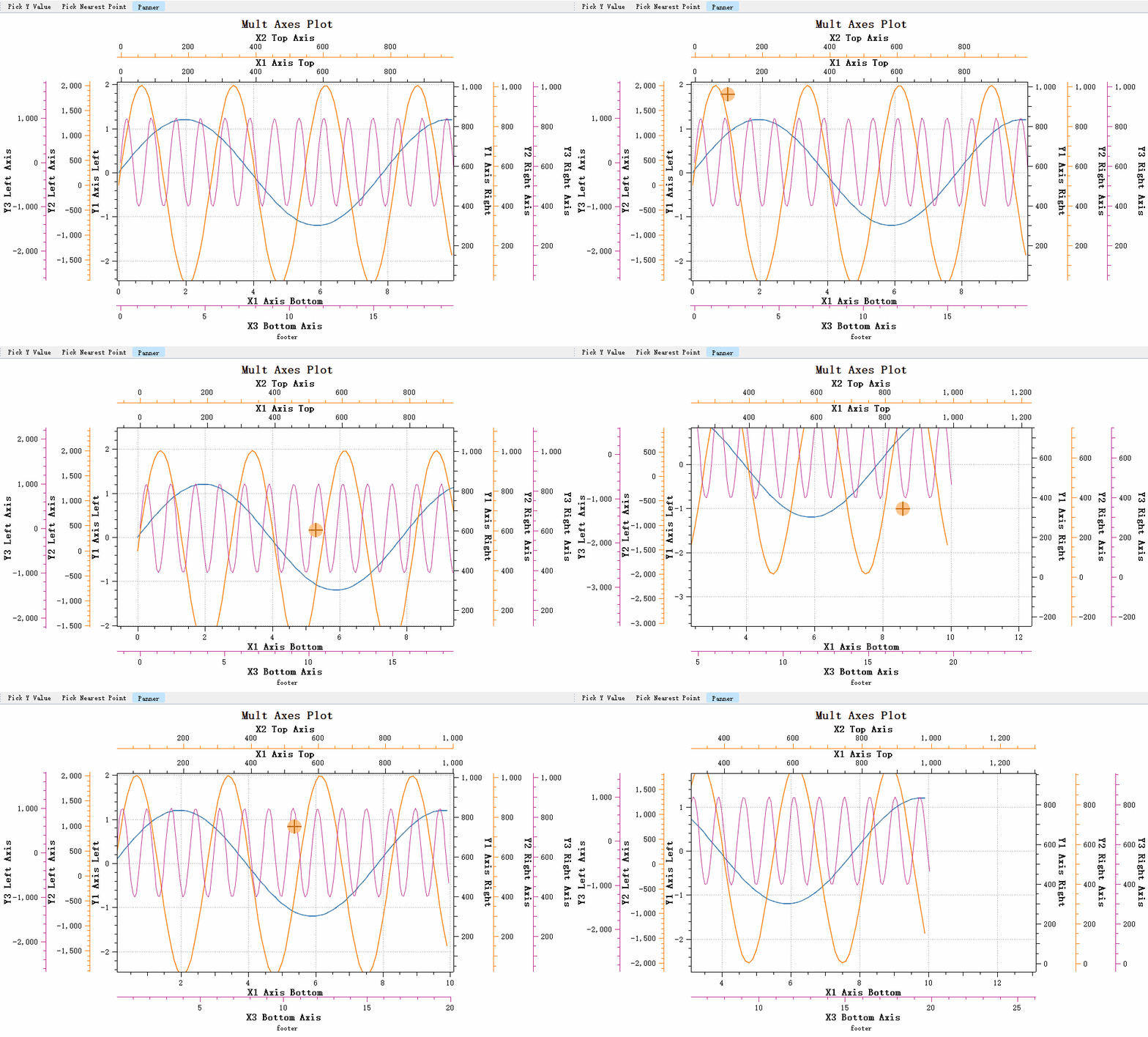
The new QwtPlotPicker provides complete axis support:
- ✅ Linear Scale
- ✅ Logarithmic Scale
- ✅ DateTime Scale
- ✅ Multiple axes
Using the Original Cache-Based Picker
If you want to use the original cache-based picker, you can use QwtPlotCachePicker.
| Class Changes | Property | Base Class |
|---|---|---|
| QwtPanner -> QwtCachePanner | Renamed | QWidget |
| Original QwtPlotPanner -> QwtPlotCachePanner | Renamed | QwtCachePanner |
| Original QwtPolarPanner -> QwtPolarCachePanner | Renamed | QwtCachePanner |
| QwtPlotPanner | Refactored | QwtPicker |
The Qwt6 QwtPlotPanner has been completely refactored, but the interface remains unchanged, so existing code basically requires no modifications.
Basic Usage
1 2 3 4 5 6 7 8 9 10 11 12 13 14 15 16 17 18 19 20 21 22 23 | |
You can set the panning direction to restrict movement to a single direction:
1 2 3 4 | |
Note
QwtPlotPanner differs from QwtPlotPicker in that it does not need to bind to axes, because the movement applies to the entire canvas. During canvas movement, all axes are moved.