SARibbon Introduction


📚 Documentation:https://czyt1988.github.io/SARibbon/en
| Windows(latest) | Linux ubuntu(latest) | Mac(latest) | |
|---|---|---|---|
| Qt5.12 LTS |  |
 |
 |
| Qt5.14 |  |
 |
 |
| Qt5.15 LTS |  |
 |
 |
| Qt6.2 LTS |  |
 |
 |
| Qt6.5 LTS |  |
 |
 |
| Qt6.8 LTS |  |
 |
 |
Project Overview
SARibbon is a Qt-based Ribbon UI control library designed to provide modern, Microsoft Office-like interfaces for desktop applications.
Applicable Scenarios
- Large-scale software
- Industrial-grade software
- Complex desktop applications
Design Philosophy
- API naming style references MFC Ribbon
- UI style combines the strengths of Microsoft Office and WPS Office
- Supports rapid theme customization via QSS (Qt Style Sheets)
- Provides rich built-in control encapsulations (e.g., color picker button and palette)
Features
- ✅ Four-layer nesting layout: RibbonBar → Category → Panel → ToolButton, clear hierarchy, organized functionality
- ✅ Four layout modes: Loose 3-row, Loose 2-row, Compact 3-row, Compact 2-row, switchable at runtime
- ✅ Single-row layout mode: New in v2.8.0, icon-left text-right horizontal layout, recommended for space-constrained scenarios
- ✅ 6 built-in themes: Win7/Office2013/2016/2021/Dark/Dark2, one-call switching, QSS custom extension supported
- ✅ Contextual tabs: SARibbonContextCategory condition-based show/hide, e.g., "Picture Tools" when an image is selected
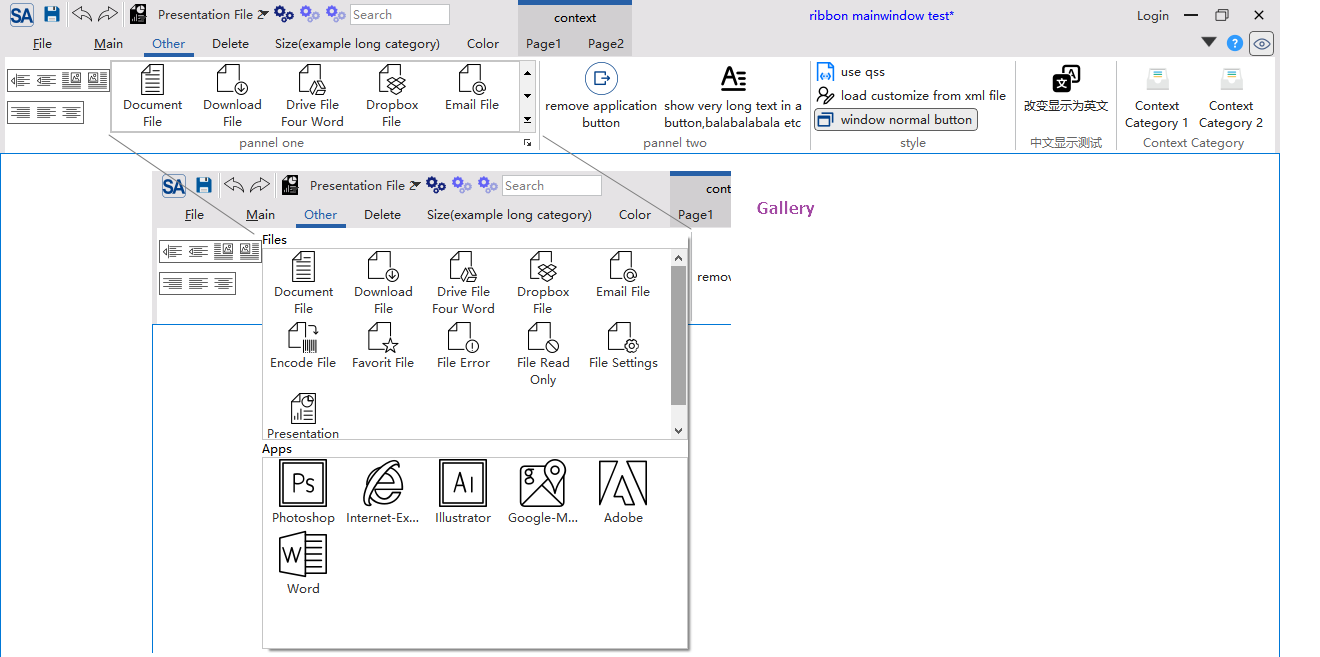
- ✅ Gallery widget: Grid-style icon option display with popup group browsing
- ✅ Minimize mode: Double-click tab to toggle, show only tab bar, click for temporary content panel
- Ribbon layout and display

- Supports minimize mode where only tabs are shown (double-click a tab to toggle); supports contextual tabs

- Supports quick access bar and right button group, with adaptive display under different layout modes
- Supports multiple ribbon button styles: normal button, delayed popup menu button, menu button, action menu button (action menu button is one of the key problems this library solves)
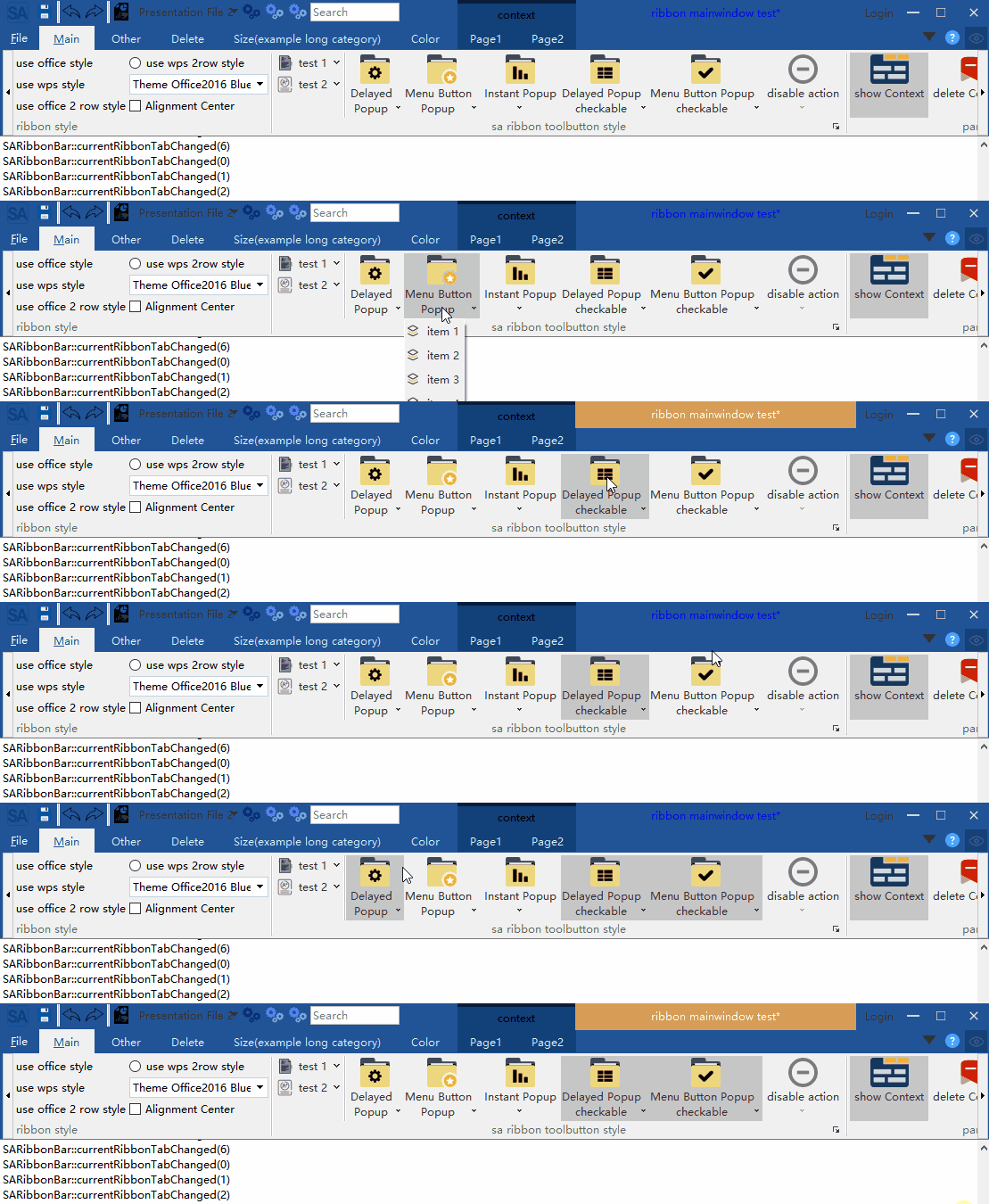
- Supports multiple layout styles

- Supports QSS-based ribbon customization and real-time theme switching; includes 6 built-in themes
Win7 theme:

Office 2013 theme:

Office 2016 theme:

Office 2021 theme:

Dark theme:

Dark2 theme:

- Provides Gallery control
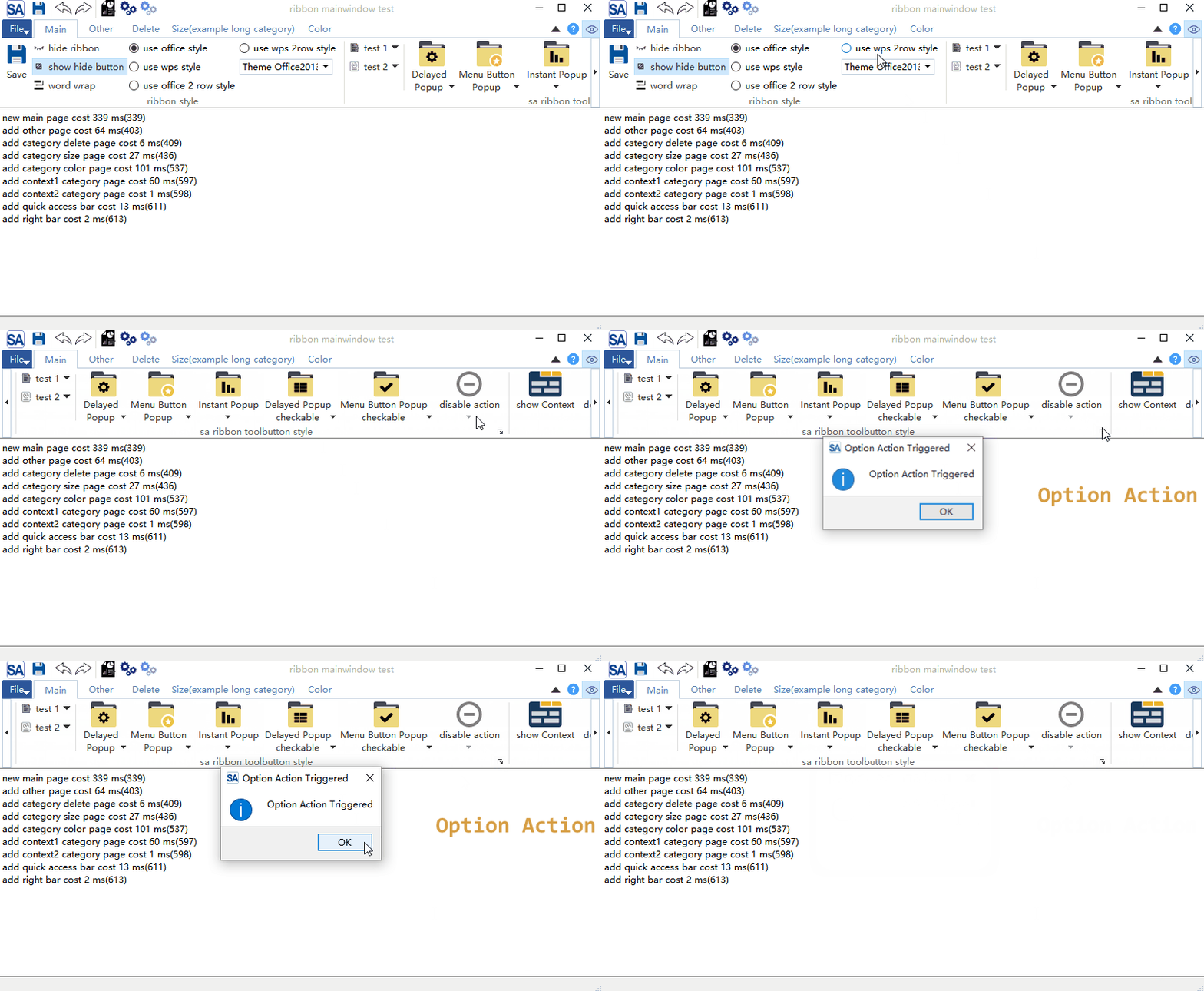
- Supports long content scrolling and Option Action
- Provides center alignment mode

- Supports 4K screens and multi-monitor setups
-
Supports Linux and macOS (UI not deeply adapted)
-
License: MIT (free to use, modify, and distribute)
- Contributions welcome: Feel free to submit issues, PRs, or join the discussion group!
Gitee - https://gitee.com/czyt1988/SARibbon
GitHub - https://github.com/czyt1988/SARibbon
Build and Usage
Documentation is located in the docs/en folder, or visit: https://czyt1988.github.io/SARibbon/en
Doxygen documentation is deployed at: https://czyt1988.github.io/SARibbon/doxygen/index.html
It is recommended to start learning SARibbon from the example/MainWindowExample, which you can also run directly to experience the features.
More Screenshots
- Screenshots of software built with SARibbon
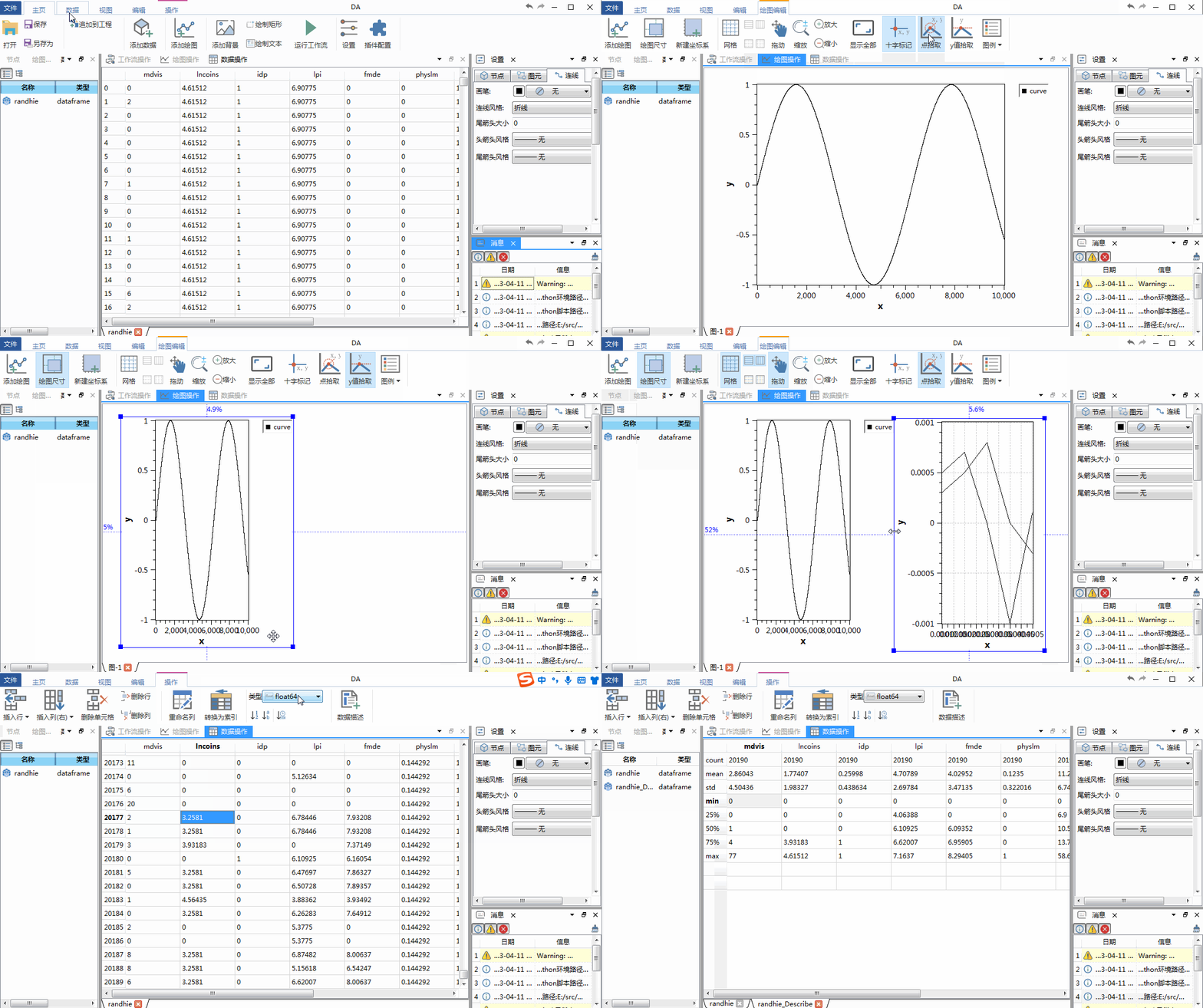
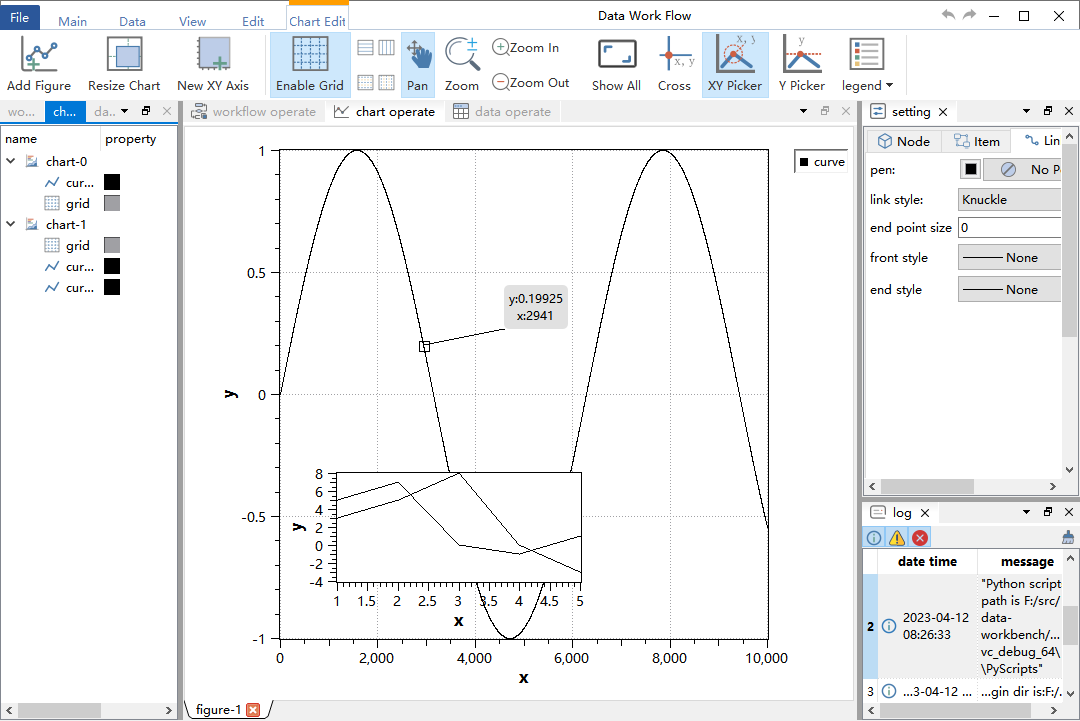
GitHub - https://github.com/czyt1988/data-workbench
Gitee - https://gitee.com/czyt1988/data-workbench
Sample Ribbon generation code:
https://github.com/czyt1988/data-workbench/blob/master/src/APP/DAAppRibbonArea.cpp
Documentation Generation
- Use
doxygento generate HTML or.qchdocumentation: docs/doxygen-doc-file/Doxyfile-wiki-en→ Generate web documentation (Note: the-envariant does not yet exist — useDoxyfile-wiki-cnas a reference, or create the-enversion from it.)docs/doxygen-doc-file/Doxyfile-qch-en→ Generate Qt Creator help documentation (Note: the-envariant does not yet exist — useDoxyfile-qch-cnas a reference, or create the-enversion from it.)- Static documentation is built with
mkdocsand deployed to GitHub Pages: https://czyt1988.github.io/SARibbon/en