SARibbon Build Instructions
- ✅ Static approach: add
SARibbon.h+SARibbon.cppdirectly — no build needed - ✅ Dynamic library build: CMake-based, with compiler/version-isolated install
- ✅ Optional QWindowKit: native OS window features (snap layout, multi-monitor)
Tip
You don't need to compile SARibbon — just add SARibbon.h and SARibbon.cpp (located in the src directory) to your project.
This document explains in detail how to build SARibbon dynamically.
If you are not familiar with building, we recommend the static approach: simply add SARibbon.h and SARibbon.cpp to your project and you are ready to go.
Sub-document Navigation
| Document | Content |
|---|---|
| Building SARibbon Library | CMake build options and detailed steps |
| Third-Party Library Build | How to compile QWindowKit |
| Common Build Errors | Troubleshooting compilation issues |
| Internationalization | Translation file generation and new languages |
Build Workflow Overview
SARibbon building is divided into two parts: third-party dependencies (optional) and SARibbon itself. The following flowchart shows the overall build route:
flowchart TD
    A[Start Build] --> B{Need native window features?}
    B -->|Yes| C[Build QWindowKit third-party library]
    B -->|No| D[Skip third-party library]
    C --> E[Build SARibbon library]
    D --> E
    E --> F[CMake Build]
    F --> G[Install to local directory]
    G --> H[Reference library in project]
Note
SARibbon removed qmake-based builds after v2.6.3 and only supports CMake. If you need qmake support, use v2.6.2 or earlier.
QWindowKit Third-Party Library
SARibbon uses QWindowKit as its borderless-window solution, while also supporting a simple built-in borderless mode. If you need native OS window features, such as Windows 7+ snap-to-edge handling or Windows 11 Snap Layout effects, it is recommended to enable the QWindowKit library. This library also effectively addresses multi-monitor movement issues.
After enabling QWindowKit, you will be able to achieve effects like:
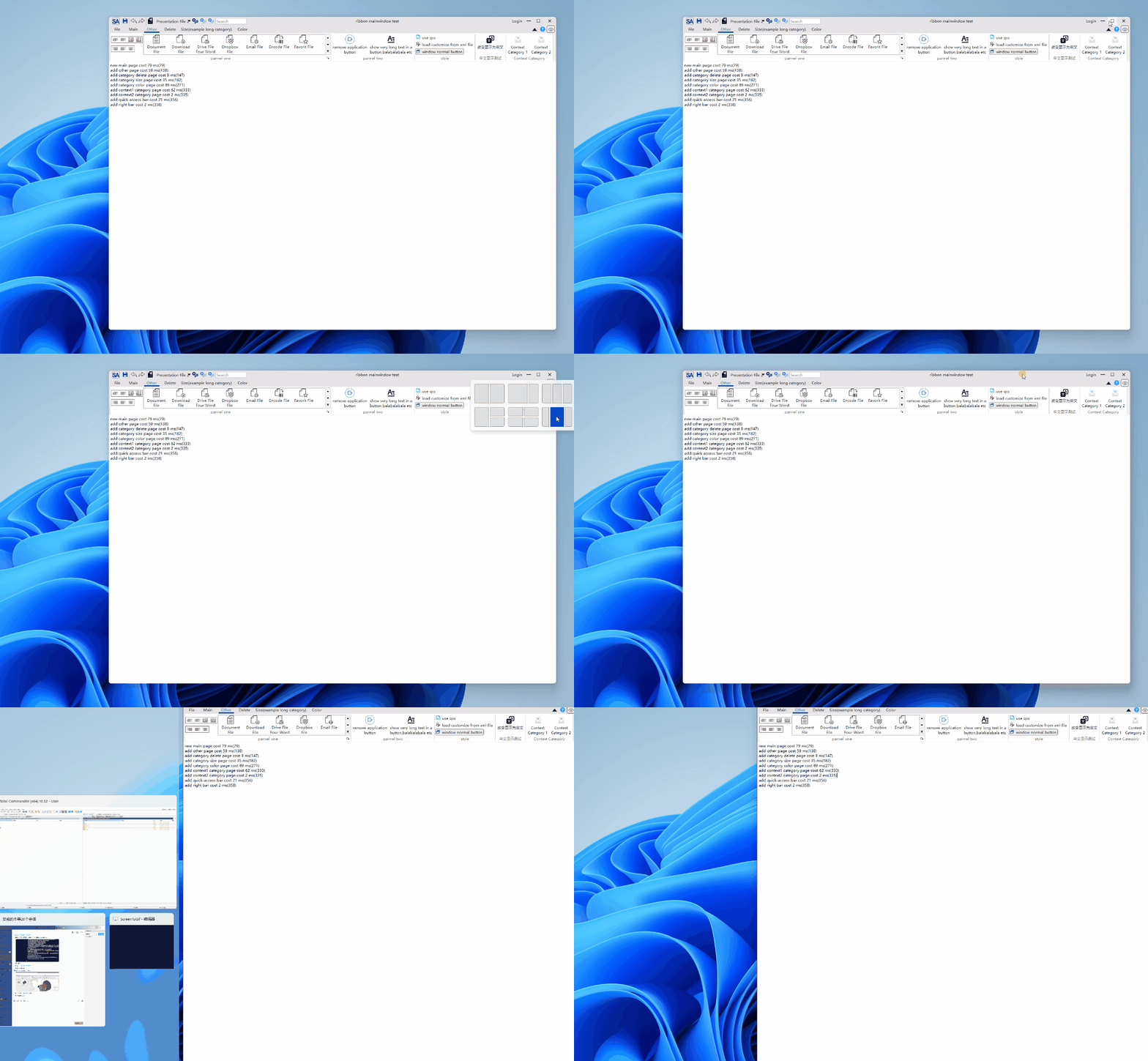
To enable QWindowKit, you need to compile the library first. For detailed steps, see Third-Party Library Build.
Note
As a submodule of the SARibbon project, if you did not use the --recursive flag during git clone, run:
1 | |
Building the SARibbon Library
SARibbon only supports the CMake build approach (qmake support was removed after v2.6.3). For detailed build steps and configuration options, see Building SARibbon Library.
If you encounter issues during the build process, see Common Build Errors.
Installation Location
After CMake finishes building, the install target will deploy all dependencies.
Consumers can simply call find_package to pull in libraries, dependencies and predefined macros—this is the recommended workflow.
During development, however, you often need to switch between compilers (MSVC, MinGW, …) and Qt versions.
Using the default global location (e.g. C:\Program Files on Windows) allows only one variant to be installed at a time.
To keep builds isolated, SARibbon defaults to local installation.
A folder is created whose name encodes the Qt version and compiler, e.g.
bin_qt{version}_[MSVC|GNU]_x[64|86].
You can control this behaviour with the CMake option
SARIBBON_INSTALL_IN_CURRENT_DIR (default ON).
When ON, the above local folder is used; when OFF, the standard system location is used.