Third-Party Library Build Guide
- ✅ QWindowKit native windows: supports Windows snap-to-edge, Snap Layouts, and multi-monitor relocation
- ✅ Multi-IDE support: three build routes — Qt Creator, Visual Studio, and command-line
- ✅ Auto local install: compiled library auto-installs into the same version-isolated directory as SARibbon
Warning
Skip this document if you do not plan to enable QWindowkit.
QWindowkit offers a superior borderless-window solution that respects native OS behaviors (snap, maximize animations, etc.) and handles multi-monitor / mixed-DPI relocation correctly.
Building the QWindowkit library
QWindowkit must be built with CMake; no qmake project is provided.
For your convenience a ready-to-use CMakeLists.txt is placed in
src/SARibbonBar/3rdparty.
Open or invoke that file to build and install the library.
The steps are almost identical for Qt Creator and Visual Studio.
Qt Creator route
-
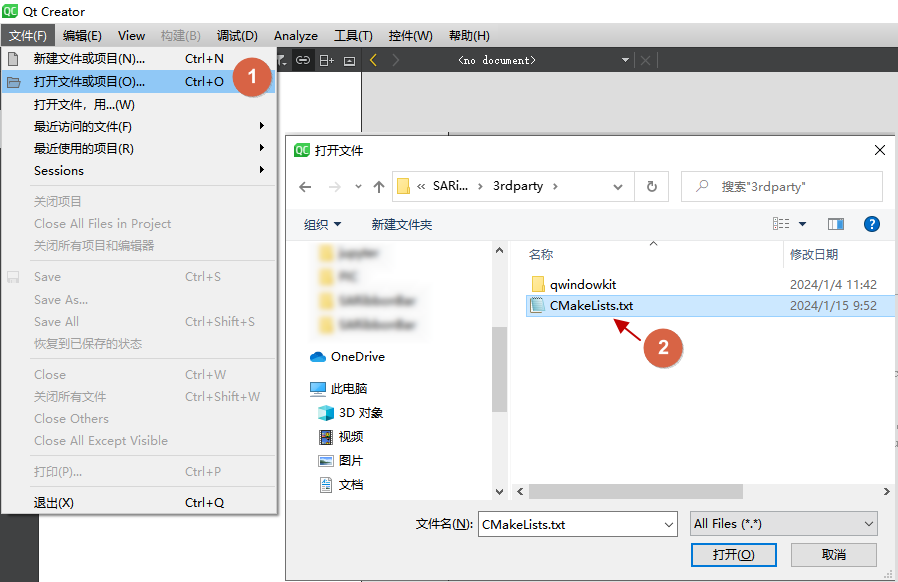
Open
src/SARibbonBar/3rdparty/CMakeLists.txtin Qt Creator.
-
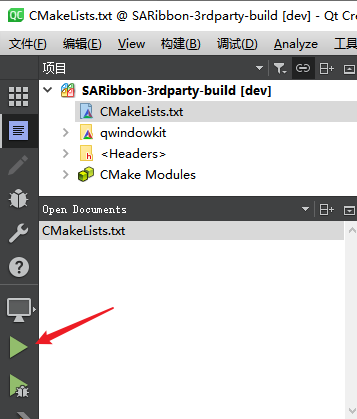
Press Run (Ctrl+R).
-
Switch to Projects mode (Ctrl+5).
-
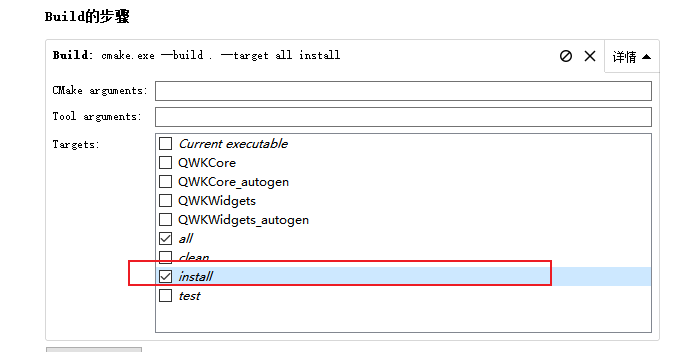
In the Build steps tick
install.
(Some Creator versions cannot selectallandinstalltogether; buildallfirst, theninstall).
-
Press Run again.
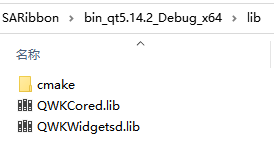
When finished you will find a folder such as
bin_qt5.14.2_MSVC_x64 in the SARibbon root; QWindowkit is installed inside.
Done.
Visual Studio route
-
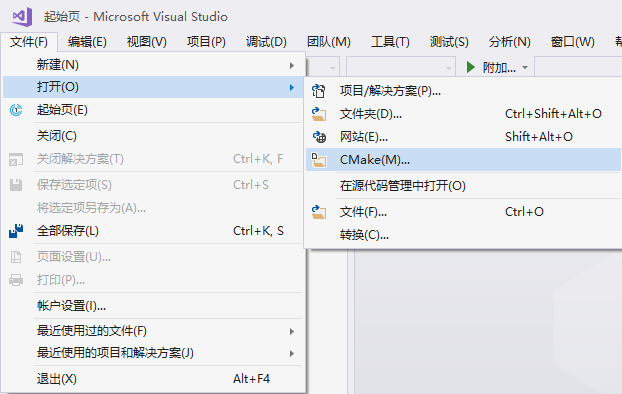
Open the folder
src/SARibbonBar/3rdpartyas a CMake project in Visual Studio.
-
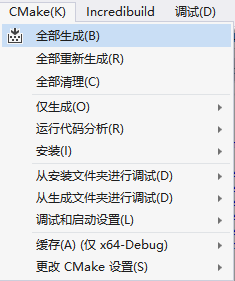
Choose Build → Build All (or right-click
CMakeLists.txt→ Build).
-
Choose Build → Install (same right-click alternative).
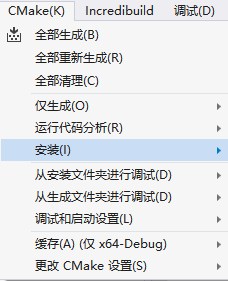
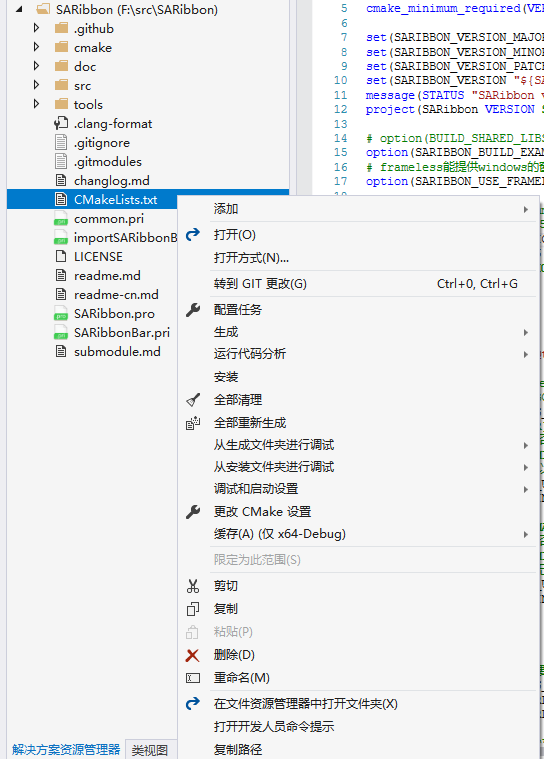
The same bin_qt5.14.2_MSVC_x64-style folder appears in the SARibbon root.
Done.
Command-line route (Qt 5, VS ≤ 2019)
QWindowkit needs a recent CMake.
The bundled CMake in VS 2019 (or older) is often too old, so build from the terminal:
-
Install CMake ≥ 3.20 and note its path, e.g.
C:\Program Files (x86)\CMake\cmake-3.27.9\bin\cmake.exe -
Know your Qt kit, e.g. Qt 5.14.2 / MSVC 2017 64-bit.
-
Locate
Qt5Config.cmake, typically
C:\Qt\Qt5.14.2\5.14.2\msvc2017_64\lib\cmake\Qt5 -
Open a Developer Command Prompt for your compiler, cd to
src/SARibbonBar/3rdpartyand run:
1 2 | |
(Use quotes if the path contains spaces.)
Output similar to:
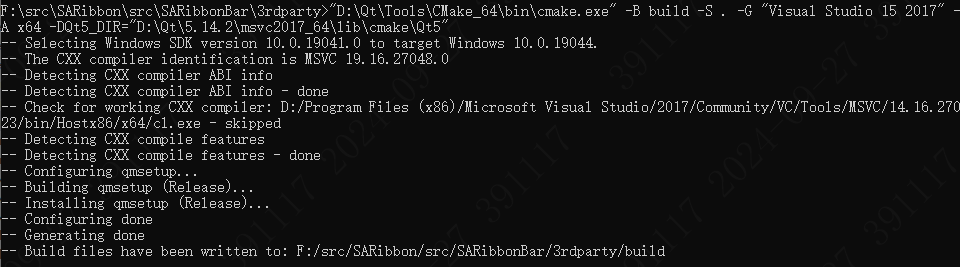
- Build and install both configurations:
1 2 | |
The same local install folder (bin_qt5.14.2_MSVC_x64) is produced.