Content Margins Settings
- ✅ Dual-layer margin control: SARibbonMainWindow and SARibbonBar margins set independently
- ✅ Flexible combined effects: Both margins stack for border, indent, and other visual effects
- ✅ Native frame adaptation: Use only RibbonBar margins in native frame mode
- ✅ Default 2px left/right margins: SARibbonMainWindow provides a thin border by default
SARibbon allows you to control content margins through the setContentsMargins methods of both SARibbonMainWindow and SARibbonBar, enabling window border effects and fine-tuning of Ribbon control positioning.
SARibbonMainWindow Margins
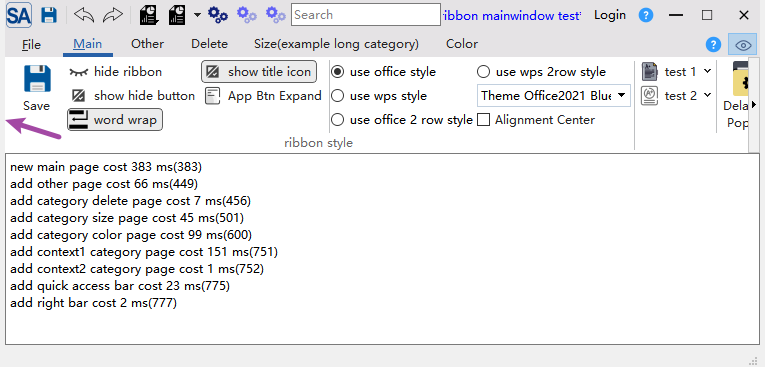
The setContentsMargins method of SARibbonMainWindow sets margins for the entire main window. To create a border-like effect, set margins in the constructor:
1 2 3 4 | |
Result (5px margins on left and right):
Default Margins
SARibbonMainWindow sets 2px left and right margins by default. To remove these, call setContentsMargins(0, 0, 0, 0) in the constructor.
SARibbonBar Margins
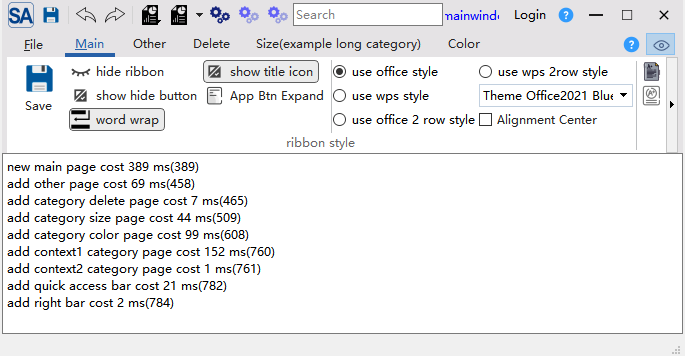
You can also set margins on SARibbonBar to further indent the Ribbon content:
1 2 3 4 5 | |
Result:
Combined Effects and Recommended Configurations
Both margin types can be combined for different visual effects:
| Scenario | MainWindow Margins | RibbonBar Margins | Description |
|---|---|---|---|
| Default | (2, 0, 2, 0) |
(0, 0, 0, 0) |
Default look with thin borders |
| Borderless | (0, 0, 0, 0) |
(0, 0, 0, 0) |
Completely borderless |
| Wide border | (5, 0, 5, 0) |
(0, 0, 0, 0) |
Wider left/right borders |
| Indented | (2, 0, 2, 0) |
(5, 0, 5, 0) |
Window borders + indented Ribbon content |
| Native frame | (0, 0, 0, 0) |
(5, 0, 5, 0) |
With native frame, only Ribbon content is indented |
When Using Native Frame
When using native frame mode (SARibbonMainWindowStyleFlag::UseNativeFrame), the OS draws the window border. In this case, set SARibbonMainWindow margins to (0, 0, 0, 0) and use SARibbonBar margins to adjust Ribbon content positioning.
Note
SARibbonMainWindow sets 2px left and right margins by default.