A 2-D plotting widget. More...
#include <qwt_plot.h>
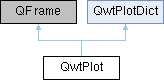
Classes | |
| class | PrivateData |
| class | ScaleData |
Public Types | |
| enum | LegendPosition { LeftLegend , RightLegend , BottomLegend , TopLegend } |
| Position of the legend, relative to the canvas. More... | |
| enum | Axis { yLeft = QwtAxis::YLeft , yRight = QwtAxis::YRight , xBottom = QwtAxis::XBottom , xTop = QwtAxis::XTop , axisCnt = QwtAxis::AxisPositions } |
Public Slots | |
| virtual void | replot () |
| Redraw the plot. | |
| void | autoRefresh () |
Replots the plot if autoReplot() is true. | |
| virtual void | replotAll () |
| 重绘所有绘图 | |
| void | autoRefreshAll () |
Signals | |
| void | itemAttached (QwtPlotItem *plotItem, bool on) |
| A signal indicating, that an item has been attached/detached. | |
| void | legendDataChanged (const QVariant &itemInfo, const QList< QwtLegendData > &data) |
| A signal with the attributes how to update the legend entries for a plot item. | |
| void | parasitePlotAttached (QwtPlot *parasitePlot, bool on) |
| Identify the relationship between the parasitic plot and its host plot. | |
Public Member Functions | |
| QwtPlot (QWidget *=NULL) | |
| Constructor. | |
| QwtPlot (const QwtText &title, QWidget *=NULL) | |
| void | setAutoReplot (bool=true) |
| Set or reset the autoReplot option. | |
| bool | autoReplot () const |
| void | setPlotLayout (QwtPlotLayout *) |
| Assign a new plot layout. | |
| QwtPlotLayout * | plotLayout () |
| const QwtPlotLayout * | plotLayout () const |
| void | setTitle (const QString &) |
| Change the plot's title. | |
| void | setTitle (const QwtText &) |
| Change the plot's title. | |
| QwtText | title () const |
| QwtTextLabel * | titleLabel () |
| const QwtTextLabel * | titleLabel () const |
| void | setFooter (const QString &) |
| Change the text the footer. | |
| void | setFooter (const QwtText &) |
| Change the text the footer. | |
| QwtText | footer () const |
| QwtTextLabel * | footerLabel () |
| const QwtTextLabel * | footerLabel () const |
| void | setCanvas (QWidget *) |
| Set the drawing canvas of the plot widget. | |
| QWidget * | canvas () |
| const QWidget * | canvas () const |
| void | setCanvasBackground (const QBrush &) |
| Change the background of the plotting area. | |
| QBrush | canvasBackground () const |
| Nothing else than: canvas()->palette().brush(
QPalette::Normal, QPalette::Window);. | |
| virtual QwtScaleMap | canvasMap (QwtAxisId) const |
| double | invTransform (QwtAxisId, double pos) const |
| Transform the x or y coordinate of a position in the drawing region into a value./将绘图区域中某个位置的X或Y坐标转换为轴对应的值 | |
| double | transform (QwtAxisId, double value) const |
| Transform a value into a coordinate in the plotting region/将数值转换为绘图区域中的坐标 | |
| bool | isAxisValid (QwtAxisId) const |
| Checks if an axis is valid/检查轴是否有效 | |
| void | setAxisVisible (QwtAxisId, bool on=true) |
| Hide or show a specified axis/显示或隐藏指定轴 | |
| bool | isAxisVisible (QwtAxisId) const |
| Return whether the specified axis is visible/返回指定轴是否可见 | |
| QwtScaleEngine * | axisScaleEngine (QwtAxisId) |
| Return the scale engine for a specific axis/返回指定轴的刻度引擎 | |
| const QwtScaleEngine * | axisScaleEngine (QwtAxisId) const |
| Return the scale engine for a specific axis/返回指定轴的刻度引擎(const 重载) | |
| void | setAxisScaleEngine (QwtAxisId, QwtScaleEngine *) |
| Change the scale engine for an axis/更改指定轴的刻度引擎 | |
| void | setAxisAutoScale (QwtAxisId, bool on=true) |
| Enable autoscaling for a specified axis/为指定轴启用自动缩放 | |
| bool | axisAutoScale (QwtAxisId) const |
| Return whether autoscaling is enabled/返回指定轴是否启用自动缩放 | |
| void | setAxisFont (QwtAxisId, const QFont &) |
| Change the font of an axis/修改轴的字体 | |
| QFont | axisFont (QwtAxisId) const |
| Return the font of the scale labels for a specified axis/返回指定轴刻度标签的字体 | |
| void | setAxisScale (QwtAxisId, double min, double max, double stepSize=0) |
| Disable autoscaling and specify a fixed scale for a selected axis/为指定坐标轴关闭自动缩放并设定固定刻度范围 | |
| void | setAxisScaleDiv (QwtAxisId, const QwtScaleDiv &) |
| Disable autoscaling and specify a fixed scale for a selected axis./禁用自动缩放并为选定轴指定固定刻度 | |
| void | setAxisScaleDraw (QwtAxisId, QwtScaleDraw *) |
| Set a scale draw/设置刻度绘制对象 | |
| double | axisStepSize (QwtAxisId) const |
| Return the step size parameter that has been set in setAxisScale./返回在 setAxisScale 中设置的步长参数 | |
| QwtInterval | axisInterval (QwtAxisId) const |
| Return the current interval of the specified axis/返回指定轴的当前区间 | |
| const QwtScaleDiv & | axisScaleDiv (QwtAxisId) const |
| Return the scale division of a specified axis/返回指定轴的刻度划分 | |
| const QwtScaleDraw * | axisScaleDraw (QwtAxisId) const |
| Return the scale draw of a specified axis/返回指定轴的刻度绘制对象 | |
| QwtScaleDraw * | axisScaleDraw (QwtAxisId) |
| Return the scale draw of a specified axis/返回指定轴的刻度绘制对象 | |
| const QwtScaleWidget * | axisWidget (QwtAxisId) const |
| Return the scale widget of the specified axis/返回指定轴的刻度控件 | |
| QwtScaleWidget * | axisWidget (QwtAxisId) |
| Return the scale widget of the specified axis/返回指定轴的刻度控件 | |
| QwtAxisId | visibleXAxisId () const |
| Return the currently visible X axis/返回当前可用的 X 轴 | |
| QwtAxisId | visibleYAxisId () const |
| Return the currently usable Y axis/返回当前可用的 Y 轴 | |
| void | setAxisLabelAlignment (QwtAxisId, Qt::Alignment) |
| Change the alignment of the tick labels/修改刻度标签的对齐方式 | |
| void | setAxisLabelRotation (QwtAxisId, double rotation) |
| Rotate all tick labels/旋转所有刻度标签 | |
| void | setAxisTitle (QwtAxisId, const QString &) |
| Change the title of a specified axis/修改指定轴的标题 | |
| void | setAxisTitle (QwtAxisId, const QwtText &) |
| Change the title of a specified axis/修改指定轴的标题 | |
| QwtText | axisTitle (QwtAxisId) const |
| Get the title of a specified axis/获取指定轴的标题 | |
| void | setAxisMaxMinor (QwtAxisId, int maxMinor) |
| Set the maximum number of minor scale intervals for a specified axis/为指定轴设置次要刻度区间的最大数量 | |
| int | axisMaxMinor (QwtAxisId) const |
| Return the maximum number of minor ticks for a specified axis/返回指定轴副刻度的最大数量 | |
| void | setAxisMaxMajor (QwtAxisId, int maxMajor) |
| Set the maximum number of major scale intervals for a specified axis/为指定轴设置主要刻度区间的最大数量 | |
| int | axisMaxMajor (QwtAxisId) const |
| Return the maximum number of major ticks for a specified axis/返回指定轴主刻度的最大数量 | |
| void | insertLegend (QwtAbstractLegend *, LegendPosition=QwtPlot::RightLegend, double ratio=-1.0) |
| Insert a legend. | |
| QwtAbstractLegend * | legend () |
| const QwtAbstractLegend * | legend () const |
| void | updateLegend () |
| Emit legendDataChanged() for all plot item. | |
| void | updateLegend (const QwtPlotItem *) |
| Emit legendDataChanged() for a plot item. | |
| virtual QSize | sizeHint () const QWT_OVERRIDE |
| virtual QSize | minimumSizeHint () const QWT_OVERRIDE |
| Return a minimum size hint. | |
| virtual void | updateLayout () |
| Adjust plot content to its current size. | |
| virtual void | drawCanvas (QPainter *) |
| Redraw the canvas. | |
| void | updateAxes () |
| Rebuild the axes scales/重建坐标轴刻度 | |
| void | updateCanvasMargins () |
| Update the canvas margins. | |
| virtual void | getCanvasMarginsHint (const QwtScaleMap maps[], const QRectF &canvasRect, double &left, double &top, double &right, double &bottom) const |
| Calculate the canvas margins. | |
| virtual bool | event (QEvent *) QWT_OVERRIDE |
| Adds handling of layout requests. | |
| virtual bool | eventFilter (QObject *, QEvent *) QWT_OVERRIDE |
| Event filter. | |
| virtual void | drawItems (QPainter *, const QRectF &, const QwtScaleMap maps[QwtAxis::AxisPositions]) const |
| Redraw the canvas items. | |
| virtual QVariant | itemToInfo (QwtPlotItem *) const |
| Build an information, that can be used to identify a plot item on the legend. | |
| virtual QwtPlotItem * | infoToItem (const QVariant &) const |
| Identify the plot item according to an item info object, that has bee generated from itemToInfo(). | |
| QwtPlot * | createParasitePlot (QwtAxis::Position enableAxis) |
| Create parasite axes for this plot/创建一个基于此轴为宿主的寄生轴 | |
| void | setParasiteShareAxis (QwtAxisId axisId, bool isShare=true) |
| 设置寄生轴是否共享宿主的指定轴,此函数仅针对寄生轴有效 | |
| bool | isParasiteShareAxis (QwtAxisId axisId) const |
| 查询寄生轴是否共享宿主的指定轴 | |
| void | removeParasitePlot (QwtPlot *parasite) |
| Remove a parasite plot from this host plot/从此宿主绘图移除寄生绘图 | |
| QList< QwtPlot * > | parasitePlots () const |
| Get all parasite plots associated with this host plot/获取与此宿主绘图关联的所有寄生绘图 | |
| QList< QwtPlot * > | plotList (bool descending=false) const |
| 返回所有绘图,包含宿主绘图 | |
| QwtPlot * | parasitePlotAt (int index) const |
| 获取第n个宿主轴 | |
| int | parasitePlotIndex (QwtPlot *parasite) const |
| 寄生轴的索引(层级) | |
| QwtPlot * | hostPlot () const |
| Get the host plot for this parasite plot/获取此寄生绘图的宿主绘图 | |
| bool | isParasitePlot () const |
| Check if this plot is a parasite plot/检查此绘图是否为寄生绘图 | |
| bool | isTopParasitePlot () const |
| 是否是最顶部的宿主绘图,最顶部的宿主绘图坐标轴处于最外围,且一般是最后进行更新 | |
| bool | isHostPlot () const |
| Check if this plot is a host plot/检查此绘图是否为宿主绘图 | |
| void | setBackgroundColor (const QColor &c) |
| set Background Color/设置背景颜色 | |
| QColor | backgroundColor () const |
| Background Color/背景颜色 | |
| void | syncAxis (QwtAxisId axis, const QwtPlot *plot) |
| Synchronize the axis ranges of the corresponding plot/同步plot绘图对应的坐标轴范围到此绘图 | |
| void | rescaleAxes (bool onlyVisibleItems=true, double marginPercent=0.05, QwtAxisId xAxis=QwtPlot::xBottom, QwtAxisId yAxis=QwtPlot::yLeft) |
| Rescale/重新缩放坐标轴以适应所有数据项的范围 | |
| void | setAxisToLogScale (QwtAxisId axisId) |
| Set the specified axis to logarithmic scale / 将指定坐标轴设置为对数刻度 | |
| void | setAxisToDateTime (QwtAxisId axisId, Qt::TimeSpec timeSpec=Qt::LocalTime) |
| Set the specified axis to date-time scale / 将指定坐标轴设置为日期-时间刻度 | |
| void | setAxisToLinearScale (QwtAxisId axisId) |
| Restore the specified axis to linear scale / 将指定坐标轴恢复为线性刻度 | |
| void | alignToHost () |
| 让寄生轴和宿主轴对齐 | |
| int | parasitePlotCount () const |
| 获取宿主轴的个数 | |
| void | updateAxisEdgeMargin (QwtAxisId axisId) |
| 根据层级顺序重新计算并下发所有层(宿主+寄生)轴的 edgeMargin 与 margin | |
| void | updateAllAxisEdgeMargin () |
| 批量更新所有轴位置的边缘偏移 | |
| void | updateItemsToScaleDiv () |
| 把plot item的范围更新为坐标轴的范围,这个函数一般是用于坐标轴变动的时候,强制让所有绘图范围进行更新 | |
| void | setEnableScaleBuildinActions (bool on) |
| 设置坐标轴事件是否可用 | |
| bool | isEnableScaleBuildinActions () const |
| 判断坐标轴缩放事件 | |
| void | setupScaleEventDispatcher (QwtPlotScaleEventDispatcher *dispatcher) |
| 安装坐标轴事件转发器 | |
| void | saveAutoReplotState () |
| 保存当前自动绘图设置的状态 | |
| void | restoreAutoReplotState () |
| 恢复当前自动绘图设置的状态 | |
| void | panAxis (QwtAxisId axisId, int deltaPixels) |
| 按像素平移指定坐标轴 | |
| void | panCanvas (const QPoint &offset) |
| 按像素偏移平移整个画布 | |
| void | zoomAxis (QwtAxisId axisId, double factor, const QPoint ¢erPosPixels) |
| 以指定像素位置为中心缩放坐标轴 | |
| void | enableAxis (int axisId, bool on=true) |
| bool | axisEnabled (int axisId) const |
 Public Member Functions inherited from QwtPlotDict Public Member Functions inherited from QwtPlotDict | |
| QwtPlotDict () | |
| Constructor. | |
| virtual | ~QwtPlotDict () |
| Destructor. | |
| void | setAutoDelete (bool) |
| En/Disable Auto deletion. | |
| bool | autoDelete () const |
| const QwtPlotItemList & | itemList () const |
| A QwtPlotItemList of all attached plot items. | |
| QwtPlotItemList | itemList (int rtti) const |
| void | detachItems (int rtti=QwtPlotItem::Rtti_PlotItem, bool autoDelete=true) |
| Detach items from the dictionary. | |
Protected Member Functions | |
| virtual void | resizeEvent (QResizeEvent *) QWT_OVERRIDE |
| Resize and update internal layout. | |
| void | addParasitePlot (QwtPlot *parasite) |
| Add a parasite plot to this host plot/向此宿主绘图添加寄生绘图 | |
| void | initParasiteAxes (QwtPlot *parasitePlot) const |
| 初始化寄生轴的基本属性 | |
| void | doLayout () |
| Adjust plot content to its current size. | |
| Protected Member Functions inherited from QwtPlotDict | |
| void | insertItem (QwtPlotItem *) |
| Insert a plot item. | |
| void | removeItem (QwtPlotItem *) |
| Remove a plot item. | |
Properties | |
| QBrush | canvasBackground |
| bool | autoReplot |
Friends | |
| class | QwtPlotItem |
Detailed Description
A 2-D plotting widget.
QwtPlot is a widget for plotting two-dimensional graphs. An unlimited number of plot items can be displayed on its canvas. Plot items might be curves (QwtPlotCurve), markers (QwtPlotMarker), the grid (QwtPlotGrid), or anything else derived from QwtPlotItem. A plot can have up to four axes, with each plot item attached to an x- and a y axis. The scales at the axes can be explicitly set (QwtScaleDiv), or are calculated from the plot items, using algorithms (QwtScaleEngine) which can be configured separately for each axis.
The simpleplot example is a good starting point to see how to set up a plot widget.

- Example
- The following example shows (schematically) the most simple way to use QwtPlot. By default, only the left and bottom axes are visible and their scales are computed automatically. #include <qwt_plot.h>#include <qwt_plot_curve.h>// add curves// connect or copy the data to the curvescurve1->setData( ... );curve2->setData( ... );curve1->attach( myPlot );curve2->attach( myPlot );// finally, refresh the plotmyPlot->replot();void attach(QwtPlot *plot)Attach the item to a plot.Definition qwt_plot_item.cpp:115void setData(QwtSeriesData< T > *series)Assign a series of samples.Definition qwt_series_store.h:192
Member Enumeration Documentation
◆ LegendPosition
Position of the legend, relative to the canvas.
- See also
- insertLegend()
| Enumerator | |
|---|---|
| LeftLegend | The legend will be left from the QwtAxis::YLeft axis. |
| RightLegend | The legend will be right from the QwtAxis::YRight axis. |
| BottomLegend | The legend will be below the footer. |
| TopLegend | The legend will be above the title. |
Constructor & Destructor Documentation
◆ QwtPlot()
|
explicit |
Constructor.
- Parameters
-
parent Parent widget
Constructor
- Parameters
-
title Title text parent Parent widget
Member Function Documentation
◆ addParasitePlot()
|
protected |
Add a parasite plot to this host plot/向此宿主绘图添加寄生绘图
This method establishes a parasite relationship where the specified plot will be treated as a parasite of this host plot. The parasite plot will automatically synchronize its geometry with the host plot.
此方法建立一个寄生关系,指定的绘图将被视为此宿主绘图的寄生绘图。 寄生绘图将自动同步其几何形状与宿主绘图。
- Parameters
-
parasite Pointer to the parasite QwtPlot/指向寄生QwtPlot的指针
- Note
- This method is typically called internally by QwtFigure::createParasiteAxes(). 此方法通常由QwtFigure::createParasiteAxes()内部调用。
- The parasite plot should have a transparent background to avoid obscuring the host plot. 寄生绘图应具有透明背景以避免遮挡宿主绘图。
- See also
- removeParasitePlot(), parasitePlots()
◆ autoReplot()
| bool QwtPlot::autoReplot | ( | ) | const |
- Returns
- true if the autoReplot option is set.
- See also
- setAutoReplot()
◆ axisAutoScale()
| bool QwtPlot::axisAutoScale | ( | QwtAxisId | axisId | ) | const |
Return whether autoscaling is enabled/返回指定轴是否启用自动缩放
- Parameters
-
axisId Axis/轴 ID
- Returns
trueif autoscaling is enabled/启用自动缩放返回 true
◆ axisFont()
| QFont QwtPlot::axisFont | ( | QwtAxisId | axisId | ) | const |
Return the font of the scale labels for a specified axis/返回指定轴刻度标签的字体
- Parameters
-
axisId Axis/轴 ID
- Returns
- Font/字体
◆ axisInterval()
| QwtInterval QwtPlot::axisInterval | ( | QwtAxisId | axisId | ) | const |
Return the current interval of the specified axis/返回指定轴的当前区间
This is only a convenience function for axisScaleDiv( axisId )->interval();
此函数仅为 axisScaleDiv( axisId )->interval() 的便捷封装函数。
- Parameters
-
axisId Axis/轴标识
- Returns
- Scale interval/刻度区间
- See also
- QwtScaleDiv, axisScaleDiv()
◆ axisMaxMajor()
| int QwtPlot::axisMaxMajor | ( | QwtAxisId | axisId | ) | const |
Return the maximum number of major ticks for a specified axis/返回指定轴主刻度的最大数量
- Parameters
-
axisId Axis/轴 ID
◆ axisMaxMinor()
| int QwtPlot::axisMaxMinor | ( | QwtAxisId | axisId | ) | const |
Return the maximum number of minor ticks for a specified axis/返回指定轴副刻度的最大数量
- Parameters
-
axisId Axis/轴 ID
◆ axisScaleDiv()
| const QwtScaleDiv & QwtPlot::axisScaleDiv | ( | QwtAxisId | axisId | ) | const |
Return the scale division of a specified axis/返回指定轴的刻度划分
axisScaleDiv(axisId).lowerBound(), axisScaleDiv(axisId).upperBound() are the current limits of the axis scale.
axisScaleDiv(axisId).lowerBound()、axisScaleDiv(axisId).upperBound() 分别为该轴刻度当前的下限值和上限值。
- Parameters
-
axisId Axis/轴标识
- Returns
- Scale division/刻度划分
◆ axisScaleDraw() [1/2]
| QwtScaleDraw * QwtPlot::axisScaleDraw | ( | QwtAxisId | axisId | ) |
Return the scale draw of a specified axis/返回指定轴的刻度绘制对象
- Parameters
-
axisId Axis/轴标识
- Returns
- Specified scaleDraw for axis, or NULL if axis is invalid./指定轴的刻度绘制对象;若轴无效则返回NULL
◆ axisScaleDraw() [2/2]
| const QwtScaleDraw * QwtPlot::axisScaleDraw | ( | QwtAxisId | axisId | ) | const |
Return the scale draw of a specified axis/返回指定轴的刻度绘制对象
- Parameters
-
axisId Axis/轴标识
- Returns
- Specified scaleDraw for axis, or NULL if axis is invalid./指定轴的刻度绘制对象;若轴无效则返回NULL
◆ axisScaleEngine() [1/2]
| QwtScaleEngine * QwtPlot::axisScaleEngine | ( | QwtAxisId | axisId | ) |
Return the scale engine for a specific axis/返回指定轴的刻度引擎
- Parameters
-
axisId Axis/轴 ID
- Returns
- Scale engine/刻度引擎指针
◆ axisScaleEngine() [2/2]
| const QwtScaleEngine * QwtPlot::axisScaleEngine | ( | QwtAxisId | axisId | ) | const |
Return the scale engine for a specific axis/返回指定轴的刻度引擎(const 重载)
- Parameters
-
axisId Axis/轴 ID
- Returns
- Scale engine/刻度引擎指针
◆ axisStepSize()
| double QwtPlot::axisStepSize | ( | QwtAxisId | axisId | ) | const |
Return the step size parameter that has been set in setAxisScale./返回在 setAxisScale 中设置的步长参数
This doesn't need to be the step size of the current scale.
该参数不一定是当前刻度的实际步长。
- Parameters
-
axisId Axis/轴标识
- Returns
- step size parameter value/步长参数值
◆ axisTitle()
| QwtText QwtPlot::axisTitle | ( | QwtAxisId | axisId | ) | const |
Get the title of a specified axis/获取指定轴的标题
- Parameters
-
axisId Axis/轴标识
- Returns
- Title of a specified axis/指定轴的标题
◆ axisWidget() [1/2]
| QwtScaleWidget * QwtPlot::axisWidget | ( | QwtAxisId | axisId | ) |
Return the scale widget of the specified axis/返回指定轴的刻度控件
- Parameters
-
axisId Axis/轴 ID
- Returns
- Scale widget, or NULL if axisId is invalid/刻度控件指针;轴无效时返回 NULL
◆ axisWidget() [2/2]
| const QwtScaleWidget * QwtPlot::axisWidget | ( | QwtAxisId | axisId | ) | const |
Return the scale widget of the specified axis/返回指定轴的刻度控件
- Parameters
-
axisId Axis/轴 ID
- Returns
- Scale widget, or NULL if axisId is invalid/刻度控件指针;轴无效时返回 NULL
◆ backgroundColor()
| QColor QwtPlot::backgroundColor | ( | ) | const |
Background Color/背景颜色
- Returns
◆ canvas() [1/2]
| QWidget * QwtPlot::canvas | ( | ) |
- Returns
- the plot's canvas
◆ canvas() [2/2]
| const QWidget * QwtPlot::canvas | ( | ) | const |
- Returns
- the plot's canvas
◆ canvasBackground()
| QBrush QwtPlot::canvasBackground | ( | ) | const |
Nothing else than: canvas()->palette().brush( QPalette::Normal, QPalette::Window);.
- Returns
- Background brush of the plotting area.
- See also
- setCanvasBackground()
◆ canvasMap()
|
virtual |
- Parameters
-
axisId Axis
- Returns
- Map for the axis on the canvas. With this map pixel coordinates can translated to plot coordinates and vice versa.
- See also
- QwtScaleMap, transform(), invTransform()
◆ createParasitePlot()
| QwtPlot * QwtPlot::createParasitePlot | ( | QwtAxis::Position | enableAxis | ) |
Create parasite axes for this plot/创建一个基于此轴为宿主的寄生轴
This method creates a parasite axes that shares the same plotting area as the host plot but with independent axis scaling and labeling. The parasite axes will be positioned exactly on top of the host plot and will automatically synchronize its geometry.
此方法创建一个寄生轴,它与宿主绘图共享相同的绘图区域,但具有独立的轴缩放和标签。 寄生轴将精确定位在宿主绘图之上,并自动同步其几何形状。
- Parameters
-
enableAxis The axis position to enable on the parasite axes/在寄生轴上启用的轴位置
- Returns
- Pointer to the created parasite QwtPlot/指向创建的寄生QwtPlot的指针
- Return values
-
nullptr if hostPlot is invalid or not in the figure/如果hostPlot无效或不在图形中则返回nullptr
- Note
- 一个绘图不会既是寄生绘图也是宿主绘图的情况,也就是说, 如果绘图是寄生绘图,那么他自身不允许再创建寄生绘图,寄生绘图调用次函数将返回nullptr
◆ doLayout()
|
protected |
Adjust plot content to its current size.
updateLayout的具体实现,7.0之前的版本没有寄生轴,由于寄生轴的尺寸信息完全参照宿主轴, 因此,在updateLayout过程中,寄生轴不应该执行任何动作,而是等宿主轴的updateLayout最后在对所有寄生轴执行doLayout
所以把updateLayout的所有实现抽到doLayout中
◆ drawCanvas()
|
virtual |
Redraw the canvas.
- Parameters
-
painter Painter used for drawing
- Warning
- drawCanvas calls drawItems what is also used for printing. Applications that like to add individual plot items better overload drawItems()
- See also
- drawItems()
◆ drawItems()
|
virtual |
Redraw the canvas items.
- Parameters
-
painter Painter used for drawing canvasRect Bounding rectangle where to paint maps QwtAxis::AxisCount maps, mapping between plot and paint device coordinates
- Note
- Usually canvasRect is contentsRect() of the plot canvas. Due to a bug in Qt this rectangle might be wrong for certain frame styles ( f.e QFrame::Box ) and it might be necessary to fix the margins manually using QWidget::setContentsMargins()
◆ event()
|
virtual |
Adds handling of layout requests.
- Parameters
-
event Event
- Returns
- See QFrame::event()
◆ eventFilter()
|
virtual |
Event filter.
The plot handles the following events for the canvas:
- QEvent::Resize The canvas margins might depend on its size
- QEvent::ContentsRectChange The layout needs to be recalculated
- 对于寄生轴,寄生轴会过滤宿主轴的尺寸,并调整自己的尺寸
- Parameters
-
object Object to be filtered event Event
- Returns
- See QFrame::eventFilter()
- See also
- updateCanvasMargins(), updateLayout()
◆ footer()
| QwtText QwtPlot::footer | ( | ) | const |
- Returns
- Text of the footer
◆ footerLabel() [1/2]
| QwtTextLabel * QwtPlot::footerLabel | ( | ) |
- Returns
- Footer label widget.
◆ footerLabel() [2/2]
| const QwtTextLabel * QwtPlot::footerLabel | ( | ) | const |
- Returns
- Footer label widget.
◆ getCanvasMarginsHint()
|
virtual |
Calculate the canvas margins.
- Parameters
-
maps QwtAxis::AxisCount maps, mapping between plot and paint device coordinates canvasRect Bounding rectangle where to paint left Return parameter for the left margin top Return parameter for the top margin right Return parameter for the right margin bottom Return parameter for the bottom margin
Plot items might indicate, that they need some extra space at the borders of the canvas by the QwtPlotItem::Margins flag.
◆ hostPlot()
| QwtPlot * QwtPlot::hostPlot | ( | ) | const |
Get the host plot for this parasite plot/获取此寄生绘图的宿主绘图
This method returns the host plot of this parasite plot, or nullptr if this plot is not a parasite.
此方法返回此寄生绘图的宿主绘图,如果此绘图不是寄生绘图则返回nullptr。
- Returns
- Pointer to the host QwtPlot/指向宿主QwtPlot的指针
- Return values
-
nullptr if this plot is not a parasite plot/如果此绘图不是寄生绘图则返回nullptr
- See also
- setHostPlot(), isParasitePlot()
◆ infoToItem()
|
virtual |
Identify the plot item according to an item info object, that has bee generated from itemToInfo().
The default implementation simply tries to unwrap a QwtPlotItem pointer:
- Parameters
-
itemInfo Plot item
- Returns
- A plot item, when successful, otherwise a NULL pointer.
- See also
- itemToInfo()
◆ initParasiteAxes()
|
protected |
初始化寄生轴的基本属性
- Parameters
-
parasitePlot
◆ insertLegend()
| void QwtPlot::insertLegend | ( | QwtAbstractLegend * | legend, |
| QwtPlot::LegendPosition | pos = QwtPlot::RightLegend, |
||
| double | ratio = -1.0 |
||
| ) |
Insert a legend.
If the position legend is QwtPlot::LeftLegend or QwtPlot::RightLegend the legend will be organized in one column from top to down. Otherwise the legend items will be placed in a table with a best fit number of columns from left to right.
insertLegend() will set the plot widget as parent for the legend. The legend will be deleted in the destructor of the plot or when another legend is inserted.
Legends, that are not inserted into the layout of the plot widget need to connect to the legendDataChanged() signal. Calling updateLegend() initiates this signal for an initial update. When the application code wants to implement its own layout this also needs to be done for rendering plots to a document ( see QwtPlotRenderer ).
- Parameters
-
legend Legend pos The legend's position. For top/left position the number of columns will be limited to 1, otherwise it will be set to unlimited. ratio Ratio between legend and the bounding rectangle of title, canvas and axes. The legend will be shrunk if it would need more space than the given ratio. The ratio is limited to ]0.0 .. 1.0]. In case of <= 0.0 it will be reset to the default ratio. The default vertical/horizontal ratio is 0.33/0.5.
◆ invTransform()
| double QwtPlot::invTransform | ( | QwtAxisId | axisId, |
| double | pos | ||
| ) | const |
Transform the x or y coordinate of a position in the drawing region into a value./将绘图区域中某个位置的X或Y坐标转换为轴对应的值
Transform the x or y coordinate of a position in the drawing region into a value.
将绘图区域中某个位置的X坐标或Y坐标,转换为对应轴上的数值。
- Parameters
-
axisId Axis/轴标识 pos position/位置坐标
- Returns
- Position as axis coordinate/转换后的轴坐标值
- Warning
- The position can be an x or a y coordinate, depending on the specified axis.
- 该位置坐标可能是X坐标或Y坐标,具体取决于指定的轴类型。
◆ isAxisValid()
| bool QwtPlot::isAxisValid | ( | QwtAxisId | axisId | ) | const |
Checks if an axis is valid/检查轴是否有效
- Parameters
-
axisId axis/轴 ID
- Returns
trueif the specified axis exists, otherwisefalse/指定轴存在返回true,否则返回 false
- Note
- This method is equivalent to QwtAxis::isValid( axisId ) and simply checks if axisId is one of the values of QwtAxis::Position. It is a placeholder for future releases, where it will be possible to have a customizable number of axes ( multiaxes branch ) at each side.
本方法等价于 QwtAxis::isValid(axisId),仅检查 axisId 是否为 QwtAxis::Position 中的值。 为未来多轴分支预留接口。
◆ isAxisVisible()
| bool QwtPlot::isAxisVisible | ( | QwtAxisId | axisId | ) | const |
Return whether the specified axis is visible/返回指定轴是否可见
- Parameters
-
axisId Axis/轴 ID
- Returns
trueif the axis is visible/轴可见返回 true
◆ isEnableScaleBuildinActions()
| bool QwtPlot::isEnableScaleBuildinActions | ( | ) | const |
判断坐标轴缩放事件
- Returns
◆ isHostPlot()
| bool QwtPlot::isHostPlot | ( | ) | const |
Check if this plot is a host plot/检查此绘图是否为宿主绘图
This method returns true if this plot has one or more parasite plots.
如果此绘图有一个或多个寄生绘图,则此方法返回true。
只有此绘图持有寄生绘图才会认为是宿主绘图
- Note
- 一个绘图不会出现既是寄生绘图也是宿主绘图的情况,也就是宿主自身不允许寄生在其它绘图上
- Returns
- true if this plot has parasite plots/如果此绘图有寄生绘图则返回true
- false if this plot has no parasite plots/如果此绘图没有寄生绘图则返回false
- See also
- isParasitePlot(), parasitePlots()
◆ isParasitePlot()
| bool QwtPlot::isParasitePlot | ( | ) | const |
Check if this plot is a parasite plot/检查此绘图是否为寄生绘图
This method returns true if this plot is a parasite of another plot.
如果此绘图是另一个绘图的寄生绘图,则此方法返回true。
- Returns
- true if this plot is a parasite plot/如果此绘图是寄生绘图则返回true
- false if this plot is not a parasite plot/如果此绘图不是寄生绘图则返回false
- See also
- isHostPlot(), hostPlot()
◆ isParasiteShareAxis()
| bool QwtPlot::isParasiteShareAxis | ( | QwtAxisId | axisId | ) | const |
查询寄生轴是否共享宿主的指定轴
- Parameters
-
axisId 要查询的轴 ID
- Returns
- true 表示当前寄生轴共享了宿主对应轴;false 否则
- See also
- setParasiteShareAxis
◆ isTopParasitePlot()
| bool QwtPlot::isTopParasitePlot | ( | ) | const |
是否是最顶部的宿主绘图,最顶部的宿主绘图坐标轴处于最外围,且一般是最后进行更新
- Returns
◆ itemAttached
|
signal |
A signal indicating, that an item has been attached/detached.
- Parameters
-
plotItem Plot item on Attached/Detached
◆ itemToInfo()
|
virtual |
Build an information, that can be used to identify a plot item on the legend.
The default implementation simply wraps the plot item into a QVariant object. When overloading itemToInfo() usually infoToItem() needs to reimplemeted too.
- Parameters
-
plotItem Plot item
- Returns
- Plot item embedded in a QVariant
- See also
- infoToItem()
◆ legend() [1/2]
| QwtAbstractLegend * QwtPlot::legend | ( | ) |
- Returns
- the plot's legend
- See also
- insertLegend()
◆ legend() [2/2]
| const QwtAbstractLegend * QwtPlot::legend | ( | ) | const |
- Returns
- the plot's legend
- See also
- insertLegend()
◆ legendDataChanged
|
signal |
A signal with the attributes how to update the legend entries for a plot item.
- Parameters
-
itemInfo Info about a plot item, build from itemToInfo() data Attributes of the entries ( usually <= 1 ) for the plot item.
◆ panAxis()
| void QwtPlot::panAxis | ( | QwtAxisId | axisId, |
| int | deltaPixels | ||
| ) |
按像素平移指定坐标轴
- Parameters
-
axis 坐标轴ID (QwtPlot::xBottom, QwtPlot::yLeft 等) deltaPixels 移动的像素数
正数表示向右/下移动,负数表示向左/上移动 对于对数坐标轴会自动处理坐标变换
- Note
- 注意,此函数不会进行重绘,需要调用者手动调用replot
◆ panCanvas()
| void QwtPlot::panCanvas | ( | const QPoint & | offset | ) |
按像素偏移平移整个画布
- Parameters
-
offset 像素偏移量
该方法会将所有的坐标轴(不管是否已启用)按照指定的像素偏移量进行平移, 实现整个画布的同步移动效果。 水平方向:正数向右移动,负数向左移动 垂直方向:正数向下移动,负数向上移动
- Note
- 注意,此函数不会进行重绘,需要调用者手动调用replot
◆ parasitePlotAt()
| QwtPlot * QwtPlot::parasitePlotAt | ( | int | index | ) | const |
获取第n个宿主轴
- Parameters
-
index 索引
- Returns
- 如果超出范围返回nullptr,如果自身是寄生轴,此函数返回空
◆ parasitePlotAttached
|
signal |
Identify the relationship between the parasitic plot and its host plot.
- Parameters
-
on When a parasitic plot is added, on = true.When the parasitic plot is removed, on = false.
- Note
- This signal is emitted only by the host plot.
◆ parasitePlotCount()
| int QwtPlot::parasitePlotCount | ( | ) | const |
获取宿主轴的个数
- Returns
- 如果自身就是寄生轴,返回0,否则返回宿主轴的个数
◆ parasitePlotIndex()
| int QwtPlot::parasitePlotIndex | ( | QwtPlot * | parasite | ) | const |
寄生轴的索引(层级)
所谓寄生轴层级,默认是寄生轴的添加顺序,第一个添加的寄生轴为0层,第二个添加的寄生轴为1层,寄生轴层级越高,轴越靠绘图的边界
- Parameters
-
parasite 寄生轴
- Returns
- 如果为-1,说明是无效索引
- Note
- 如果传入的寄生轴不是此绘图的寄生轴,返回-1
- 此函数仅对宿主轴有效,如果是寄生轴调用,也将返回-1
◆ parasitePlots()
Get all parasite plots associated with this host plot/获取与此宿主绘图关联的所有寄生绘图
This method returns a list of all parasite plots that are associated with this host plot.
此方法返回与此宿主绘图关联的所有寄生绘图的列表。
- Returns
- List of parasite QwtPlot pointers/寄生QwtPlot指针列表
- See also
- addParasitePlot(), removeParasitePlot()
◆ plotLayout() [1/2]
| QwtPlotLayout * QwtPlot::plotLayout | ( | ) |
- Returns
- the plot's layout
◆ plotLayout() [2/2]
| const QwtPlotLayout * QwtPlot::plotLayout | ( | ) | const |
- Returns
- the plot's layout
◆ plotList()
返回所有绘图,包含宿主绘图
descending=false,增序返回,宿主绘图在第一个,层级越低越靠前,如果descending=true,那么降序返回,宿主在最末端
- Parameters
-
descending
- Returns
◆ removeParasitePlot()
| void QwtPlot::removeParasitePlot | ( | QwtPlot * | parasite | ) |
Remove a parasite plot from this host plot/从此宿主绘图移除寄生绘图
This method removes the parasite relationship between this host plot and the specified plot.
此方法移除此宿主绘图与指定绘图之间的寄生关系。
- Parameters
-
parasite Pointer to the parasite QwtPlot to remove/要移除的寄生QwtPlot指针
- Note
- This method does not delete the parasite plot, it only removes the relationship. 此方法不会删除寄生绘图,仅移除关系。
- See also
- addParasitePlot(), parasitePlots()
◆ replot
|
virtualslot |
Redraw the plot.
If the autoReplot option is not set (which is the default) or if any curves are attached to raw data, the plot has to be refreshed explicitly in order to make changes visible.
- See also
- updateAxes(), setAutoReplot()
◆ rescaleAxes()
| void QwtPlot::rescaleAxes | ( | bool | onlyVisibleItems = true, |
| double | marginPercent = 0.05, |
||
| QwtAxisId | xAxis = QwtPlot::xBottom, |
||
| QwtAxisId | yAxis = QwtPlot::yLeft |
||
| ) |
Rescale/重新缩放坐标轴以适应所有数据项的范围
This function automatically adjusts the axis ranges to fit all visible data items in the plot. It calculates the bounding rectangle of all plot items and sets appropriate axis scales with optional margins.
此函数自动调整坐标轴范围以适应绘图中所有可见数据项。它计算所有绘图项的边界矩形, 并设置适当的坐标轴刻度,可选择添加边距。
- Parameters
-
onlyVisibleItems If true, only visible items are considered/如果为true,只考虑可见的绘图项目 marginPercent Percentage of margin to add around the data range/在数据范围周围添加的边距百分比 xAxis The x-axis to rescale (default: QwtPlot::xBottom)/需要重新缩放的x轴(默认:QwtPlot::xBottom) yAxis The y-axis to rescale (default: QwtPlot::yLeft)/需要重新缩放的y轴(默认:QwtPlot::yLeft)
Basic usage/基本用法
Custom margin/自定义边距
◆ resizeEvent()
|
protectedvirtual |
Resize and update internal layout.
- Parameters
-
e Resize event
◆ setAutoReplot()
| void QwtPlot::setAutoReplot | ( | bool | tf = true | ) |
Set or reset the autoReplot option.
If the autoReplot option is set, the plot will be updated implicitly by manipulating member functions. Since this may be time-consuming, it is recommended to leave this option switched off and call replot() explicitly if necessary.
The autoReplot option is set to false by default, which means that the user has to call replot() in order to make changes visible.
- Parameters
-
tf trueorfalse. Defaults totrue.
- See also
- replot()
◆ setAxisAutoScale()
| void QwtPlot::setAxisAutoScale | ( | QwtAxisId | axisId, |
| bool | on = true |
||
| ) |
Enable autoscaling for a specified axis/为指定轴启用自动缩放
This member function is used to switch back to autoscaling mode after a fixed scale has been set. Autoscaling is enabled by default.
此成员函数用于在设置了固定刻度后,切换回自动缩放模式。默认情况下自动缩放处于启用状态。
- Parameters
-
axisId Axis/轴标识 on On/Off/启用(true)或禁用(false)
- See also
- setAxisScale(), setAxisScaleDiv(), updateAxes()
- Note
- The autoscaling flag has no effect until updateAxes() is executed ( called by replot() ).
自动缩放标志在执行 updateAxes() 函数(由 replot() 调用)之前不会生效。
◆ setAxisFont()
| void QwtPlot::setAxisFont | ( | QwtAxisId | axisId, |
| const QFont & | font | ||
| ) |
Change the font of an axis/修改轴的字体
- Parameters
-
axisId Axis/轴标识 font Font/要设置的字体
- Warning
- This function changes the font of the tick labels, not of the axis title.
- 此函数仅修改刻度标签的字体,不会改变轴标题的字体。
◆ setAxisLabelAlignment()
| void QwtPlot::setAxisLabelAlignment | ( | QwtAxisId | axisId, |
| Qt::Alignment | alignment | ||
| ) |
Change the alignment of the tick labels/修改刻度标签的对齐方式
- Parameters
-
axisId Axis/轴标识 alignment Or'd Qt::AlignmentFlags see <qnamespace.h>/Qt::AlignmentFlags 组合值(详见 <qnamespace.h>)
◆ setAxisLabelRotation()
| void QwtPlot::setAxisLabelRotation | ( | QwtAxisId | axisId, |
| double | rotation | ||
| ) |
Rotate all tick labels/旋转所有刻度标签
- Parameters
-
axisId Axis/轴标识 rotation Angle in degrees. When changing the label rotation, the label alignment might be adjusted too./旋转角度(以度为单位)。修改标签旋转角度时,标签对齐方式可能也会随之调整
◆ setAxisMaxMajor()
| void QwtPlot::setAxisMaxMajor | ( | QwtAxisId | axisId, |
| int | maxMajor | ||
| ) |
Set the maximum number of major scale intervals for a specified axis/为指定轴设置主要刻度区间的最大数量
- Parameters
-
axisId Axis/轴标识 maxMajor Maximum number of major steps/主要刻度的最大数量
- See also
- axisMaxMajor()
◆ setAxisMaxMinor()
| void QwtPlot::setAxisMaxMinor | ( | QwtAxisId | axisId, |
| int | maxMinor | ||
| ) |
Set the maximum number of minor scale intervals for a specified axis/为指定轴设置次要刻度区间的最大数量
- Parameters
-
axisId Axis/轴标识 maxMinor Maximum number of minor steps/次要刻度的最大数量
- See also
- axisMaxMinor()
◆ setAxisScale()
| void QwtPlot::setAxisScale | ( | QwtAxisId | axisId, |
| double | min, | ||
| double | max, | ||
| double | stepSize = 0 |
||
| ) |
Disable autoscaling and specify a fixed scale for a selected axis/为指定坐标轴关闭自动缩放并设定固定刻度范围
In updateAxes() the scale engine calculates a scale division from the specified parameters, that will be assigned to the scale widget. So updates of the scale widget usually happen delayed with the next replot.
在 updateAxes() 中,刻度引擎会根据给定参数计算出刻度分段,并将其赋给刻度控件。 因此,刻度控件的更新通常会延迟到下一次重绘时才发生。
- Parameters
-
axisId Axis/坐标轴索引 min Minimum of the scale/刻度最小值 max Maximum of the scale/刻度最大值 stepSize Major step size. If step == 0, the step size is calculated automatically using the maxMajor setting. 主步长。若step == 0,则使用 maxMajor 设置自动计算步长。
◆ setAxisScaleDiv()
| void QwtPlot::setAxisScaleDiv | ( | QwtAxisId | axisId, |
| const QwtScaleDiv & | scaleDiv | ||
| ) |
Disable autoscaling and specify a fixed scale for a selected axis./禁用自动缩放并为选定轴指定固定刻度
The scale division will be stored locally only until the next call of updateAxes(). So updates of the scale widget usually happen delayed with the next replot.
该刻度划分仅在本地存储,直至下一次调用 updateAxes() 为止。因此,刻度部件的更新通常会延迟至 下一次 replot() 时执行。
- Parameters
-
axisId Axis/轴标识 scaleDiv Scale division/刻度划分
- See also
- setAxisScale(), setAxisAutoScale()
◆ setAxisScaleDraw()
| void QwtPlot::setAxisScaleDraw | ( | QwtAxisId | axisId, |
| QwtScaleDraw * | scaleDraw | ||
| ) |
Set a scale draw/设置刻度绘制对象
By passing scaleDraw it is possible to extend QwtScaleDraw functionality and let it take place in QwtPlot. Please note that scaleDraw has to be created with new and will be deleted by the corresponding QwtScale member ( like a child object ).
通过传入 scaleDraw 对象,可以扩展 QwtScaleDraw 的功能并使其在 QwtPlot 中生效。 请注意,scaleDraw 必须通过 new 关键字创建,且会由对应的 QwtScale 成员(类似子对象)自动销毁。
- Parameters
-
axisId Axis/轴标识 scaleDraw Object responsible for drawing scales./负责刻度绘制的对象
- See also
- QwtScaleDraw, QwtScaleWidget
- Warning
- The attributes of scaleDraw will be overwritten by those of the previous QwtScaleDraw.
- scaleDraw 的属性会被之前的 QwtScaleDraw 对象的属性覆盖。
◆ setAxisScaleEngine()
| void QwtPlot::setAxisScaleEngine | ( | QwtAxisId | axisId, |
| QwtScaleEngine * | scaleEngine | ||
| ) |
Change the scale engine for an axis/更改指定轴的刻度引擎
- Parameters
-
axisId Axis/轴 ID scaleEngine Scale engine/刻度引擎指针
- Note
- The old scale engine will be deleted/旧的刻度引擎将被删除
- See also
- axisScaleEngine()
◆ setAxisTitle() [1/2]
| void QwtPlot::setAxisTitle | ( | QwtAxisId | axisId, |
| const QString & | title | ||
| ) |
Change the title of a specified axis/修改指定轴的标题
- Parameters
-
axisId Axis/轴标识 title axis title/轴标题
◆ setAxisTitle() [2/2]
| void QwtPlot::setAxisTitle | ( | QwtAxisId | axisId, |
| const QwtText & | title | ||
| ) |
Change the title of a specified axis/修改指定轴的标题
- Parameters
-
axisId Axis/轴标识 title Axis title/轴标题
◆ setAxisToDateTime()
| void QwtPlot::setAxisToDateTime | ( | QwtAxisId | axisId, |
| Qt::TimeSpec | timeSpec = Qt::LocalTime |
||
| ) |
Set the specified axis to date-time scale / 将指定坐标轴设置为日期-时间刻度
This method configures the axis to display date-time formatted labels using QwtDateScaleEngine and QwtDateScaleDraw. Data should be provided as milliseconds since epoch (QDateTime::toMSecsSinceEpoch).
此方法使用 QwtDateScaleEngine 和 QwtDateScaleDraw 配置坐标轴以显示日期-时间格式的标签。数据应以自纪元以来的毫秒数提供(QDateTime::toMSecsSinceEpoch)。
- Parameters
-
axisId Axis identifier, e.g., QwtPlot::xBottom, QwtPlot::yLeft / 坐标轴标识符,如 QwtPlot::xBottom、QwtPlot::yLeft timeSpec Time zone specification, defaults to Qt::LocalTime / 时区规范,默认为 Qt::LocalTime
- See also
- setAxisToLogScale(), setAxisToLinearScale(), QwtDateScaleEngine, QDateTime::toMSecsSinceEpoch()
◆ setAxisToLinearScale()
| void QwtPlot::setAxisToLinearScale | ( | QwtAxisId | axisId | ) |
Restore the specified axis to linear scale / 将指定坐标轴恢复为线性刻度
This method replaces the current scale engine and draw with default linear versions. Useful to revert from logarithmic or date-time scales.
此方法将当前刻度引擎和绘制器替换为默认的线性版本。适用于从对数或日期-时间刻度恢复。
- Parameters
-
axisId Axis identifier, e.g., QwtPlot::xBottom, QwtPlot::yLeft / 坐标轴标识符,如 QwtPlot::xBottom、QwtPlot::yLeft
- Note
- Previous scale engine and draw are deleted automatically. 先前的刻度引擎和绘制器将被自动删除。
◆ setAxisToLogScale()
| void QwtPlot::setAxisToLogScale | ( | QwtAxisId | axisId | ) |
Set the specified axis to logarithmic scale / 将指定坐标轴设置为对数刻度
This method replaces the current scale engine of the axis with QwtLogScaleEngine, enabling logarithmic scaling. All data values must be greater than zero.
此方法将坐标轴当前的刻度引擎替换为 QwtLogScaleEngine,启用对数刻度。所有数据值必须大于零。
- Parameters
-
axisId Axis identifier, e.g., QwtPlot::xBottom, QwtPlot::yLeft / 坐标轴标识符,如 QwtPlot::xBottom、QwtPlot::yLeft
- Note
- This method deletes the previous scale engine automatically. Data <= 0 will cause undefined behavior. 此方法会自动删除先前的刻度引擎。数据 ≤ 0 将导致未定义行为。
◆ setAxisVisible()
| void QwtPlot::setAxisVisible | ( | QwtAxisId | axisId, |
| bool | on = true |
||
| ) |
Hide or show a specified axis/显示或隐藏指定轴
Curves, markers and other items can be attached to hidden axes, and transformation of screen coordinates into values works as normal.
曲线、标记点及其他元素仍可关联至隐藏的轴,且屏幕坐标与数值之间的转换 仍正常生效。
Only QwtAxis::XBottom and QwtAxis::YLeft are enabled by default.
默认情况下,仅启用 QwtAxis::XBottom(下X轴)和 QwtAxis::YLeft(左Y轴)。
- Parameters
-
axisId Axis/轴标识 on true(visible) orfalse(hidden)/true表示显示,false表示隐藏
◆ setBackgroundColor()
| void QwtPlot::setBackgroundColor | ( | const QColor & | c | ) |
set Background Color/设置背景颜色
- Parameters
-
c
◆ setCanvas()
| void QwtPlot::setCanvas | ( | QWidget * | canvas | ) |
Set the drawing canvas of the plot widget.
QwtPlot invokes methods of the canvas as meta methods ( see QMetaObject ). In opposite to using conventional C++ techniques like virtual methods they allow to use canvas implementations that are derived from QWidget or QGLWidget.
The following meta methods could be implemented:
- replot() When the canvas doesn't offer a replot method, QwtPlot calls update() instead.
- borderPath() The border path is necessary to clip the content of the canvas When the canvas doesn't have any special border ( f.e rounded corners ) it is o.k. not to implement this method.
The default canvas is a QwtPlotCanvas
- Parameters
-
canvas Canvas Widget
- See also
- canvas()
◆ setCanvasBackground()
| void QwtPlot::setCanvasBackground | ( | const QBrush & | brush | ) |
Change the background of the plotting area.
Sets brush to QPalette::Window of all color groups of the palette of the canvas. Using canvas()->setPalette() is a more powerful way to set these colors.
- Parameters
-
brush New background brush
- See also
- canvasBackground()
◆ setEnableScaleBuildinActions()
| void QwtPlot::setEnableScaleBuildinActions | ( | bool | on | ) |
设置坐标轴事件是否可用
坐标轴事件是坐标轴内置的几个事件动作,主要是点击移动坐标轴,鼠标滚轮缩放等功能
- Parameters
-
on
◆ setFooter() [1/2]
| void QwtPlot::setFooter | ( | const QString & | text | ) |
Change the text the footer.
- Parameters
-
text New text of the footer
◆ setFooter() [2/2]
| void QwtPlot::setFooter | ( | const QwtText & | text | ) |
Change the text the footer.
- Parameters
-
text New text of the footer
◆ setParasiteShareAxis()
| void QwtPlot::setParasiteShareAxis | ( | QwtAxisId | axisId, |
| bool | isShare = true |
||
| ) |
设置寄生轴是否共享宿主的指定轴,此函数仅针对寄生轴有效
- Parameters
-
axisId 指定要共享的轴 ID(如 QwtAxis::YLeft 等) isShare 是否启用共享
- See also
- isParasiteShareAxis
◆ setPlotLayout()
| void QwtPlot::setPlotLayout | ( | QwtPlotLayout * | layout | ) |
◆ setTitle() [1/2]
| void QwtPlot::setTitle | ( | const QString & | title | ) |
Change the plot's title.
- Parameters
-
title New title
◆ setTitle() [2/2]
| void QwtPlot::setTitle | ( | const QwtText & | title | ) |
Change the plot's title.
- Parameters
-
title New title
◆ setupScaleEventDispatcher()
| void QwtPlot::setupScaleEventDispatcher | ( | QwtPlotScaleEventDispatcher * | dispatcher | ) |
安装坐标轴事件转发器
- Parameters
-
dispatcher
◆ sizeHint()
|
virtual |
- Returns
- Size hint for the plot widget
- See also
- minimumSizeHint()
◆ syncAxis()
| void QwtPlot::syncAxis | ( | QwtAxisId | axis, |
| const QwtPlot * | plot | ||
| ) |
Synchronize the axis ranges of the corresponding plot/同步plot绘图对应的坐标轴范围到此绘图
- Parameters
-
axis plot
◆ title()
| QwtText QwtPlot::title | ( | ) | const |
- Returns
- Title of the plot
◆ titleLabel() [1/2]
| QwtTextLabel * QwtPlot::titleLabel | ( | ) |
- Returns
- Title label widget.
◆ titleLabel() [2/2]
| const QwtTextLabel * QwtPlot::titleLabel | ( | ) | const |
- Returns
- Title label widget.
◆ transform()
| double QwtPlot::transform | ( | QwtAxisId | axisId, |
| double | value | ||
| ) | const |
Transform a value into a coordinate in the plotting region/将数值转换为绘图区域中的坐标
- Parameters
-
axisId Axis/轴标识 value value/待转换的数值
- Returns
- X or Y coordinate in the plotting region corresponding to the value./与该数值对应的绘图区域中的X坐标或Y坐标
◆ updateAllAxisEdgeMargin()
| void QwtPlot::updateAllAxisEdgeMargin | ( | ) |
批量更新所有轴位置的边缘偏移
对当前绘图实例的所有轴位置(YLeft、YRight、XBottom、XTop)依次调用 updateAllAxisEdgeMargin(QwtAxisId),自动完成宿主与所有寄生轴的 edgeMargin 与 margin 同步,保证多轴场景下各层轴之间不重叠且绘图区对齐。
典型调用时机:
- 寄生 plot 挂载或移除后;
- 轴可见性、标签字体、刻度长度等影响尺寸的属性变更后;
- 宿主或寄生轴数据范围变化导致轴标签宽度/高度显著改变时。
- See also
- updateAllAxisEdgeMargin(QwtAxisId)
◆ updateAxes()
| void QwtPlot::updateAxes | ( | ) |
Rebuild the axes scales/重建坐标轴刻度
In case of autoscaling the boundaries of a scale are calculated from the bounding rectangles of all plot items, having the QwtPlotItem::AutoScale flag enabled ( QwtScaleEngine::autoScale() ). Then a scale division is calculated ( QwtScaleEngine::divideScale() ) and assigned to scale widget.
若启用自动缩放,刻度的边界将根据所有启用了 QwtPlotItem::AutoScale 标志的绘图项的边界矩形计算得出 (调用 QwtScaleEngine::autoScale() 方法)。随后会计算刻度划分(调用 QwtScaleEngine::divideScale() 方法), 并将其分配给刻度部件。
When the scale boundaries have been assigned with setAxisScale() a scale division is calculated ( QwtScaleEngine::divideScale() ) for this interval and assigned to the scale widget.
若已通过 setAxisScale() 方法指定了刻度边界,则会针对该区间计算刻度划分(调用 QwtScaleEngine::divideScale() 方法), 并将其分配给刻度部件。
When the scale has been set explicitly by setAxisScaleDiv() the locally stored scale division gets assigned to the scale widget.
若已通过 setAxisScaleDiv() 方法显式设置了刻度,则会将本地存储的刻度划分直接分配给刻度部件。
The scale widget indicates modifications by emitting a QwtScaleWidget::scaleDivChanged() signal.
刻度部件会通过发送 QwtScaleWidget::scaleDivChanged() 信号来通知刻度的修改。
updateAxes() is usually called by replot().
updateAxes() 方法通常由 replot() 方法调用。
◆ updateAxisEdgeMargin()
| void QwtPlot::updateAxisEdgeMargin | ( | QwtAxisId | axisId | ) |
根据层级顺序重新计算并下发所有层(宿主+寄生)轴的 edgeMargin 与 margin
在 Qwt 多轴体系里,宿主 plot 可以挂载任意数量的寄生 plot,每个寄生 plot 与宿主的画布位置时一样的,但拥有自己独立的坐标轴。为了避免轴层之间重叠, 需要为每条轴动态计算两个偏移量:
- edgeMargin —— 当前轴到画布边框的距离,由“层级比它高的所有轴”的理论尺寸累加而成。
- margin —— 当前轴到绘图区的距离,由“层级比它低的所有轴”的理论尺寸累加而成。
这里定义的层级规则:
- 宿主始终处于第 0 层(最底层);
- 寄生 plot 按挂载顺序依次构成第 1、2、3... 层,数字越大越靠近画布外侧。
计算流程:
- 收集宿主及所有可见寄生轴的“净”矩形(已剔除旧的 edgeMargin 与 margin);
- 对每i层:
- margin = 0 ~ i-1 层净矩形尺寸之和;
- edgeMargin = i+1 ~ 末层净矩形尺寸之和;
- 将新值下发给对应轴的 QwtScaleWidget;
- 宿主的 margin 予以保留(不覆盖用户可能手工设置的值)。
注意:
- 若当前轴不可见或寄生 plot 未使用 QwtParasitePlotLayout,则自动跳过;
- 函数内部所有矩形尺寸均按轴方向取宽或高: Y 轴(YLeft/YRight)取 width,X 轴(XBottom/XTop)取 height。
- Parameters
-
axisId 要处理的轴 ID
- Note
- 本函数仅修改几何偏移,不会触发布局或重绘;调用方可在必要时 随后调用 hostPlot->updateLayout()。
- See also
- QwtPlot::updateAxisEdgeMargin(), QwtScaleWidget::setEdgeMargin(), QwtScaleWidget::setMargin(), QwtParasitePlotLayout::parasiteScaleRect()
- Since
- 7.0.4
◆ updateCanvasMargins()
| void QwtPlot::updateCanvasMargins | ( | ) |
Update the canvas margins.
Plot items might indicate, that they need some extra space at the borders of the canvas by the QwtPlotItem::Margins flag.
◆ updateLayout()
|
virtual |
Adjust plot content to its current size.
- See also
- resizeEvent()
◆ updateLegend() [1/2]
| void QwtPlot::updateLegend | ( | ) |
Emit legendDataChanged() for all plot item.
◆ updateLegend() [2/2]
| void QwtPlot::updateLegend | ( | const QwtPlotItem * | plotItem | ) |
Emit legendDataChanged() for a plot item.
- Parameters
-
plotItem Plot item
◆ visibleXAxisId()
| QwtAxisId QwtPlot::visibleXAxisId | ( | ) | const |
Return the currently visible X axis/返回当前可用的 X 轴
Selection policy (descending priority):
- Axis must be visible (isAxisVisible() == true);
- If both XBottom and XTop are visible, prefer XBottom;
- If only one X axis is visible, return it;
- If both are invisible, return default QwtAxis::XBottom.
选择策略(按优先级递减):
- 轴必须可见(isAxisVisible() == true);
- 若 XBottom 与 XTop 均可见,优先返回 XBottom;
- 若仅一条 X 轴可见,返回该轴;
- 若两条 X 轴均不可见,返回默认 QwtAxis::XBottom。
- Returns
- Selected X axis ID/选中的 X 轴 ID
- Note
- 此函数必定返回
◆ visibleYAxisId()
| QwtAxisId QwtPlot::visibleYAxisId | ( | ) | const |
Return the currently usable Y axis/返回当前可用的 Y 轴
Selection policy (descending priority):
- Axis must be visible;
- If both YLeft and YRight are visible, prefer YLeft;
- If only one Y axis is visible, return it;
- If both are invisible, return default QwtAxis::YLeft.
选择策略(按优先级递减):
- 轴必须可见;
- 若 YLeft 与 YRight 均可见,优先返回 YLeft;
- 若仅一条 Y 轴可见,返回该轴;
- 若两条 Y 轴均不可见,返回默认 QwtAxis::YLeft。
- Returns
- Selected Y axis ID/选中的 Y 轴 ID
- Note
- 此函数必定返回
◆ zoomAxis()
| void QwtPlot::zoomAxis | ( | QwtAxisId | axisId, |
| double | factor, | ||
| const QPoint & | centerPosPixels | ||
| ) |
以指定像素位置为中心缩放坐标轴
- Parameters
-
axisId 坐标轴ID factor 缩放因子 (大于1表示放大,小于1表示缩小) centerPosPixels 缩放中心的像素位置(相对于画布)
缩放原理:
- 线性坐标:以鼠标位置为中心进行线性缩放
- 对数坐标:以鼠标位置为中心进行对数域的缩放
- Note
- 注意,此函数不会进行重绘,需要调用者手动调用replot
The documentation for this class was generated from the following files:
- /home/runner/work/QWT/QWT/src/qwt_plot.h
- /home/runner/work/QWT/QWT/src/qwt_plot.cpp
- /home/runner/work/QWT/QWT/src/qwt_plot_axis.cpp