A Widget which contains a scale. More...
#include <qwt_scale_widget.h>
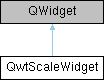
Classes | |
| class | PrivateData |
Public Types | |
| enum | LayoutFlag { TitleInverted = 1 } |
| Layout flags of the title. More... | |
| enum | BuiltinActions { ActionNone = 0x00 , ActionWheelZoom = 0x01 , ActionClickPan = 0x02 , ActionAll = 0xFF } |
| 内置的动作 More... | |
Signals | |
| void | scaleDivChanged () |
| Signal emitted, whenever the scale division changes/当刻度分度发生变化时发出的信号 | |
| void | requestScaleRangeUpdate (double min, double max) |
| Request to change the axis scale division/坐标轴主动请求变更刻度范围 | |
| void | selectionChanged (bool selected) |
| 当前轴被选中状态发生变化发射信号 | |
Public Member Functions | |
| QwtScaleWidget (QWidget *parent=NULL) | |
| Create a scale with the position QwtScaleWidget::Left. | |
| QwtScaleWidget (QwtScaleDraw::Alignment, QWidget *parent=NULL) | |
| void | setTitle (const QString &title) |
| Give title new text contents. | |
| void | setTitle (const QwtText &title) |
| Give title new text contents. | |
| QwtText | title () const |
| void | setLayoutFlag (LayoutFlag, bool on) |
| Toggle an layout flag. | |
| bool | testLayoutFlag (LayoutFlag) const |
| Test a layout flag. | |
| void | setBorderDist (int dist1, int dist2) |
| Specify distances of the scale's endpoints from the widget's borders. | |
| int | startBorderDist () const |
| int | endBorderDist () const |
| void | getBorderDistHint (int &start, int &end) const |
| Calculate a hint for the border distances./计算边框距离的“建议值” | |
| void | getMinBorderDist (int &start, int &end) const |
| Get the minimum value for the distances of the scale's endpoints from the widget borders. | |
| void | setMinBorderDist (int start, int end) |
| int | startMinBorderDist () const |
| minimum value for the distances of the scale's endpoints from the widget borders.(Left or top Distance) | |
| int | endMinBorderDist () const |
| minimum value for the distances of the scale's endpoints from the widget borders.(Right or bottom distance) | |
| void | setMargin (int) |
| Specify the margin to the colorBar/base line. | |
| int | margin () const |
| void | setSpacing (int) |
| Specify the distance between color bar, scale and title. | |
| int | spacing () const |
| void | setEdgeMargin (int offset) |
| 设置坐标轴和绘图边缘的空白偏移距离 | |
| int | edgeMargin () const |
| 边缘距离 | |
| void | setScaleDiv (const QwtScaleDiv &) |
| Assign a scale division. | |
| void | setTransformation (QwtTransform *) |
| Set the transformation. | |
| void | setScaleDraw (QwtScaleDraw *) |
| Set a scale draw. | |
| const QwtScaleDraw * | scaleDraw () const |
| QwtScaleDraw * | scaleDraw () |
| void | setLabelAlignment (Qt::Alignment) |
| Change the alignment for the labels. | |
| void | setLabelRotation (double rotation) |
| Change the rotation for the labels. | |
| void | setColorBarEnabled (bool) |
| En/disable a color bar associated to the scale. | |
| bool | isColorBarEnabled () const |
| void | setColorBarWidth (int) |
| Set the width of the color bar. | |
| int | colorBarWidth () const |
| void | setColorMap (const QwtInterval &, QwtColorMap *) |
| Set the color map and value interval, that are used for displaying the color bar. | |
| QwtInterval | colorBarInterval () const |
| const QwtColorMap * | colorMap () const |
| virtual QSize | sizeHint () const QWT_OVERRIDE |
| virtual QSize | minimumSizeHint () const QWT_OVERRIDE |
| int | titleHeightForWidth (int width) const |
| Find the height of the title for a given width. | |
| int | dimForLength (int length, const QFont &scaleFont) const |
| Find the minimum dimension for a given length. | |
| void | drawColorBar (QPainter *, const QRectF &) const |
| Draw the color bar of the scale widget. | |
| void | drawTitle (QPainter *, QwtScaleDraw::Alignment, const QRectF &rect) const |
| Rotate and paint a title according to its position into a given rectangle. | |
| void | setAlignment (QwtScaleDraw::Alignment) |
| Change the alignment. | |
| QwtScaleDraw::Alignment | alignment () const |
| QRectF | colorBarRect (const QRectF &) const |
| Calculate the the rectangle for the color bar. | |
| QRect | scaleRect () const |
| 去除了colorBar,margin,edgeMargin,BorderDistHint这些区域的矩形,也就是用来绘制刻度的区域 | |
| void | setTextColor (const QColor &c) |
| Set the font color of the coordinate axis/设置坐标轴的字体颜色 | |
| QColor | textColor () const |
| font color of the coordinate axis/坐标轴的字体颜色 | |
| void | setScaleColor (const QColor &c) |
| set color of the coordinate axis/设置坐标轴的颜色 | |
| QColor | scaleColor () const |
| color of the coordinate axis/坐标轴的颜色 | |
| void | layoutScale (bool update_geometry=true) |
| Recalculate the scale's geometry and layout based on the current geometry and fonts. | |
| QwtAxisId | axisID () const |
| 获取此轴窗口对应的axisID | |
| bool | isXAxis () const |
| 是否是x坐标轴 | |
| bool | isYAxis () const |
| 是否是y坐标轴 | |
| void | setBuildinActions (BuiltinActionsFlags acts) |
| 设置内置的动作 | |
| BuiltinActionsFlags | buildinActions () const |
| 内置的动作 | |
| bool | testBuildinActions (BuiltinActions ba) const |
| 检测内置动作是否激活 | |
| void | setSelected (bool selected) |
| 设置当前轴被选中 | |
| bool | isSelected () const |
| 当前轴是否被选中 | |
| void | setSelectionColor (const QColor &color) |
| 设置选中的颜色 | |
| QColor | selectionColor () const |
| 选中的颜色 | |
| void | setZoomFactor (double factor) |
| 设置缩放因子(默认1.2) | |
| double | zoomFactor () const |
| 缩放因子 | |
| void | setSelectedPenWidthOffset (qreal offset=1) |
| 设置坐标轴在选中状态下的画笔宽度附加值 | |
| qreal | selectedPenWidthOffset () const |
| 获取当前坐标轴在选中状态下的画笔宽度附加值 | |
| bool | isOnScale (const QPoint &pos) const |
| 判断鼠标位置是否落在“纯刻度区域” | |
Protected Member Functions | |
| virtual void | paintEvent (QPaintEvent *) QWT_OVERRIDE |
| paintEvent | |
| virtual void | resizeEvent (QResizeEvent *) QWT_OVERRIDE |
| Event handler for resize events. | |
| virtual void | changeEvent (QEvent *) QWT_OVERRIDE |
| Change Event handler. | |
| void | draw (QPainter *) const |
| draw the scale | |
| void | scaleChange () |
| Notify a change of the scale. | |
Detailed Description
A Widget which contains a scale.
This Widget can be used to decorate composite widgets with a scale.
│<--------------------------— plot yleft edge │ │ │ │tick ┌ ┌--------------------------------— │ │ │ │label│ │ │edge │YLeft │space │ 6 -│margin │ │margin│Title │ │ │ │ │ │ │ │ 5 -│ │ │ │ │ │ │ │ │ │ │ │ 4 -│ │ plot cavans │ │ │ │ │ │ │ │ │ │ 3 -│ │ │ │ │ │ │ │ │ │ │ │ 2 -│ │ │ │ │ │ │ │ │ │ │ │ 1 -│ │_________________________________
Member Enumeration Documentation
◆ BuiltinActions
◆ LayoutFlag
Constructor & Destructor Documentation
◆ QwtScaleWidget()
|
explicit |
Create a scale with the position QwtScaleWidget::Left.
- Parameters
-
parent Parent widget
Constructor
- Parameters
-
align Alignment. parent Parent widget
Member Function Documentation
◆ alignment()
| QwtScaleDraw::Alignment QwtScaleWidget::alignment | ( | ) | const |
- Returns
- position
- See also
- setPosition()
◆ axisID()
| QwtAxisId QwtScaleWidget::axisID | ( | ) | const |
获取此轴窗口对应的axisID
- Note
- 注意,此函基于QwtScaleDraw的对其方式来转换,如果QwtScaleDraw的对其方式没设置,那么会返回QwtAxis::AxisPositions
- Returns
◆ buildinActions()
| QwtScaleWidget::BuiltinActionsFlags QwtScaleWidget::buildinActions | ( | ) | const |
内置的动作
- Returns
◆ changeEvent()
|
protectedvirtual |
Change Event handler.
- Parameters
-
event Change event
Invalidates internal caches if necessary
◆ colorBarInterval()
| QwtInterval QwtScaleWidget::colorBarInterval | ( | ) | const |
- Returns
- Value interval for the color bar
- See also
- setColorMap(), colorMap()
◆ colorBarRect()
| QRectF QwtScaleWidget::colorBarRect | ( | const QRectF & | rect | ) | const |
Calculate the the rectangle for the color bar.
- Parameters
-
rect Bounding rectangle for all components of the scale
- Returns
- Rectangle for the color bar
◆ colorBarWidth()
| int QwtScaleWidget::colorBarWidth | ( | ) | const |
- Returns
- Width of the color bar
- See also
- setColorBarEnabled(), setColorBarEnabled()
◆ colorMap()
| const QwtColorMap * QwtScaleWidget::colorMap | ( | ) | const |
- Returns
- Color map
- See also
- setColorMap(), colorBarInterval()
◆ dimForLength()
| int QwtScaleWidget::dimForLength | ( | int | length, |
| const QFont & | scaleFont | ||
| ) | const |
Find the minimum dimension for a given length.
dim is the height, length the width seen in direction of the title.
- Parameters
-
length width for horizontal, height for vertical scales scaleFont Font of the scale
- Returns
- height for horizontal, width for vertical scales
◆ drawColorBar()
| void QwtScaleWidget::drawColorBar | ( | QPainter * | painter, |
| const QRectF & | rect | ||
| ) | const |
Draw the color bar of the scale widget.
- Parameters
-
painter Painter rect Bounding rectangle for the color bar
- See also
- setColorBarEnabled()
◆ drawTitle()
| void QwtScaleWidget::drawTitle | ( | QPainter * | painter, |
| QwtScaleDraw::Alignment | align, | ||
| const QRectF & | rect | ||
| ) | const |
Rotate and paint a title according to its position into a given rectangle.
- Parameters
-
painter Painter align Alignment rect Bounding rectangle
◆ edgeMargin()
| int QwtScaleWidget::edgeMargin | ( | ) | const |
边缘距离
- Returns
- 边缘距离
◆ endBorderDist()
| int QwtScaleWidget::endBorderDist | ( | ) | const |
- Returns
- end border distance
- See also
- setBorderDist()
◆ endMinBorderDist()
| int QwtScaleWidget::endMinBorderDist | ( | ) | const |
minimum value for the distances of the scale's endpoints from the widget borders.(Right or bottom distance)
- Returns
◆ getBorderDistHint()
| void QwtScaleWidget::getBorderDistHint | ( | int & | start, |
| int & | end | ||
| ) | const |
Calculate a hint for the border distances./计算边框距离的“建议值”
This member function calculates the distance of the scale's endpoints from the widget borders which is required for the mark labels to fit into the widget. The maximum of this distance an the minimum border distance is returned.
本函数根据刻度标记文字的大小,计算刻度两端与控件边框之间所需的距离,以确保文字完整显示。 最终返回该距离与最小边框距离中的较大值。
- Parameters
-
start Return parameter for the border width at the beginning of the scale/刻度起始端与边框的宽度 end Return parameter for the border width at the end of the scale/刻度末端与边框的宽度
- Warning
- The minimum border distance depends on the font./最小边框距离与当前字体有关。
◆ getMinBorderDist()
| void QwtScaleWidget::getMinBorderDist | ( | int & | start, |
| int & | end | ||
| ) | const |
Get the minimum value for the distances of the scale's endpoints from the widget borders.
- Parameters
-
start Return parameter for the border width at the beginning of the scale end Return parameter for the border width at the end of the scale
- See also
- setMinBorderDist(), getBorderDistHint()
◆ isColorBarEnabled()
| bool QwtScaleWidget::isColorBarEnabled | ( | ) | const |
- Returns
- true, when the color bar is enabled
- See also
- setColorBarEnabled(), setColorBarWidth()
◆ isOnScale()
| bool QwtScaleWidget::isOnScale | ( | const QPoint & | pos | ) | const |
判断鼠标位置是否落在“纯刻度区域”
- Parameters
-
pos 鼠标位置(相对于本 QWidget 的坐标)
- Returns
- true 落在刻度上 false 落在 margin、edgeMargin、标题、colorBar 等空白处
◆ isSelected()
| bool QwtScaleWidget::isSelected | ( | ) | const |
当前轴是否被选中
- Parameters
-
selected
◆ isXAxis()
| bool QwtScaleWidget::isXAxis | ( | ) | const |
是否是x坐标轴
- Returns
◆ isYAxis()
| bool QwtScaleWidget::isYAxis | ( | ) | const |
是否是y坐标轴
- Returns
◆ layoutScale()
| void QwtScaleWidget::layoutScale | ( | bool | update_geometry = true | ) |
Recalculate the scale's geometry and layout based on the current geometry and fonts.
- Parameters
-
update_geometry Notify the layout system and call update to redraw the scale
◆ margin()
| int QwtScaleWidget::margin | ( | ) | const |
- Returns
- margin
- See also
- setMargin()
◆ minimumSizeHint()
|
virtual |
- Returns
- a minimum size hint
◆ requestScaleRangeUpdate
|
signal |
Request to change the axis scale division/坐标轴主动请求变更刻度范围
Emitted when built-in actions (zoom/pan) need to alter the scale. 内置动作(缩放/平移)需要改变刻度时发射此信号。
Unlike normal QwtPlot updates, here the axis drives the change: QwtPlot receives this signal and adjusts item bounds accordingly. 与常规 QwtPlot 更新不同,此处由轴驱动变更:QwtPlot 接收信号后调整图元范围。
- Parameters
-
min min scale division requested/请求的最小刻度范围 min max scale division requested/请求的最大刻度范围
◆ resizeEvent()
|
protectedvirtual |
Event handler for resize events.
- Parameters
-
event Resize event
◆ scaleChange()
|
protected |
Notify a change of the scale.
This virtual function can be overloaded by derived classes. The default implementation updates the geometry and repaints the widget.
◆ scaleColor()
| QColor QwtScaleWidget::scaleColor | ( | ) | const |
color of the coordinate axis/坐标轴的颜色
- Returns
◆ scaleDraw() [1/2]
| QwtScaleDraw * QwtScaleWidget::scaleDraw | ( | ) |
- Returns
- scaleDraw of this scale
- See also
- QwtScaleDraw::setScaleDraw()
◆ scaleDraw() [2/2]
| const QwtScaleDraw * QwtScaleWidget::scaleDraw | ( | ) | const |
- Returns
- scaleDraw of this scale
- See also
- setScaleDraw(), QwtScaleDraw::setScaleDraw()
◆ scaleRect()
| QRect QwtScaleWidget::scaleRect | ( | ) | const |
去除了colorBar,margin,edgeMargin,BorderDistHint这些区域的矩形,也就是用来绘制刻度的区域
- Returns
◆ selectedPenWidthOffset()
| qreal QwtScaleWidget::selectedPenWidthOffset | ( | ) | const |
获取当前坐标轴在选中状态下的画笔宽度附加值
- Returns
- 当前的宽度附加值。
◆ selectionChanged
|
signal |
当前轴被选中状态发生变化发射信号
- Parameters
-
selected
◆ selectionColor()
| QColor QwtScaleWidget::selectionColor | ( | ) | const |
选中的颜色
- Returns
◆ setAlignment()
| void QwtScaleWidget::setAlignment | ( | QwtScaleDraw::Alignment | alignment | ) |
◆ setBorderDist()
| void QwtScaleWidget::setBorderDist | ( | int | dist1, |
| int | dist2 | ||
| ) |
Specify distances of the scale's endpoints from the widget's borders.
The actual borders will never be less than minimum border distance.
- Parameters
-
dist1 Left or top Distance dist2 Right or bottom distance
- See also
- borderDist()
◆ setBuildinActions()
| void QwtScaleWidget::setBuildinActions | ( | BuiltinActionsFlags | acts | ) |
设置内置的动作
- Parameters
-
actions 内置动作
- See also
- BuildinActions
◆ setColorBarEnabled()
| void QwtScaleWidget::setColorBarEnabled | ( | bool | on | ) |
En/disable a color bar associated to the scale.
- See also
- isColorBarEnabled(), setColorBarWidth()
◆ setColorBarWidth()
| void QwtScaleWidget::setColorBarWidth | ( | int | width | ) |
◆ setColorMap()
| void QwtScaleWidget::setColorMap | ( | const QwtInterval & | interval, |
| QwtColorMap * | colorMap | ||
| ) |
Set the color map and value interval, that are used for displaying the color bar.
- Parameters
-
interval Value interval colorMap Color map
- See also
- colorMap(), colorBarInterval()
◆ setEdgeMargin()
| void QwtScaleWidget::setEdgeMargin | ( | int | offset | ) |
设置坐标轴和绘图边缘的空白偏移距离
edgeMargin和margin刚好相反,margin是和绘图的偏移,edgeMargin是和绘图边缘的偏移
- Parameters
-
offset
◆ setLabelAlignment()
| void QwtScaleWidget::setLabelAlignment | ( | Qt::Alignment | alignment | ) |
Change the alignment for the labels.
◆ setLabelRotation()
| void QwtScaleWidget::setLabelRotation | ( | double | rotation | ) |
Change the rotation for the labels.
See QwtScaleDraw::setLabelRotation().
- Parameters
-
rotation Rotation
- See also
- QwtScaleDraw::setLabelRotation(), setLabelFlags()
◆ setLayoutFlag()
| void QwtScaleWidget::setLayoutFlag | ( | LayoutFlag | flag, |
| bool | on | ||
| ) |
◆ setMargin()
| void QwtScaleWidget::setMargin | ( | int | margin | ) |
◆ setMinBorderDist()
| void QwtScaleWidget::setMinBorderDist | ( | int | start, |
| int | end | ||
| ) |
Set a minimum value for the distances of the scale's endpoints from the widget borders. This is useful to avoid that the scales are "jumping", when the tick labels or their positions change often.
设置刻度两端与控件边框的最小距离。当刻度标签或其位置频繁变化时,可避免刻度出现“跳动”现象。
- Parameters
-
start Minimum for the start border/起始端最小边距 end Minimum for the end border/末端最小边距
◆ setScaleColor()
| void QwtScaleWidget::setScaleColor | ( | const QColor & | c | ) |
set color of the coordinate axis/设置坐标轴的颜色
- Parameters
-
c
◆ setScaleDiv()
| void QwtScaleWidget::setScaleDiv | ( | const QwtScaleDiv & | scaleDiv | ) |
Assign a scale division.
The scale division determines where to set the tick marks.
- Parameters
-
scaleDiv Scale Division
- See also
- For more information about scale divisions, see QwtScaleDiv.
◆ setScaleDraw()
| void QwtScaleWidget::setScaleDraw | ( | QwtScaleDraw * | scaleDraw | ) |
Set a scale draw.
scaleDraw has to be created with new and will be deleted in ~QwtScaleWidget() or the next call of setScaleDraw(). scaleDraw will be initialized with the attributes of the previous scaleDraw object.
- Parameters
-
scaleDraw ScaleDraw object
- See also
- scaleDraw()
◆ setSelected()
| void QwtScaleWidget::setSelected | ( | bool | selected | ) |
◆ setSelectedPenWidthOffset()
| void QwtScaleWidget::setSelectedPenWidthOffset | ( | qreal | offset = 1 | ) |
设置坐标轴在选中状态下的画笔宽度附加值
当一个坐标轴(例如 X 轴或 Y 轴)被用户选中时,其绘制的画笔宽度会 在原始宽度的基础上增加这个附加值,从而实现视觉上的突出显示效果。
- Parameters
-
offset 选中时增加的宽度值(单位:像素)。 该值应为非负数。如果为 0,则选中状态下的线宽与普通状态相同。
◆ setSelectionColor()
| void QwtScaleWidget::setSelectionColor | ( | const QColor & | color | ) |
设置选中的颜色
- Parameters
-
color
◆ setSpacing()
| void QwtScaleWidget::setSpacing | ( | int | spacing | ) |
Specify the distance between color bar, scale and title.
- Parameters
-
spacing Spacing
- See also
- spacing()
◆ setTextColor()
| void QwtScaleWidget::setTextColor | ( | const QColor & | c | ) |
Set the font color of the coordinate axis/设置坐标轴的字体颜色
- Parameters
-
c
◆ setTitle() [1/2]
| void QwtScaleWidget::setTitle | ( | const QString & | title | ) |
◆ setTitle() [2/2]
| void QwtScaleWidget::setTitle | ( | const QwtText & | title | ) |
Give title new text contents.
- Parameters
-
title New title
- See also
- title()
- Warning
- The title flags are interpreted in direction of the label, AlignTop, AlignBottom can't be set as the title will always be aligned to the scale.
◆ setTransformation()
| void QwtScaleWidget::setTransformation | ( | QwtTransform * | transformation | ) |
Set the transformation.
- Parameters
-
transformation Transformation
- See also
- QwtAbstractScaleDraw::scaleDraw(), QwtScaleMap
◆ setZoomFactor()
| void QwtScaleWidget::setZoomFactor | ( | double | factor | ) |
设置缩放因子(默认1.2)
- Parameters
-
factor
◆ sizeHint()
|
virtual |
- Returns
- a size hint
◆ spacing()
| int QwtScaleWidget::spacing | ( | ) | const |
- Returns
- distance between scale and title
- See also
- setMargin()
◆ startBorderDist()
| int QwtScaleWidget::startBorderDist | ( | ) | const |
- Returns
- start border distance
- See also
- setBorderDist()
◆ startMinBorderDist()
| int QwtScaleWidget::startMinBorderDist | ( | ) | const |
minimum value for the distances of the scale's endpoints from the widget borders.(Left or top Distance)
- See also
- getMinBorderDist(), getBorderDistHint()
◆ testBuildinActions()
| bool QwtScaleWidget::testBuildinActions | ( | QwtScaleWidget::BuiltinActions | ba | ) | const |
检测内置动作是否激活
- Parameters
-
ba
- Returns
◆ testLayoutFlag()
| bool QwtScaleWidget::testLayoutFlag | ( | LayoutFlag | flag | ) | const |
Test a layout flag.
- Parameters
-
flag Layout flag
- Returns
- true/false
- See also
- setLayoutFlag(), LayoutFlag
◆ textColor()
| QColor QwtScaleWidget::textColor | ( | ) | const |
font color of the coordinate axis/坐标轴的字体颜色
- Returns
◆ title()
| QwtText QwtScaleWidget::title | ( | ) | const |
- Returns
- title
- See also
- setTitle()
◆ titleHeightForWidth()
| int QwtScaleWidget::titleHeightForWidth | ( | int | width | ) | const |
Find the height of the title for a given width.
- Parameters
-
width Width
- Returns
- height Height
◆ zoomFactor()
| double QwtScaleWidget::zoomFactor | ( | ) | const |
缩放因子
- Returns
The documentation for this class was generated from the following files:
- /home/runner/work/QWT/QWT/src/qwt_scale_widget.h
- /home/runner/work/QWT/QWT/src/qwt_scale_widget.cpp