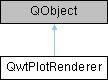
Renderer for exporting a plot to a document, a printer or anything else, that is supported by QPainter/QPaintDevice 更多...
#include <qwt_plot_renderer.h>
类 | |
| class | PrivateData |
Public 类型 | |
| enum | DiscardFlag { DiscardNone = 0x00 , DiscardBackground = 0x01 , DiscardTitle = 0x02 , DiscardLegend = 0x04 , DiscardCanvasBackground = 0x08 , DiscardFooter = 0x10 , DiscardCanvasFrame = 0x20 } |
| Discard flags 更多... | |
| enum | LayoutFlag { DefaultLayout = 0x00 , FrameWithScales = 0x01 } |
| Layout flags 更多... | |
Public 成员函数 | |
| QwtPlotRenderer (QObject *=nullptr) | |
| Constructor | |
| void | setDiscardFlag (DiscardFlag flag, bool on=true) |
| Change a flag, indicating what to discard from rendering | |
| bool | testDiscardFlag (DiscardFlag flag) const |
| Test if a discard flag is enabled | |
| void | setDiscardFlags (DiscardFlags flags) |
| Set the flags, indicating what to discard from rendering | |
| DiscardFlags | discardFlags () const |
| Get the flags indicating what to discard from rendering | |
| void | setLayoutFlag (LayoutFlag flag, bool on=true) |
| Change a layout flag | |
| bool | testLayoutFlag (LayoutFlag flag) const |
| Test if a layout flag is enabled | |
| void | setLayoutFlags (LayoutFlags flags) |
| Set the layout flags | |
| LayoutFlags | layoutFlags () const |
| Get the layout flags | |
| void | renderDocument (QwtPlot *, const QString &fileName, const QSizeF &sizeMM, int resolution=85) |
| Render a plot to a file | |
| void | renderDocument (QwtPlot *, const QString &fileName, const QString &format, const QSizeF &sizeMM, int resolution=85) |
| Render a plot to a file with specified format | |
| void | renderTo (QwtPlot *, QPrinter &) const |
| Render the plot to a QPrinter | |
| void | renderTo (QwtPlot *, QPaintDevice &) const |
| Render the plot to a QPaintDevice | |
| virtual void | render (QwtPlot *, QPainter *, const QRectF &plotRect) const |
| Paint the contents of a QwtPlot instance into a given rectangle | |
| virtual void | renderTitle (const QwtPlot *, QPainter *, const QRectF &titleRect) const |
| Render the title into a given rectangle | |
| virtual void | renderFooter (const QwtPlot *, QPainter *, const QRectF &footerRect) const |
| Render the footer into a given rectangle | |
| virtual void | renderScale (const QwtPlot *, QPainter *, QwtAxisId, int startDist, int endDist, int baseDist, const QRectF &scaleRect) const |
| Paint a scale into a given rectangle | |
| virtual void | renderScaleCaption (const QwtPlot *, QPainter *, QwtAxisId, const QRectF &captionRect) const |
| Render the caption of an outside axis title into a given rectangle | |
| virtual void | renderCanvas (const QwtPlot *, QPainter *, const QRectF &canvasRect, const QwtScaleMap *maps) const |
| Render the canvas into a given rectangle | |
| virtual void | renderLegend (const QwtPlot *, QPainter *, const QRectF &legendRect) const |
| Render the legend into a given rectangle | |
| bool | exportTo (QwtPlot *, const QString &documentName, const QSizeF &sizeMM=QSizeF(300, 200), int resolution=85) |
| Execute a file dialog and render the plot to the selected file | |
详细描述
Renderer for exporting a plot to a document, a printer or anything else, that is supported by QPainter/QPaintDevice
成员枚举类型说明
◆ DiscardFlag
Discard flags
Flags to control which components of the plot are rendered
◆ LayoutFlag
构造及析构函数说明
◆ QwtPlotRenderer()
|
explicit |
Constructor
- 参数
-
[in] parent Parent object
Destructor
成员函数说明
◆ discardFlags()
| QwtPlotRenderer::DiscardFlags QwtPlotRenderer::discardFlags | ( | ) | const |
Get the flags indicating what to discard from rendering
- 返回
- Flags indicating what to discard from rendering
◆ exportTo()
| bool QwtPlotRenderer::exportTo | ( | QwtPlot * | plot, |
| const QString & | documentName, | ||
| const QSizeF & | sizeMM = QSizeF(300, 200), |
||
| int | resolution = 85 |
||
| ) |
Execute a file dialog and render the plot to the selected file
- 参数
-
[in] plot Plot widget [in] documentName Default document name [in] sizeMM Size for the document in millimeters [in] resolution Resolution in dots per Inch (dpi)
- 返回
- True when exporting was successful
◆ layoutFlags()
| QwtPlotRenderer::LayoutFlags QwtPlotRenderer::layoutFlags | ( | ) | const |
Get the layout flags
- 返回
- Layout flags
◆ render()
|
virtual |
Paint the contents of a QwtPlot instance into a given rectangle
- 参数
-
[in] plot Plot to be rendered [in] painter Painter [in] plotRect Bounding rectangle
◆ renderCanvas()
|
virtual |
Render the canvas into a given rectangle
- 参数
-
[in] plot Plot widget [in] painter Painter [in] canvasRect Canvas rectangle [in] maps Maps mapping between plot and paint device coordinates
◆ renderDocument() [1/2]
| void QwtPlotRenderer::renderDocument | ( | QwtPlot * | plot, |
| const QString & | fileName, | ||
| const QSizeF & | sizeMM, | ||
| int | resolution = 85 |
||
| ) |
Render a plot to a file
The format of the document will be auto-detected from the suffix of the file name.
- 参数
-
[in] plot Plot widget [in] fileName Path of the file where the document will be stored [in] sizeMM Size for the document in millimeters [in] resolution Resolution in dots per Inch (dpi)
◆ renderDocument() [2/2]
| void QwtPlotRenderer::renderDocument | ( | QwtPlot * | plot, |
| const QString & | fileName, | ||
| const QString & | format, | ||
| const QSizeF & | sizeMM, | ||
| int | resolution = 85 |
||
| ) |
Render a plot to a file with specified format
Supported formats are:
- pdf: Portable Document Format PDF
- ps: PostScript
- svg: Scalable Vector Graphics SVG
- all image formats supported by Qt (see QImageWriter::supportedImageFormats()) Scalable vector graphic formats like PDF or SVG are superior to raster graphics formats.
- 参数
-
[in] plot Plot widget [in] fileName Path of the file where the document will be stored [in] format Format for the document [in] sizeMM Size for the document in millimeters [in] resolution Resolution in dots per Inch (dpi)
◆ renderFooter()
|
virtual |
Render the footer into a given rectangle
- 参数
-
[in] plot Plot widget [in] painter Painter [in] footerRect Bounding rectangle for the footer
◆ renderLegend()
|
virtual |
Render the legend into a given rectangle
- 参数
-
[in] plot Plot widget [in] painter Painter [in] legendRect Bounding rectangle for the legend
◆ renderScale()
|
virtual |
Paint a scale into a given rectangle
Render the scale into a given rectangle.
- 参数
-
[in] plot Plot widget [in] painter Painter [in] axisId Axis identifier [in] startDist Start border distance [in] endDist End border distance [in] baseDist Base distance [in] scaleRect Bounding rectangle for the scale
◆ renderScaleCaption()
|
virtual |
Render the caption of an outside axis title into a given rectangle
Paints the title of a scale widget with QwtScaleWidget::TitleOutside placement as horizontal text into the caption strip reserved by QwtPlotLayout. Font and text color are taken from the scale widget, the horizontal alignment from the title render flags, vertically the text is centered.
- 参数
-
[in] plot Plot widget [in] painter Painter [in] axisId Axis identifier [in] captionRect Bounding rectangle for the caption
◆ renderTitle()
|
virtual |
Render the title into a given rectangle
- 参数
-
[in] plot Plot widget [in] painter Painter [in] titleRect Bounding rectangle for the title
◆ renderTo() [1/2]
| void QwtPlotRenderer::renderTo | ( | QwtPlot * | plot, |
| QPaintDevice & | paintDevice | ||
| ) | const |
Render the plot to a QPaintDevice
This function renders the contents of a QwtPlot instance to QPaintDevice object. The target rectangle is derived from its device metrics.
- 参数
-
[in] plot Plot to be rendered [in] paintDevice Device to paint on, f.e. a QImage
◆ renderTo() [2/2]
| void QwtPlotRenderer::renderTo | ( | QwtPlot * | plot, |
| QPrinter & | printer | ||
| ) | const |
Render the plot to a QPrinter
This function renders the contents of a QwtPlot instance to QPaintDevice object. The size is derived from the printer metrics.
- 参数
-
[in] plot Plot to be rendered [in] printer Printer to paint on
◆ setDiscardFlag()
| void QwtPlotRenderer::setDiscardFlag | ( | DiscardFlag | flag, |
| bool | on = true |
||
| ) |
Change a flag, indicating what to discard from rendering
- 参数
-
[in] flag Flag to change [in] on On/Off
◆ setDiscardFlags()
| void QwtPlotRenderer::setDiscardFlags | ( | DiscardFlags | flags | ) |
Set the flags, indicating what to discard from rendering
- 参数
-
[in] flags Flags to set
◆ setLayoutFlag()
| void QwtPlotRenderer::setLayoutFlag | ( | LayoutFlag | flag, |
| bool | on = true |
||
| ) |
Change a layout flag
- 参数
-
[in] flag Flag to change [in] on On/Off
◆ setLayoutFlags()
| void QwtPlotRenderer::setLayoutFlags | ( | LayoutFlags | flags | ) |
Set the layout flags
- 参数
-
[in] flags Flags to set
◆ testDiscardFlag()
| bool QwtPlotRenderer::testDiscardFlag | ( | DiscardFlag | flag | ) | const |
Test if a discard flag is enabled
- 参数
-
[in] flag Flag to be tested
- 返回
- True if flag is enabled
◆ testLayoutFlag()
| bool QwtPlotRenderer::testLayoutFlag | ( | LayoutFlag | flag | ) | const |
Test if a layout flag is enabled
- 参数
-
[in] flag Flag to be tested
- 返回
- True if flag is enabled
该类的文档由以下文件生成:
- /home/runner/work/QWT/QWT/src/plot/qwt_plot_renderer.h
- /home/runner/work/QWT/QWT/src/plot/qwt_plot_renderer.cpp