 |
SARibbon 2.5.2
SARibbon wiki
|
|
SARibbon 2.5.2
SARibbon wiki
|
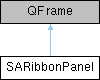
panel页窗口,panel是ribbon的面板用于承放控件 / Ribbon panel container, used to hold controls 更多...
#include <SARibbonPanel.h>
类 | |
| class | PrivateData |
Public 类型 | |
| enum | PanelLayoutMode { ThreeRowMode , TwoRowMode , SingleRowMode } |
| Layout mode for the panel / 面板的布局模式 更多... | |
| using | FpRibbonToolButtonIterate = std::function< bool(SARibbonToolButton *) > |
信号 | |
| void | actionTriggered (QAction *action) |
| void | panelNameChanged (const QString &n) |
Public 成员函数 | |
| SARibbonPanel (QWidget *parent=nullptr) | |
| Constructor for SARibbonPanel | |
| SARibbonPanel (const QString &name, QWidget *parent=nullptr) | |
| Constructor for SARibbonPanel with name | |
| ~SARibbonPanel () Q_DECL_OVERRIDE | |
| Destructor for SARibbonPanel | |
| void | addAction (QAction *action, SARibbonPanelItem::RowProportion rowProportion) |
| Add action to panel with specified row proportion | |
| void | addAction (QAction *act, QToolButton::ToolButtonPopupMode popMode, SARibbonPanelItem::RowProportion rowProportion=SARibbonPanelItem::Large) |
| Generate and add an action with specified popup mode and row proportion | |
| void | addLargeAction (QAction *action) |
| Add action to panel with large icon display | |
| void | addMediumAction (QAction *action) |
| Add action to panel with medium icon display in three-row mode | |
| void | addSmallAction (QAction *action) |
| Add action to panel with small icon display | |
| void | addSmallAction (QAction *action, QToolButton::ToolButtonPopupMode popMode) |
| Add action to panel with small icon display and specified popup mode | |
| void | addLargeAction (QAction *action, QToolButton::ToolButtonPopupMode popMode) |
| Add action to panel with large icon display and specified popup mode | |
| void | addMediumAction (QAction *action, QToolButton::ToolButtonPopupMode popMode) |
| Add action to panel with medium icon display in three-row mode and specified popup mode | |
| QAction * | addAction (const QString &text, const QIcon &icon, QToolButton::ToolButtonPopupMode popMode, SARibbonPanelItem::RowProportion rowProportion=SARibbonPanelItem::Large) |
| Generate and add an action with text, icon, popup mode, and row proportion | |
| void | addMenu (QMenu *menu, SARibbonPanelItem::RowProportion rowProportion, QToolButton::ToolButtonPopupMode popMode=QToolButton::InstantPopup) |
| Add menu with specified row proportion and popup mode | |
| void | addLargeMenu (QMenu *menu, QToolButton::ToolButtonPopupMode popMode=QToolButton::InstantPopup) |
| Add large menu with specified popup mode | |
| void | addMediumMenu (QMenu *menu, QToolButton::ToolButtonPopupMode popMode=QToolButton::InstantPopup) |
| Add medium menu with specified popup mode | |
| void | addSmallMenu (QMenu *menu, QToolButton::ToolButtonPopupMode popMode=QToolButton::InstantPopup) |
| Add small menu with specified popup mode | |
| QAction * | addWidget (QWidget *w, SARibbonPanelItem::RowProportion rowProportion) |
| Add widget with specified row proportion | |
| QAction * | addSmallWidget (QWidget *w) |
| Add small widget (occupies one row of ribbon) | |
| QAction * | addMediumWidget (QWidget *w) |
| Add medium widget (occupies one row of ribbon) | |
| QAction * | addLargeWidget (QWidget *w) |
| Add large widget (occupies all rows) | |
| SARibbonGallery * | addGallery (bool expanding=true) |
| Add a gallery | |
| QAction * | addSeparator () |
| Add separator | |
| SARibbonToolButton * | actionToRibbonToolButton (QAction *action) |
| Extract the button corresponding to the action from the panel, returns nullptr if no corresponding button | |
| void | setOptionAction (QAction *action) |
| bool | isHaveOptionAction () const |
| Check if option action exists | |
| QList< SARibbonToolButton * > | ribbonToolButtons () const |
| Get all buttons | |
| PanelLayoutMode | panelLayoutMode () const |
| Get PanelLayoutMode | |
| void | setPanelLayoutMode (PanelLayoutMode mode) |
| Set PanelLayoutMode | |
| void | resetToolButtonSize () |
| Update button sizes, this function needs to be called after panel layout state changes | |
| bool | isTwoRow () const |
| Check if it is two-row mode | |
| void | setExpanding (bool isExpanding=true) |
| Set panel to expanding mode, which will expand the horizontal area | |
| bool | isExpanding () const |
| Check if it is expanding mode | |
| int | titleHeight () const |
| Title bar height | |
| bool | isEnableShowTitle () const |
| Check if title is enabled, after enabling title, the title height needs to be set, default height is 15 | |
| int | actionIndex (QAction *act) const |
| Layout index corresponding to action, this operation is generally used for moveAction, other meanings are not significant | |
| void | moveAction (int from, int to) |
| Move action | |
| bool | isCanCustomize () const |
| Check if customization is allowed | |
| void | setCanCustomize (bool b) |
| Set customization allowed | |
| QString | panelName () const |
| Panel name | |
| void | setPanelName (const QString &title) |
| Set panel name | |
| int | largeButtonHeight () const |
| Large button height | |
| const QList< SARibbonPanelItem * > & | ribbonPanelItem () const |
| Get layout corresponding items, this function is currently only used in the customization process | |
| SARibbonPanelLayout * | panelLayout () const |
| Get panel layout | |
| void | updateItemGeometry () |
| Update layout | |
| SARibbonCategory * | category () const |
| Get category pointer, returns nullptr if no parent or not managed by category | |
| SARibbonBar * | ribbonBar () const |
| Get ribbonBar pointer, returns nullptr if none | |
| int | spacing () const |
| Spacing between buttons | |
| void | setToolButtonIconSize (const QSize &smallSize, const QSize &largeSize) |
| Set button icon sizes | |
| QPair< QSize, QSize > | toolButtonIconSize () const |
| Get button icon sizes | |
| void | setLargeIconSize (const QSize &largeSize) |
| Large button icon size | |
| QSize | largeIconSize () const |
| Get large icon size | |
| void | setSmallIconSize (const QSize &smallSize) |
| Small button icon size | |
| QSize | smallIconSize () const |
| Get small icon size | |
| SARibbonToolButton * | lastAddActionButton () |
| Get last added button | |
| SARibbonPanelLabel * | titleLabel () const |
| Get panel title label widget | |
| bool | isEnableWordWrap () const |
| Check if word wrap is enabled | |
| void | setEnableIconRightText (bool on) |
| Set whether button text is displayed to the right of the icon | |
| bool | isEnableIconRightText () const |
| Check if icon-right-text mode is enabled | |
| qreal | buttonMaximumAspectRatio () const |
| Maximum aspect ratio of buttons, this coefficient determines the maximum width of buttons | |
| bool | iterateButton (FpRibbonToolButtonIterate fp) const |
| virtual QSize | sizeHint () const Q_DECL_OVERRIDE |
| Get size hint | |
| virtual QSize | minimumSizeHint () const Q_DECL_OVERRIDE |
| Get minimum size hint | |
静态 Public 成员函数 | |
| static int | panelHeightHint (const QFontMetrics &fm, PanelLayoutMode layMode, int panelTitleHeight) |
| Recommended panel height | |
| static void | setActionRowProportionProperty (QAction *action, SARibbonPanelItem::RowProportion rp) |
| Set action row proportion property into action, action itself carries row property | |
| static SARibbonPanelItem::RowProportion | getActionRowProportionProperty (QAction *action) |
| Get action row proportion property | |
| static void | setActionToolButtonPopupModeProperty (QAction *action, QToolButton::ToolButtonPopupMode popMode) |
| Set action PopupMode property into action, action itself carries PopupMode property | |
| static QToolButton::ToolButtonPopupMode | getActionToolButtonPopupModeProperty (QAction *action) |
| Get action PopupMode property | |
| static void | setActionToolButtonStyleProperty (QAction *action, Qt::ToolButtonStyle buttonStyle) |
| Set action ToolButtonStyle property into action, action itself carries ToolButtonStyle property | |
| static Qt::ToolButtonStyle | getActionToolButtonStyleProperty (QAction *action) |
| Get action ToolButtonStyle property | |
Protected 成员函数 | |
| virtual void | actionEvent (QActionEvent *e) Q_DECL_OVERRIDE |
| Handle action events | |
| virtual void | changeEvent (QEvent *e) Q_DECL_OVERRIDE |
| Handle change events | |
| void | setTitleHeight (int h) |
| Set title bar height | |
| void | setSpacing (int n) |
| Set spacing between buttons | |
| void | setEnableShowTitle (bool on) |
| Set whether to show title, after showing title, the title height needs to be set, default height is 15 | |
| void | setEnableWordWrap (bool on) |
| void | setButtonMaximumAspectRatio (qreal fac=1.4) |
| Set the maximum aspect ratio of buttons, this coefficient determines the maximum width of buttons | |
属性 | |
| bool | isCanCustomize |
| bool | isExpanding |
| QString | panelName |
友元 | |
| class | SARibbonBar |
| class | SARibbonCategory |
| class | SARibbonCategoryPrivate |
| class | SARibbonCustomizeWidgetPrivate |
| class | SARibbonPanelLayout |
panel页窗口,panel是ribbon的面板用于承放控件 / Ribbon panel container, used to hold controls
The SARibbonPanel is a core component of the Ribbon interface. It acts as a container for QAction objects, automatically creating and managing SARibbonToolButton instances based on the specified layout proportion (Large, Medium, Small). It supports dynamic layout modes (ThreeRowMode, TwoRowMode) and can display an optional title and an option button.
SARibbonPanel 是 Ribbon 界面的核心组件之一。它作为 QAction 对象的容器, 根据指定的布局比例(大、中、小)自动创建和管理 SARibbonToolButton 实例。 它支持动态布局模式(三行模式、两行模式),并可显示可选的标题和选项按钮。
The panel has two layout modes: two-row and three-row.
ribbon的panel分为两行模式和三行模式。
Within a panel, you can use setExpanding to specify horizontal expansion. Recommendation: Only use this if the panel contains expandable widgets (e.g., SARibbonGallery). Otherwise, blank space will be left.
在panel中,可以通过setExpanding 函数指定panel水平扩展。 建议: 仅在面板内包含可扩展控件(如 SARibbonGallery)时使用此函数。 否则,将会留白。
The panel's layout is implemented by SARibbonPanelLayout. To use a custom layout, inherit from SARibbonElementCreateDelegate::createRibbonPanel.
panel的布局通过SARibbonPanelLayout 来实现。 如需自定义布局,请继承 SARibbonElementCreateDelegate::createRibbonPanel 函数。
SARibbonPanel is a child of SARibbonCategory, which belongs to SARibbonBar. Important: Setting properties directly on a standalone SARibbonPanel is often meaningless. Global properties (like title height, spacing) are managed by SARibbonBar. Use these functions in SARibbonBar instead:
panelTitleHeightisEnableShowPanelTitlepanelSpacingpanelToolButtonIconSizeSARibbonPanel属于SARibbonCategory的子对象,SARibbonCategory又属于SARibbonBar的对象。 重要: 单独设置一个SARibbonPanel的属性很多情况是没有意义的。 全局性属性(如标题高度、间距)由SARibbonBar统一管理。 请改用SARibbonBar中的以下函数:
panelTitleHeightisEnableShowPanelTitlepanelSpacingpanelToolButtonIconSize Layout mode for the panel / 面板的布局模式
|
explicit |
Constructor for SARibbonPanel
|
explicit |
Constructor for SARibbonPanel with name
| SARibbonPanel::~SARibbonPanel | ( | ) |
Destructor for SARibbonPanel
|
protectedvirtual |
Handle action events
| int SARibbonPanel::actionIndex | ( | QAction * | act | ) | const |
Layout index corresponding to action, this operation is generally used for moveAction, other meanings are not significant
| SARibbonToolButton * SARibbonPanel::actionToRibbonToolButton | ( | QAction * | action | ) |
Extract the button corresponding to the action from the panel, returns nullptr if no corresponding button
|
signal |
| QAction * SARibbonPanel::addAction | ( | const QString & | text, |
| const QIcon & | icon, | ||
| QToolButton::ToolButtonPopupMode | popMode, | ||
| SARibbonPanelItem::RowProportion | rowProportion = SARibbonPanelItem::Large |
||
| ) |
Generate and add an action with text, icon, popup mode, and row proportion
| void SARibbonPanel::addAction | ( | QAction * | act, |
| QToolButton::ToolButtonPopupMode | popMode, | ||
| SARibbonPanelItem::RowProportion | rowProportion = SARibbonPanelItem::Large |
||
| ) |
Generate and add an action with specified popup mode and row proportion
| void SARibbonPanel::addAction | ( | QAction * | action, |
| SARibbonPanelItem::RowProportion | rowProportion | ||
| ) |
Add action to panel with specified row proportion
| SARibbonGallery * SARibbonPanel::addGallery | ( | bool | expanding = true | ) |
Add a gallery
| void SARibbonPanel::addLargeAction | ( | QAction * | action | ) |
Add action to panel with large icon display
| void SARibbonPanel::addLargeAction | ( | QAction * | action, |
| QToolButton::ToolButtonPopupMode | popMode | ||
| ) |
Add action to panel with large icon display and specified popup mode
| void SARibbonPanel::addLargeMenu | ( | QMenu * | menu, |
| QToolButton::ToolButtonPopupMode | popMode = QToolButton::InstantPopup |
||
| ) |
Add large menu with specified popup mode
| QAction * SARibbonPanel::addLargeWidget | ( | QWidget * | w | ) |
Add large widget (occupies all rows)
| void SARibbonPanel::addMediumAction | ( | QAction * | action | ) |
Add action to panel with medium icon display in three-row mode
| void SARibbonPanel::addMediumAction | ( | QAction * | action, |
| QToolButton::ToolButtonPopupMode | popMode | ||
| ) |
Add action to panel with medium icon display in three-row mode and specified popup mode
| void SARibbonPanel::addMediumMenu | ( | QMenu * | menu, |
| QToolButton::ToolButtonPopupMode | popMode = QToolButton::InstantPopup |
||
| ) |
Add medium menu with specified popup mode
| QAction * SARibbonPanel::addMediumWidget | ( | QWidget * | w | ) |
Add medium widget (occupies one row of ribbon)
| void SARibbonPanel::addMenu | ( | QMenu * | menu, |
| SARibbonPanelItem::RowProportion | rowProportion, | ||
| QToolButton::ToolButtonPopupMode | popMode = QToolButton::InstantPopup |
||
| ) |
Add menu with specified row proportion and popup mode
| QAction * SARibbonPanel::addSeparator | ( | ) |
Add separator
| void SARibbonPanel::addSmallAction | ( | QAction * | action | ) |
Add action to panel with small icon display
| void SARibbonPanel::addSmallAction | ( | QAction * | action, |
| QToolButton::ToolButtonPopupMode | popMode | ||
| ) |
Add action to panel with small icon display and specified popup mode
| void SARibbonPanel::addSmallMenu | ( | QMenu * | menu, |
| QToolButton::ToolButtonPopupMode | popMode = QToolButton::InstantPopup |
||
| ) |
Add small menu with specified popup mode
| QAction * SARibbonPanel::addSmallWidget | ( | QWidget * | w | ) |
Add small widget (occupies one row of ribbon)
| QAction * SARibbonPanel::addWidget | ( | QWidget * | w, |
| SARibbonPanelItem::RowProportion | rowProportion | ||
| ) |
Add widget with specified row proportion
| qreal SARibbonPanel::buttonMaximumAspectRatio | ( | ) | const |
Maximum aspect ratio of buttons, this coefficient determines the maximum width of buttons
| SARibbonCategory * SARibbonPanel::category | ( | ) | const |
Get category pointer, returns nullptr if no parent or not managed by category
|
protectedvirtual |
Handle change events
|
static |
Get action row proportion property
|
static |
Get action PopupMode property
|
static |
Get action ToolButtonStyle property
| bool SARibbonPanel::isCanCustomize | ( | ) | const |
Check if customization is allowed
| bool SARibbonPanel::isEnableIconRightText | ( | ) | const |
Check if icon-right-text mode is enabled
| bool SARibbonPanel::isEnableShowTitle | ( | ) | const |
Check if title is enabled, after enabling title, the title height needs to be set, default height is 15
| bool SARibbonPanel::isEnableWordWrap | ( | ) | const |
Check if word wrap is enabled
| bool SARibbonPanel::isExpanding | ( | ) | const |
Check if it is expanding mode
| bool SARibbonPanel::isHaveOptionAction | ( | ) | const |
Check if option action exists
| bool SARibbonPanel::isTwoRow | ( | ) | const |
Check if it is two-row mode
| bool SARibbonPanel::iterateButton | ( | SARibbonPanel::FpRibbonToolButtonIterate | fp | ) | const |
This function will iterate through all RibbonToolButton under SARibbonPanel, execute function pointer (bool(SARibbonRibbonToolButton*)), function pointer returns false to stop iteration
| int SARibbonPanel::largeButtonHeight | ( | ) | const |
Large button height
| QSize SARibbonPanel::largeIconSize | ( | ) | const |
Get large icon size
| SARibbonToolButton * SARibbonPanel::lastAddActionButton | ( | ) |
Get last added button
|
virtual |
Get minimum size hint
| void SARibbonPanel::moveAction | ( | int | from, |
| int | to | ||
| ) |
Move action
|
static |
Recommended panel height
| SARibbonPanelLayout * SARibbonPanel::panelLayout | ( | ) | const |
Get panel layout
| SARibbonPanel::PanelLayoutMode SARibbonPanel::panelLayoutMode | ( | ) | const |
Get PanelLayoutMode
| QString SARibbonPanel::panelName | ( | ) | const |
Panel name
|
signal |
| void SARibbonPanel::resetToolButtonSize | ( | ) |
Update button sizes, this function needs to be called after panel layout state changes
| SARibbonBar * SARibbonPanel::ribbonBar | ( | ) | const |
Get ribbonBar pointer, returns nullptr if none
| const QList< SARibbonPanelItem * > & SARibbonPanel::ribbonPanelItem | ( | ) | const |
Get layout corresponding items, this function is currently only used in the customization process
| QList< SARibbonToolButton * > SARibbonPanel::ribbonToolButtons | ( | ) | const |
Get all buttons
|
static |
Set action row proportion property into action, action itself carries row property
|
static |
Set action PopupMode property into action, action itself carries PopupMode property
|
static |
Set action ToolButtonStyle property into action, action itself carries ToolButtonStyle property
|
protected |
Set the maximum aspect ratio of buttons, this coefficient determines the maximum width of buttons
| void SARibbonPanel::setCanCustomize | ( | bool | b | ) |
Set customization allowed
| void SARibbonPanel::setEnableIconRightText | ( | bool | on | ) |
Set whether button text is displayed to the right of the icon
|
protected |
Set whether to show title, after showing title, the title height needs to be set, default height is 15
|
protected |
Set whether buttons are allowed to wrap, note that the icon size is determined by the text, two lines of text will make the icon smaller, if you want the icon to be larger, it is best not to wrap the text
| void SARibbonPanel::setExpanding | ( | bool | isExpanding = true | ) |
Set panel to expanding mode, which will expand the horizontal area
| void SARibbonPanel::setLargeIconSize | ( | const QSize & | largeSize | ) |
Large button icon size
| void SARibbonPanel::setOptionAction | ( | QAction * | action | ) |
Set option action, pass nullptr to remove, SARibbonPanel does not manage QAction ownership OptionAction also triggers actionTriggered signal
| void SARibbonPanel::setPanelLayoutMode | ( | SARibbonPanel::PanelLayoutMode | mode | ) |
Set PanelLayoutMode
| void SARibbonPanel::setPanelName | ( | const QString & | title | ) |
Set panel name
| void SARibbonPanel::setSmallIconSize | ( | const QSize & | smallSize | ) |
Small button icon size
|
protected |
Set spacing between buttons
|
protected |
Set title bar height
| void SARibbonPanel::setToolButtonIconSize | ( | const QSize & | smallSize, |
| const QSize & | largeSize | ||
| ) |
Set button icon sizes
|
virtual |
Get size hint
| QSize SARibbonPanel::smallIconSize | ( | ) | const |
Get small icon size
| int SARibbonPanel::spacing | ( | ) | const |
Spacing between buttons
| int SARibbonPanel::titleHeight | ( | ) | const |
Title bar height
| SARibbonPanelLabel * SARibbonPanel::titleLabel | ( | ) | const |
Get panel title label widget
| QPair< QSize, QSize > SARibbonPanel::toolButtonIconSize | ( | ) | const |
Get button icon sizes
| void SARibbonPanel::updateItemGeometry | ( | ) |
Update layout
 1.9.8
1.9.8