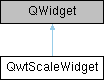
A Widget which contains a scale 更多...
#include <qwt_scale_widget.h>
类 | |
| class | PrivateData |
Public 类型 | |
| enum | LayoutFlag { TitleInverted = 1 } |
| Layout flags of the title 更多... | |
| enum | TitlePosition { TitleCentered = 0 , TitleAtStart , TitleAtEnd } |
| Position of the axis title along the backbone 更多... | |
| enum | TitlePlacement { TitleInside = 0 , TitleOutside } |
| Placement of the axis title relative to the scale widget 更多... | |
| enum | BuiltinActions { ActionNone = 0x00 , ActionWheelZoom = 0x01 , ActionClickPan = 0x02 , ActionAll = 0xFF } |
| Built-in actions 更多... | |
信号 | |
| void | scaleDivChanged () |
| Signal emitted whenever the scale division changes | |
| void | requestScaleRangeUpdate (double min, double max) |
| Request to change the axis scale division | |
| void | selectionChanged (bool selected) |
| Signal emitted when the axis selection state changes | |
Public 成员函数 | |
| QwtScaleWidget (QWidget *parent=nullptr) | |
| Constructor | |
| QwtScaleWidget (QwtScaleDraw::Alignment, QWidget *parent=nullptr) | |
| Constructor with alignment | |
| ~QwtScaleWidget () override | |
| Destructor | |
| void | setTitle (const QString &title) |
| Set the title | |
| void | setTitle (const QwtText &title) |
| Set the title | |
| QwtText | title () const |
| Get the title | |
| void | setTitlePosition (TitlePosition) |
| Set the title position along the backbone | |
| TitlePosition | titlePosition () const |
| Get the position of the title along the backbone | |
| void | setTitlePlacement (TitlePlacement) |
| Set the title placement (inside the widget or outside as caption) | |
| TitlePlacement | titlePlacement () const |
| Get the placement of the title relative to the scale widget | |
| void | setTitleAlignment (Qt::Alignment) |
| Set the title text alignment (horizontal alignment within the title box) | |
| Qt::Alignment | titleAlignment () const |
| Get the horizontal alignment of the title text | |
| void | setLayoutFlag (LayoutFlag, bool on) |
| Set a layout flag | |
| bool | testLayoutFlag (LayoutFlag) const |
| Test a layout flag | |
| void | setBorderDist (int dist1, int dist2) |
| Set the border distances | |
| int | startBorderDist () const |
| Get the start border distance | |
| int | endBorderDist () const |
| Get the end border distance | |
| void | getBorderDistHint (int &start, int &end) const |
| Get the border distance hint | |
| void | getMinBorderDist (int &start, int &end) const |
| Get the minimum border distances | |
| void | setMinBorderDist (int start, int end) |
| Set the minimum border distances | |
| int | startMinBorderDist () const |
| Get the minimum value for the distances of the scale's endpoints from the widget borders (left or top) | |
| int | endMinBorderDist () const |
| Get the minimum value for the distances of the scale's endpoints from the widget borders (right or bottom) | |
| void | setMargin (int) |
| Set the margin | |
| int | margin () const |
| Get the margin | |
| void | setSpacing (int) |
| Set the spacing | |
| int | spacing () const |
| Get the distance between scale and title | |
| void | setEdgeMargin (int offset) |
| Set the edge margin (offset between axis and plot canvas) | |
| int | edgeMargin () const |
| Get the edge margin | |
| void | setScaleDiv (const QwtScaleDiv &) |
| Set the scale division | |
| void | setTransformation (QwtTransform *) |
| Set the transformation | |
| void | setScaleDraw (QwtScaleDraw *) |
| Set the scale draw | |
| const QwtScaleDraw * | scaleDraw () const |
| Get the scale draw (const version) | |
| QwtScaleDraw * | scaleDraw () |
| Get the scale draw | |
| void | setLabelAlignment (Qt::Alignment) |
| Set the label alignment | |
| void | setLabelRotation (double rotation) |
| Set the label rotation | |
| void | setColorBarEnabled (bool) |
| Enable/disable the color bar | |
| bool | isColorBarEnabled () const |
| Check if color bar is enabled | |
| void | setColorBarWidth (int) |
| Set the color bar width | |
| int | colorBarWidth () const |
| Get the width of the color bar | |
| void | setColorMap (const QwtInterval &, QwtColorMap *) |
| Set the color map | |
| QwtInterval | colorBarInterval () const |
| Get the value interval for the color bar | |
| const QwtColorMap * | colorMap () const |
| Get the color map | |
| virtual QSize | sizeHint () const override |
| Get a size hint | |
| virtual QSize | minimumSizeHint () const override |
| Get a minimum size hint | |
| int | titleHeightForWidth (int width) const |
| Find the height of the title for a given width | |
| int | dimForLength (int length, const QFont &scaleFont) const |
| Find the minimum dimension for a given length | |
| void | drawColorBar (QPainter *, const QRectF &) const |
| Draw the color bar | |
| void | drawTitle (QPainter *, QwtScaleDraw::Alignment, const QRectF &rect) const |
| Draw the title | |
| void | setAlignment (QwtScaleDraw::Alignment) |
| Set the alignment | |
| QwtScaleDraw::Alignment | alignment () const |
| Get the alignment | |
| QRectF | colorBarRect (const QRectF &) const |
| Calculate the rectangle for the color bar | |
| QRect | scaleRect () const |
| Get the rectangle for drawing the scale (excluding colorBar, margin, edgeMargin, borderDist) | |
| void | setTextColor (const QColor &c) |
| Set the text color (font color of the coordinate axis) | |
| QColor | textColor () const |
| Get the font color of the coordinate axis | |
| void | setScaleColor (const QColor &c) |
| Set the scale color (color of the coordinate axis) | |
| QColor | scaleColor () const |
| Get the color of the coordinate axis | |
| void | layoutScale (bool update_geometry=true) |
| Layout the scale | |
| QwtAxisId | axisID () const |
| Get the axis ID for this scale widget | |
| bool | isXAxis () const |
| Check if this is an X axis | |
| bool | isYAxis () const |
| Check if this is a Y axis | |
| void | setBuildinActions (BuiltinActionsFlags acts) |
| Enable/disable built-in actions | |
| BuiltinActionsFlags | buildinActions () const |
| Get the built-in actions flags | |
| bool | testBuildinActions (BuiltinActions ba) const |
| Test if a built-in action is active | |
| void | setSelected (bool selected) |
| Set the selected state | |
| bool | isSelected () const |
| Check if the current axis is selected | |
| void | setSelectionColor (const QColor &color) |
| Set the selection color | |
| QColor | selectionColor () const |
| Get the selection color | |
| void | setZoomFactor (double factor) |
| Set the zoom factor (default 1.2) | |
| double | zoomFactor () const |
| Get the zoom factor | |
| void | setSelectedPenWidthOffset (qreal offset=1) |
| Set the selected pen width offset | |
| qreal | selectedPenWidthOffset () const |
| Get the current pen width offset for the axis when it is in selected state | |
| bool | isOnScale (const QPoint &pos) const |
| Check if a point is on the scale area | |
Protected 成员函数 | |
| virtual void | paintEvent (QPaintEvent *) override |
| paintEvent | |
| virtual void | resizeEvent (QResizeEvent *) override |
| Event handler for resize events | |
| virtual void | changeEvent (QEvent *) override |
| Change Event handler | |
| void | draw (QPainter *) const |
| draw the scale | |
| void | scaleChange () |
| Notify a change of the scale | |
详细描述
A Widget which contains a scale
This Widget can be used to decorate composite widgets with a scale.
Layout diagram: │<--------------------------— plot yleft edge │ │ │ │tick ┌ ┌--------------------------------— │ │ │ │label│ │ │edge │YLeft │space │ 6 -│margin │ │margin│Title │ │ │ │ │ │ │ │ 5 -│ │ │ │ │ │ │ │ │ │ │ │ 4 -│ │ plot cavans │ │ │ │ │ │ │ │ │ │ 3 -│ │ │ │ │ │ │ │ │ │ │ │ 2 -│ │ │ │ │ │ │ │ │ │ │ │ 1 -│ │_________________________________
成员枚举类型说明
◆ BuiltinActions
◆ LayoutFlag
◆ TitlePlacement
Placement of the axis title relative to the scale widget
Controls whether the title is painted inside the scale widget (the legacy behavior, rotated for vertical axes) or outside of it as a horizontal caption. In outside mode the title is no longer part of the widget paint area: QwtPlot reserves a caption strip adjacent to the scale widget and paints the title there (see QwtPlotLayout::scaleCaptionRect()).
The caption strip is located:
In outside mode the title does not contribute to the axis dimension (dimForLength()); instead its height is reserved in the adjacent horizontal band. TitlePosition is ignored, titleAlignment() applies as horizontal alignment within the caption rect.
| 枚举值 | |
|---|---|
| TitleInside | Title painted inside the scale widget (default, legacy behavior). |
| TitleOutside | Title painted outside the scale widget as a horizontal caption. |
◆ TitlePosition
Position of the axis title along the backbone
Controls where the title is placed along the axis backbone. The title keeps its natural orientation (vertical for Y axes, horizontal for X axes); only its position along the backbone changes.
Visual mapping:
构造及析构函数说明
◆ QwtScaleWidget()
|
explicit |
Constructor
Create a scale with the position QwtScaleWidget::Left
- 参数
-
parent Parent widget
Constructor
- 参数
-
align Alignment parent Parent widget
成员函数说明
◆ alignment()
| QwtScaleDraw::Alignment QwtScaleWidget::alignment | ( | ) | const |
◆ axisID()
| QwtAxisId QwtScaleWidget::axisID | ( | ) | const |
Get the axis ID for this scale widget
- 返回
- the axis ID for this scale widget
- 注解
- This function converts based on QwtScaleDraw alignment. If alignment is not set, returns QwtAxis::AxisPositions.
- 返回
- Axis ID
◆ buildinActions()
| QwtScaleWidget::BuiltinActionsFlags QwtScaleWidget::buildinActions | ( | ) | const |
Get the built-in actions flags
- 返回
- the built-in actions flags
- Built-in action flags
◆ changeEvent()
|
overrideprotectedvirtual |
Change Event handler
- 参数
-
event Change event
Invalidates internal caches if necessary
◆ colorBarInterval()
| QwtInterval QwtScaleWidget::colorBarInterval | ( | ) | const |
Get the value interval for the color bar
- 返回
- the color bar interval
- Value interval for the color bar
◆ colorBarRect()
| QRectF QwtScaleWidget::colorBarRect | ( | const QRectF & | rect | ) | const |
Calculate the rectangle for the color bar
- 返回
- the rectangle for the color bar
- 参数
-
rect Bounding rectangle for all components of the scale
- 返回
- Rectangle for the color bar
◆ colorBarWidth()
| int QwtScaleWidget::colorBarWidth | ( | ) | const |
Get the width of the color bar
- 返回
- the color bar width
- Width of the color bar
◆ colorMap()
| const QwtColorMap * QwtScaleWidget::colorMap | ( | ) | const |
◆ dimForLength()
| int QwtScaleWidget::dimForLength | ( | int | length, |
| const QFont & | scaleFont | ||
| ) | const |
Find the minimum dimension for a given length
- 返回
- the dimension required for a given length
dim is the height, length the width seen in direction of the title.
- 参数
-
length Width for horizontal, height for vertical scales scaleFont Font of the scale
- 返回
- Height for horizontal, width for vertical scales
◆ drawColorBar()
| void QwtScaleWidget::drawColorBar | ( | QPainter * | painter, |
| const QRectF & | rect | ||
| ) | const |
Draw the color bar
Draw the color bar of the scale widget
- 参数
-
painter Painter rect Bounding rectangle for the color bar
◆ drawTitle()
| void QwtScaleWidget::drawTitle | ( | QPainter * | painter, |
| QwtScaleDraw::Alignment | align, | ||
| const QRectF & | rect | ||
| ) | const |
Draw the title
Rotate and paint a title according to its position into a given rectangle
- 参数
-
painter Painter align Alignment rect Bounding rectangle
◆ edgeMargin()
| int QwtScaleWidget::edgeMargin | ( | ) | const |
Get the edge margin
- 返回
- the edge margin
The edge margin is the offset between the axis and the plot canvas edge.
- 返回
- Edge margin value
◆ endBorderDist()
| int QwtScaleWidget::endBorderDist | ( | ) | const |
◆ endMinBorderDist()
| int QwtScaleWidget::endMinBorderDist | ( | ) | const |
Get the minimum value for the distances of the scale's endpoints from the widget borders (right or bottom)
- 返回
- the end minimum border distance
- End minimum border distance
◆ getBorderDistHint()
| void QwtScaleWidget::getBorderDistHint | ( | int & | start, |
| int & | end | ||
| ) | const |
Get the border distance hint
Calculate a hint for the border distances
This member function calculates the distance of the scale's endpoints from the widget borders which is required for the mark labels to fit into the widget. The maximum of this distance and the minimum border distance is returned.
- 参数
-
[out] start Border width at the beginning of the scale [out] end Border width at the end of the scale
- 警告
- The minimum border distance depends on the font.
◆ getMinBorderDist()
| void QwtScaleWidget::getMinBorderDist | ( | int & | start, |
| int & | end | ||
| ) | const |
Get the minimum border distances
Get the minimum value for the distances of the scale's endpoints from the widget borders
- 参数
-
[out] start Border width at the beginning of the scale [out] end Border width at the end of the scale
◆ isColorBarEnabled()
| bool QwtScaleWidget::isColorBarEnabled | ( | ) | const |
Check if color bar is enabled
- 返回
- true if color bar is enabled
- true when the color bar is enabled
◆ isOnScale()
| bool QwtScaleWidget::isOnScale | ( | const QPoint & | pos | ) | const |
Check if a point is on the scale area
Check if a mouse position falls on the "pure scale area"
- 参数
-
pos Mouse position (relative to this QWidget's coordinates)
- 返回
- true if on the scale area, false if on margin, edgeMargin, title, colorBar, etc.
◆ isSelected()
| bool QwtScaleWidget::isSelected | ( | ) | const |
Check if the current axis is selected
- 返回
- true if selected
- true if selected, false otherwise
◆ isXAxis()
| bool QwtScaleWidget::isXAxis | ( | ) | const |
Check if this is an X axis
- 返回
- true if this is an X axis
◆ isYAxis()
| bool QwtScaleWidget::isYAxis | ( | ) | const |
Check if this is a Y axis
- 返回
- true if this is a Y axis
◆ layoutScale()
| void QwtScaleWidget::layoutScale | ( | bool | update_geometry = true | ) |
Layout the scale
Recalculate the scale's geometry and layout based on the current geometry and fonts
- 参数
-
update_geometry Notify the layout system and call update to redraw the scale
◆ margin()
| int QwtScaleWidget::margin | ( | ) | const |
◆ minimumSizeHint()
|
overridevirtual |
Get a minimum size hint
- 返回
- Minimum size hint
◆ requestScaleRangeUpdate
|
signal |
Request to change the axis scale division
Emitted when built-in actions (zoom/pan) need to alter the scale. Unlike normal QwtPlot updates, here the axis drives the change: QwtPlot receives this signal and adjusts item bounds accordingly.
- 参数
-
min Minimum scale division requested max Maximum scale division requested
◆ resizeEvent()
|
overrideprotectedvirtual |
Event handler for resize events
- 参数
-
event Resize event
◆ scaleChange()
|
protected |
Notify a change of the scale
This virtual function can be overloaded by derived classes. The default implementation updates the geometry and repaints the widget.
◆ scaleColor()
| QColor QwtScaleWidget::scaleColor | ( | ) | const |
Get the color of the coordinate axis
- 返回
- the scale color
- Scale color
◆ scaleDraw() [1/2]
| QwtScaleDraw * QwtScaleWidget::scaleDraw | ( | ) |
Get the scale draw
- 返回
- the scale draw
- scaleDraw of this scale
- 参见
- QwtScaleDraw::setScaleDraw()
◆ scaleDraw() [2/2]
| const QwtScaleDraw * QwtScaleWidget::scaleDraw | ( | ) | const |
Get the scale draw (const version)
- 返回
- the scale draw (const version)
- scaleDraw of this scale
- 参见
- setScaleDraw(), QwtScaleDraw::setScaleDraw()
◆ scaleRect()
| QRect QwtScaleWidget::scaleRect | ( | ) | const |
Get the rectangle for drawing the scale (excluding colorBar, margin, edgeMargin, borderDist)
- 返回
- the scale rectangle (excluding color bar, margin, edge margin, border distances)
- Rectangle used for drawing the scale
◆ selectedPenWidthOffset()
| qreal QwtScaleWidget::selectedPenWidthOffset | ( | ) | const |
Get the current pen width offset for the axis when it is in selected state
- 返回
- the selected pen width offset
- The current width offset value
◆ selectionChanged
|
signal |
Signal emitted when the axis selection state changes
- 参数
-
selected True if the axis is selected, false otherwise
◆ selectionColor()
| QColor QwtScaleWidget::selectionColor | ( | ) | const |
Get the selection color
- 返回
- the selection color
- Selection color
◆ setAlignment()
| void QwtScaleWidget::setAlignment | ( | QwtScaleDraw::Alignment | alignment | ) |
◆ setBorderDist()
| void QwtScaleWidget::setBorderDist | ( | int | dist1, |
| int | dist2 | ||
| ) |
Set the border distances
Specify distances of the scale's endpoints from the widget's borders
The actual borders will never be less than minimum border distance.
- 参数
-
dist1 Left or top distance dist2 Right or bottom distance
◆ setBuildinActions()
| void QwtScaleWidget::setBuildinActions | ( | BuiltinActionsFlags | acts | ) |
Enable/disable built-in actions
Set the built-in actions
- 参数
-
actions Built-in action flags
◆ setColorBarEnabled()
| void QwtScaleWidget::setColorBarEnabled | ( | bool | on | ) |
Enable/disable the color bar
Enable/disable a color bar associated to the scale
- 参数
-
on true to enable, false to disable
◆ setColorBarWidth()
| void QwtScaleWidget::setColorBarWidth | ( | int | width | ) |
Set the color bar width
Set the width of the color bar
- 参数
-
width Width
◆ setColorMap()
| void QwtScaleWidget::setColorMap | ( | const QwtInterval & | interval, |
| QwtColorMap * | colorMap | ||
| ) |
Set the color map
Set the color map and value interval used for displaying the color bar
- 参数
-
interval Value interval colorMap Color map
◆ setEdgeMargin()
| void QwtScaleWidget::setEdgeMargin | ( | int | offset | ) |
Set the edge margin (offset between axis and plot canvas)
Set the edge margin (offset between axis and plot canvas edge)
edgeMargin and margin are opposite: margin is the offset from the plot, edgeMargin is the offset from the plot canvas edge.
- 参数
-
offset Edge margin offset
◆ setLabelAlignment()
| void QwtScaleWidget::setLabelAlignment | ( | Qt::Alignment | alignment | ) |
Set the label alignment
Change the alignment for the labels
- 参数
-
alignment Alignment
◆ setLabelRotation()
| void QwtScaleWidget::setLabelRotation | ( | double | rotation | ) |
Set the label rotation
Change the rotation for the labels
- 参数
-
rotation Rotation angle in degrees
◆ setLayoutFlag()
| void QwtScaleWidget::setLayoutFlag | ( | LayoutFlag | flag, |
| bool | on | ||
| ) |
Set a layout flag
Toggle a layout flag
- 参数
-
flag Layout flag on true/false
◆ setMargin()
| void QwtScaleWidget::setMargin | ( | int | margin | ) |
◆ setMinBorderDist()
| void QwtScaleWidget::setMinBorderDist | ( | int | start, |
| int | end | ||
| ) |
Set the minimum border distances
Set a minimum value for the distances of the scale's endpoints from the widget borders
This is useful to avoid that the scales are "jumping" when the tick labels or their positions change often.
- 参数
-
start Minimum for the start border end Minimum for the end border
◆ setScaleColor()
| void QwtScaleWidget::setScaleColor | ( | const QColor & | c | ) |
Set the scale color (color of the coordinate axis)
Set the color of the coordinate axis
- 参数
-
c Scale color
◆ setScaleDiv()
| void QwtScaleWidget::setScaleDiv | ( | const QwtScaleDiv & | scaleDiv | ) |
Set the scale division
Assign a scale division
The scale division determines where to set the tick marks.
- 参数
-
scaleDiv Scale Division
- 参见
- For more information about scale divisions, see QwtScaleDiv.
◆ setScaleDraw()
| void QwtScaleWidget::setScaleDraw | ( | QwtScaleDraw * | scaleDraw | ) |
Set the scale draw
Set a scale draw
scaleDraw has to be created with new and will be deleted in ~QwtScaleWidget() or the next call of setScaleDraw(). scaleDraw will be initialized with the attributes of the previous scaleDraw object.
- 参数
-
scaleDraw ScaleDraw object
◆ setSelected()
| void QwtScaleWidget::setSelected | ( | bool | selected | ) |
Set the selected state
This function triggers the selectionChanged signal. Setting the same state repeatedly will not trigger the signal again.
- 参数
-
selected true to select, false to deselect
◆ setSelectedPenWidthOffset()
| void QwtScaleWidget::setSelectedPenWidthOffset | ( | qreal | offset = 1 | ) |
Set the selected pen width offset
Set the pen width offset for the axis when it is in selected state
When an axis (e.g., X-axis or Y-axis) is selected by the user, the pen width used for drawing will be increased by this offset value, achieving a visual highlighting effect.
- 参数
-
offset The additional width value to be added when selected (unit: pixels). This value should be non-negative. If it is 0, the line width in selected state will be the same as in normal state.
◆ setSelectionColor()
| void QwtScaleWidget::setSelectionColor | ( | const QColor & | color | ) |
Set the selection color
- 参数
-
color Selection color
◆ setSpacing()
| void QwtScaleWidget::setSpacing | ( | int | spacing | ) |
Set the spacing
Specify the distance between color bar, scale and title
- 参数
-
spacing Spacing
◆ setTextColor()
| void QwtScaleWidget::setTextColor | ( | const QColor & | c | ) |
Set the text color (font color of the coordinate axis)
Set the font color of the coordinate axis
- 参数
-
c Text color
◆ setTitle() [1/2]
| void QwtScaleWidget::setTitle | ( | const QString & | title | ) |
◆ setTitle() [2/2]
| void QwtScaleWidget::setTitle | ( | const QwtText & | title | ) |
Set the title
Give title new text contents
- 参数
-
title New title
- 参见
- title()
- 警告
- The title flags are interpreted in direction of the label, AlignTop, AlignBottom can't be set as the title will always be aligned to the scale.
◆ setTitleAlignment()
| void QwtScaleWidget::setTitleAlignment | ( | Qt::Alignment | alignment | ) |
Set the title text alignment (horizontal alignment within the title box)
Set the horizontal alignment of the title text
The alignment flags control how the title is laid out within its drawing rectangle (the vertical direction is always pinned to the scale, as for the legacy behavior). Only the horizontal alignment bits (Qt::AlignLeft, Qt::AlignHCenter, Qt::AlignRight) are meaningful; vertical bits are ignored.
- 参数
-
alignment Horizontal alignment flags
◆ setTitlePlacement()
| void QwtScaleWidget::setTitlePlacement | ( | TitlePlacement | placement | ) |
Set the title placement (inside the widget or outside as caption)
Set the placement of the title relative to the scale widget
With TitleInside (default) the title is painted inside the widget and contributes to the axis dimension. With TitleOutside the widget does not paint the title at all: QwtPlot reserves a caption strip adjacent to the scale widget and paints the title there as horizontal text (below the widget for YLeft/YRight/XBottom, above it for XTop). Changing the placement triggers a relayout of the plot.
- 参数
-
placement New title placement
◆ setTitlePosition()
| void QwtScaleWidget::setTitlePosition | ( | TitlePosition | position | ) |
Set the title position along the backbone
Set the position of the title along the backbone
Controls where the title is painted along the axis backbone. The title keeps its natural orientation (vertical for Y axes, horizontal for X axes). The default is TitleCentered, which reproduces the legacy behavior.
- 参数
-
position New title position
◆ setTransformation()
| void QwtScaleWidget::setTransformation | ( | QwtTransform * | transformation | ) |
Set the transformation
- 参数
-
transformation Transformation
- 参见
- QwtAbstractScaleDraw::scaleDraw(), QwtScaleMap
◆ setZoomFactor()
| void QwtScaleWidget::setZoomFactor | ( | double | factor | ) |
Set the zoom factor (default 1.2)
- 参数
-
factor Zoom factor (range 0.1 to 10.0)
◆ sizeHint()
|
overridevirtual |
Get a size hint
- 返回
- Size hint
◆ spacing()
| int QwtScaleWidget::spacing | ( | ) | const |
Get the distance between scale and title
- 返回
- the spacing
- Distance between scale and title
◆ startBorderDist()
| int QwtScaleWidget::startBorderDist | ( | ) | const |
◆ startMinBorderDist()
| int QwtScaleWidget::startMinBorderDist | ( | ) | const |
Get the minimum value for the distances of the scale's endpoints from the widget borders (left or top)
- 返回
- the start minimum border distance
- Start minimum border distance
◆ testBuildinActions()
| bool QwtScaleWidget::testBuildinActions | ( | QwtScaleWidget::BuiltinActions | ba | ) | const |
Test if a built-in action is active
- 返回
- true if a built-in action is active
- 参数
-
ba Built-in action to test
- 返回
- true if the action is active
◆ testLayoutFlag()
| bool QwtScaleWidget::testLayoutFlag | ( | LayoutFlag | flag | ) | const |
Test a layout flag
- 返回
- true if a layout flag is set
- 参数
-
flag Layout flag
- 返回
- true/false
◆ textColor()
| QColor QwtScaleWidget::textColor | ( | ) | const |
Get the font color of the coordinate axis
- 返回
- the text color
- Text color
◆ title()
| QwtText QwtScaleWidget::title | ( | ) | const |
◆ titleAlignment()
| Qt::Alignment QwtScaleWidget::titleAlignment | ( | ) | const |
Get the horizontal alignment of the title text
- 返回
- the title text alignment
- Horizontal alignment flags
◆ titleHeightForWidth()
| int QwtScaleWidget::titleHeightForWidth | ( | int | width | ) | const |
Find the height of the title for a given width
- 返回
- the height required for the title for a given width
- 参数
-
width Width
- 返回
- Height
◆ titlePlacement()
| QwtScaleWidget::TitlePlacement QwtScaleWidget::titlePlacement | ( | ) | const |
Get the placement of the title relative to the scale widget
- 返回
- the title placement
- Title placement
◆ titlePosition()
| QwtScaleWidget::TitlePosition QwtScaleWidget::titlePosition | ( | ) | const |
Get the position of the title along the backbone
- 返回
- the title position along the backbone
- Title position
◆ zoomFactor()
| double QwtScaleWidget::zoomFactor | ( | ) | const |
Get the zoom factor
- 返回
- the zoom factor
- Zoom factor
该类的文档由以下文件生成:
- /home/runner/work/QWT/QWT/src/plot/qwt_scale_widget.h
- /home/runner/work/QWT/QWT/src/plot/qwt_scale_widget.cpp