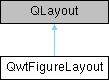
Custom layout manager for QwtFigureWidget that handles both normalized coordinates and grid layouts. More...
#include <qwt_figure_layout.h>
Classes | |
| class | PrivateData |
Public Member Functions | |
| QwtFigureLayout (QWidget *parent) | |
| virtual void | addItem (QLayoutItem *item) override |
| virtual QLayoutItem * | itemAt (int index) const override |
| virtual QLayoutItem * | takeAt (int index) override |
| virtual int | count () const override |
| virtual QSize | sizeHint () const override |
| virtual QSize | minimumSize () const override |
| virtual void | setGeometry (const QRect &rect) override |
| void | addAxes (QWidget *widget, const QRectF &rect) |
| Add a widget with normalized coordinates/使用归一化坐标添加窗口部件 | |
| void | addAxes (QWidget *widget, qreal left, qreal top, qreal width, qreal height) |
| Add a widget with normalized coordinates using separate parameters/使用分离参数和归一化坐标添加窗口部件 | |
| void | addGridAxes (QWidget *widget, int rowCnt, int colCnt, int row, int col, int rowSpan=1, int colSpan=1, qreal wspace=0.0, qreal hspace=0.0) |
| Add a widget by grid layout/添加窗口部件到网格布局 | |
| void | setAxesNormPos (QWidget *widget, const QRectF &rect) |
| 改变已经添加的窗口的位置占比,如果窗口还没添加,此函数无效 | |
| QRectF | widgetNormRect (QWidget *widget) const |
| Get the normalized rectangle for a widget/获取窗口部件的归一化矩形 | |
| QRect | calcActualRect (const QRect &parentRect, const QRectF &normRect) |
| 通过归一化矩形计算真实矩形 | |
Static Public Member Functions | |
| static QRectF | calcNormRect (const QRect &parentRect, const QRect &rect) |
| 计算rect相对于parentRect的归一化坐标 | |
Protected Member Functions | |
| QRectF | calcGridRect (int rowCnt, int colCnt, int row, int col, int rowSpan=1, int colSpan=1, qreal wspace=0.0, qreal hspace=0.0) const |
| calc the normalized rectangle for a grid cell/获取网格单元格的归一化矩形 | |
Detailed Description
Custom layout manager for QwtFigureWidget that handles both normalized coordinates and grid layouts.
自定义布局管理器,用于QwtFigureWidget,支持归一化坐标和网格布局
Member Function Documentation
◆ addAxes() [1/2]
| void QwtFigureLayout::addAxes | ( | QWidget * | widget, |
| const QRectF & | rect | ||
| ) |
Add a widget with normalized coordinates/使用归一化坐标添加窗口部件
This method adds a widget to the layout using normalized coordinates in the range [0,1]. The coordinates are specified as [left, top, width, height], where:
- left: distance from the left edge of the figure
- top: distance from the top edge of the figure
- width: width of the widget
- height: height of the widget
此方法使用[0,1]范围内的归一化坐标将窗口部件添加到布局中。 坐标指定为[左, 上, 宽, 高],其中:
- 左: 距图形左边缘的距离
- 上: 距图形上边缘的距离
- 宽: 窗口部件的宽度
- 高: 窗口部件的高度
- Note
- All coordinates must be in the range [0,1]. The sum of left + width should not exceed 1, and the sum of top + height should not exceed 1. 所有坐标必须在[0,1]范围内。左+宽不应超过1,上+高不应超过1。
- Parameters
-
widget Widget to add / 要添加的窗口部件 rect Normalized coordinates [left, top, width, height] in range [0,1] 归一化坐标 [左, 上, 宽, 高],范围 [0,1]
◆ addAxes() [2/2]
| void QwtFigureLayout::addAxes | ( | QWidget * | widget, |
| qreal | left, | ||
| qreal | top, | ||
| qreal | width, | ||
| qreal | height | ||
| ) |
Add a widget with normalized coordinates using separate parameters/使用分离参数和归一化坐标添加窗口部件
This is a convenience overload that adds a widget to the layout using normalized coordinates in the range [0,1] with separate left, top, width, and height parameters. The coordinates use Qt's standard top-left coordinate system.
这是一个便捷的重载函数,使用[0,1]范围内的归一化坐标和独立的左、上、宽、高参数将窗口部件添加到布局中。 坐标使用Qt的标准左上角坐标系。
- Parameters
-
widget Widget to add / 要添加的窗口部件 left Normalized distance from the left edge [0,1] / 距左边缘的归一化距离 [0,1] top Normalized distance from the top edge [0,1] / 距上边缘的归一化距离 [0,1] width Normalized width of the widget [0,1] / 窗口部件的归一化宽度 [0,1] height Normalized height of the widget [0,1] / 窗口部件的归一化高度 [0,1]
- Note
- All parameters must be in the range [0,1]. The sum of left + width should not exceed 1, and the sum of top + height should not exceed 1. 所有参数必须在[0,1]范围内。左+宽不应超过1,上+高不应超过1。
◆ addGridAxes()
| void QwtFigureLayout::addGridAxes | ( | QWidget * | widget, |
| int | rowCnt, | ||
| int | colCnt, | ||
| int | row, | ||
| int | col, | ||
| int | rowSpan = 1, |
||
| int | colSpan = 1, |
||
| qreal | wspace = 0.0, |
||
| qreal | hspace = 0.0 |
||
| ) |
Add a widget by grid layout/添加窗口部件到网格布局
This method adds a widget to the grid layout at the specified position with optional row and column spans. The grid position is 0-based, with (0,0) being the top-left cell of the grid. The normalized coordinates are calculated immediately and stored with the widget.
此方法将窗口部件添加到网格布局中的指定位置,可选择跨行和跨列。 网格位置从0开始,(0,0)表示网格的左上角单元格。 归一化坐标会立即计算并与窗口部件一起存储。
- Parameters
-
widget Widget to add / 要添加的窗口部件 rowCnt Total number of rows in the grid / 网格总行数 colCnt Total number of columns in the grid / 网格总列数 row Grid row position (0-based) / 网格行位置(从0开始) col Grid column position (0-based) / 网格列位置(从0开始) rowSpan Number of rows to span (default: 1) / 跨行数(默认:1) colSpan Number of columns to span (default: 1) / 跨列数(默认:1) wspace Horizontal space between subplots [0,1] / 子图之间的水平间距 [0,1] hspace Vertical space between subplots [0,1] / 子图之间的垂直间距 [0,1] // Create a 2x2 grid and add widgets// 创建一个2x2网格并添加窗口部件//// Grid layout visualization (2x2):// 网格布局可视化 (2x2):// +-------------------+-------------------+// | | |// | (0,0) | (0,1) |// | | |// +-------------------+-------------------+// | | |// | (1,0) | (1,1) |// | | |// +-------------------+-------------------+// Add a widget that spans the entire top row (row 0, columns 0-1)// 添加一个占据整个顶行(第0行,第0-1列)的窗口部件QWidget* topWidget = new QWidget;layout->addAxes(topWidget, 2, 2, 0, 0, 1, 2);//// After adding topWidget:// 添加 topWidget 后:// +---------------------------------------+// | |// | topWidget (0,0-1) |// | |// +-------------------+-------------------+// | | |// | (1,0) | (1,1) |// | | |// +-------------------+-------------------+// Add a widget to the bottom-left cell (row 1, column 0)// 添加一个到底部左侧单元格(第1行,第0列)的窗口部件QWidget* bottomLeftWidget = new QWidget;layout->addAxes(bottomLeftWidget, 2, 2, 1, 0);//// After adding bottomLeftWidget:// 添加 bottomLeftWidget 后:// +---------------------------------------+// | |// | topWidget (0,0-1) |// | |// +-------------------+-------------------+// | | |// | bottomLeft (1,0) | (1,1) |// | | |// +-------------------+-------------------+// Add a widget to the bottom-right cell (row 1, column 1)// 添加一个到底部右侧单元格(第1行,第1列)的窗口部件QWidget* bottomRightWidget = new QWidget;layout->addAxes(bottomRightWidget, 2, 2, 1, 1);//// Final layout:// 最终布局:// +---------------------------------------+// | |// | topWidget (0,0-1) |// | |// +-------------------+-------------------+// | | |// | bottomLeft (1,0) | bottomRight (1,1) |// | | |// +-------------------+-------------------+
◆ calcActualRect()
| QRect QwtFigureLayout::calcActualRect | ( | const QRect & | parentRect, |
| const QRectF & | normRect | ||
| ) |
通过归一化矩形计算真实矩形
- Parameters
-
parentRect 父窗口大小 normRect 归一化矩形
- Returns
◆ calcGridRect()
|
protected |
calc the normalized rectangle for a grid cell/获取网格单元格的归一化矩形
This method calculates the normalized coordinates for a specific grid cell based on the current layout parameters and grid configuration.
此方法根据当前布局参数和网格配置计算特定网格单元格的归一化坐标。
- Parameters
-
rowCnt Total number of rows in the grid / 网格总行数 colCnt Total number of columns in the grid / 网格总列数 row Grid row position (0-based) / 网格行位置(从0开始) col Grid column position (0-based) / 网格列位置(从0开始) rowSpan Number of rows to span (default: 1) / 跨行数(默认:1) colSpan Number of columns to span (default: 1) / 跨列数(默认:1)
- Returns
- Normalized coordinates [left, top, width, height] in range [0,1] 归一化坐标 [左, 上, 宽, 高],范围 [0,1]
◆ calcNormRect()
|
static |
计算rect相对于parentRect的归一化坐标
- Parameters
-
parentRect 父矩形(像素坐标) rect 子矩形(像素坐标,相对于parentRect)
- Returns
- 归一化坐标QRectF(left, top, width, height均在[0,1]范围)
◆ setAxesNormPos()
| void QwtFigureLayout::setAxesNormPos | ( | QWidget * | widget, |
| const QRectF & | rect | ||
| ) |
改变已经添加的窗口的位置占比,如果窗口还没添加,此函数无效
- Note
- 此函数不会自动刷新窗口位置,需要用户手动刷新
- Parameters
-
widget rect
◆ widgetNormRect()
| QRectF QwtFigureLayout::widgetNormRect | ( | QWidget * | widget | ) | const |
Get the normalized rectangle for a widget/获取窗口部件的归一化矩形
This method returns the normalized coordinates [0,1] for the specified widget in the layout. If the widget is not found in the layout, an invalid QRectF is returned.
此方法返回布局中指定窗口部件的归一化坐标[0,1]。如果在布局中未找到该窗口部件,则返回无效的QRectF。
- Parameters
-
widget Widget to query / 要查询的窗口部件
- Returns
- Normalized coordinates [left, top, width, height] in range [0,1], or invalid QRectF if not found 归一化坐标 [左, 上, 宽, 高],范围 [0,1],如果未找到则返回无效QRectF
The documentation for this class was generated from the following files:
- /home/runner/work/QWT/QWT/src/qwt_figure_layout.h
- /home/runner/work/QWT/QWT/src/qwt_figure_layout.cpp